

Question 141
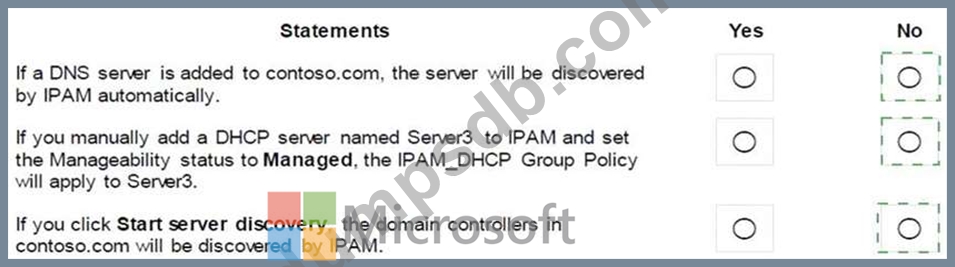
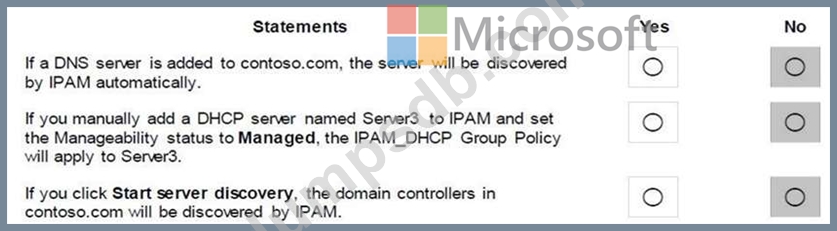
Your company has a testing environment that contains an Active Directory domain named contoso.com. The domain contains a server named Server1 that runs Windows Server 2016. Server1 has IP Address Management (IPAM) installed. IPAM has the following configuration.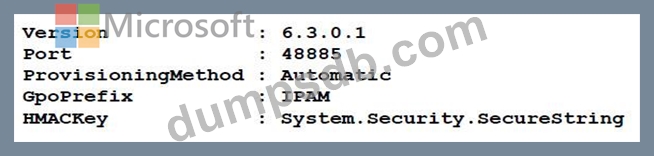
The IPAM Overview page from Server Manager is shown in the IPAM Overview exhibit. (Click the Exhibit button.)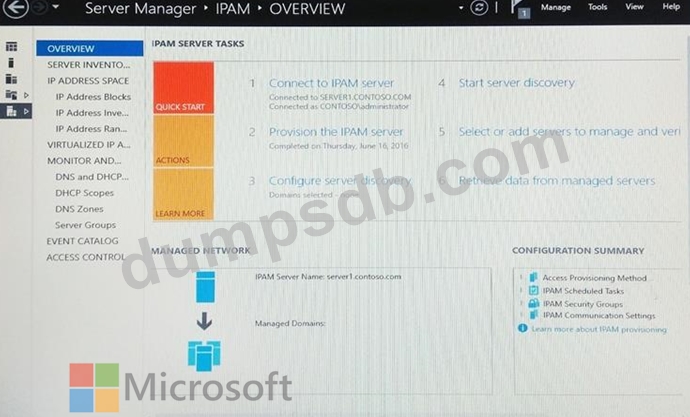
The group policy configurations are shown in the GPO exhibit. (Click the Exhibit button.)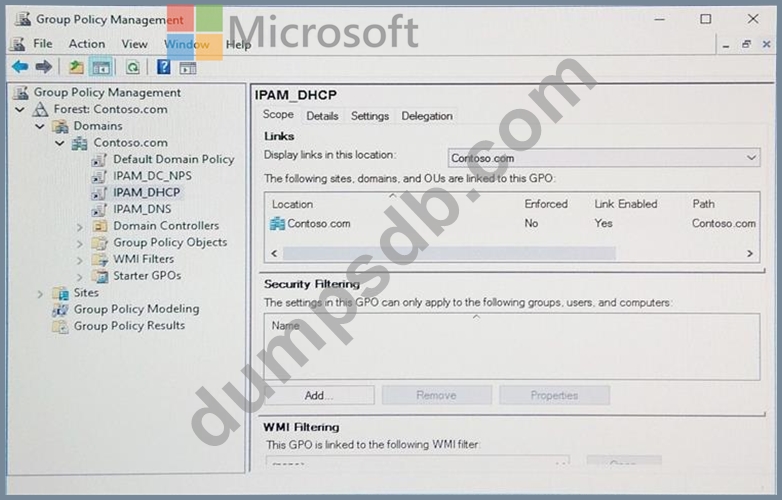
For each of the following statements, select Yes if the statement is true. Otherwise, select No.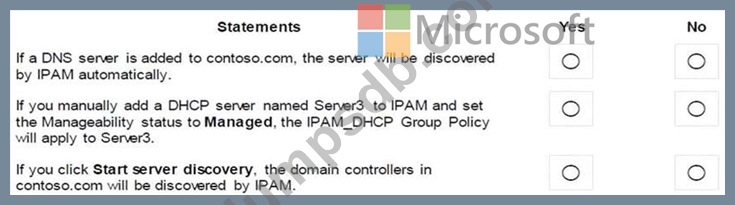
Question 142
You have an IP Address Management (IPAM) server named Server1 that runs Windows Server 2016. You have five DHCP servers. Server1 manages all of the DHCP servers.
On Server1, an administrator uses Purge Event Catalog Data to remove all of the events from the last 30 days.
You need to view all of the lease requests that were denied during the last two days.
What should you do?
Question 143
You have a DHCP server named Server1.
Server1 has an IPv4 scope that serves 75 client computers that run Windows 10.
When you review the address leases in the DHCP console, you discover several leases for devices that you do not recognize.
You need to ensure that only the 75 Windows 10 computers can obtain a lease from the scope.
What should you do?
Question 144
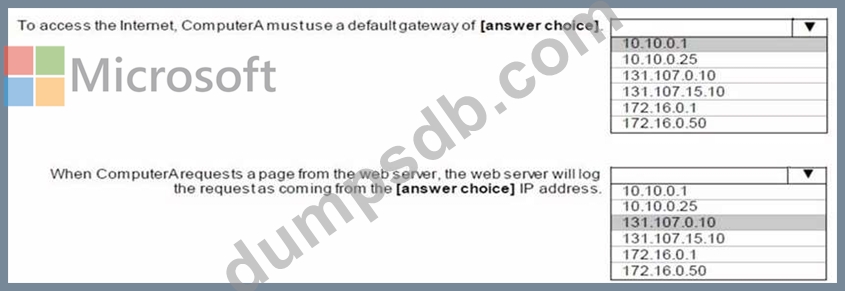
HOTSPOT
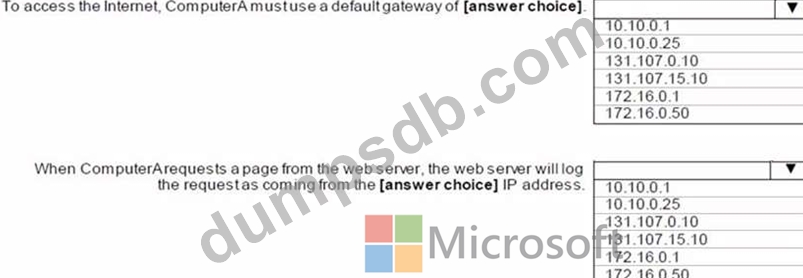
Your network is configured as shown in the network diagram.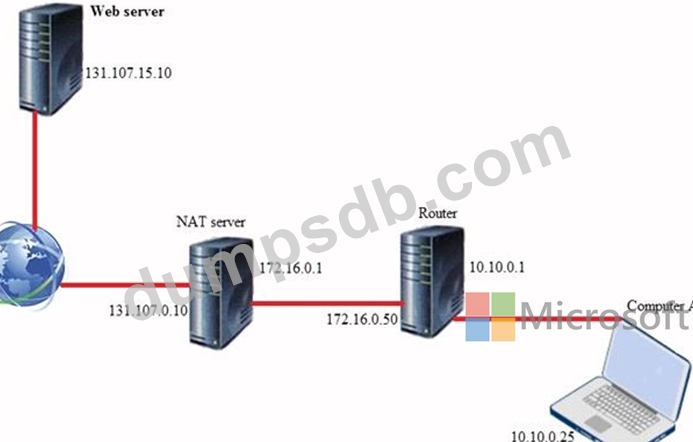
Question 145
Note: This question is part of a series of questions that present the same scenario. Each question in the series contains a unique solution that might meet the stated goals. Some question sets might have more than one correct solution, while others might not have a correct solution.
After you answer a question in this sections, you will NOT be able to return to it. As a result, these questions will not appear in the review screen.
You network contains an Active Directory domain named contoso.com. The domain contains a DHCP server named Server2 than runs Windows Server 2016.
Users report that their client computers fail to obtain an IP address.
You open the DHCP console as shown in the Exhibit. (Click the Exhibit button.)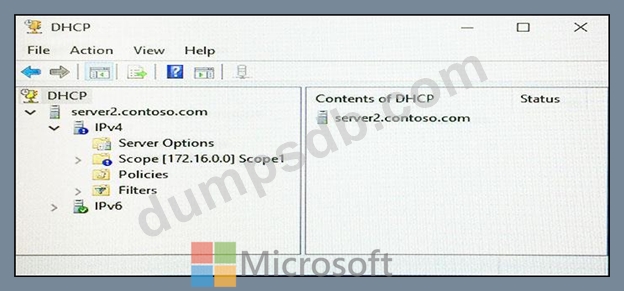
Scope1 has an address range of 172.16.0.10 to 172.16.0.100 and a prefix length of 23 bits.
You need to ensure that all of the client computers on the network can obtain an IP address from Server2.
Solution: You run the Repair-DhcpServerv4IPRecord cmdlet.
Does this meet the goal?