Question 1
You manage Microsoft System Center Virtual Machine Manager (SCVMM).
You need to block specific packets on the virtual switch.
Which two types of virtual switch extensions can you use? Each correct answer presents a complete solution.
NOTE: Each correct selection is worth one point.
Question 2
DRAG DROP
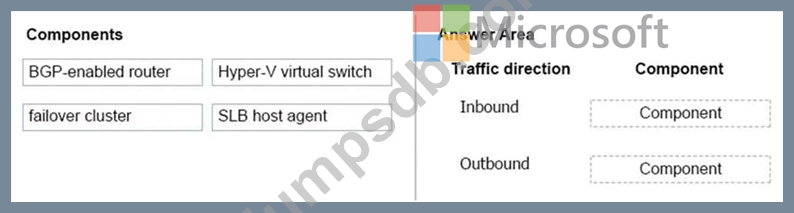
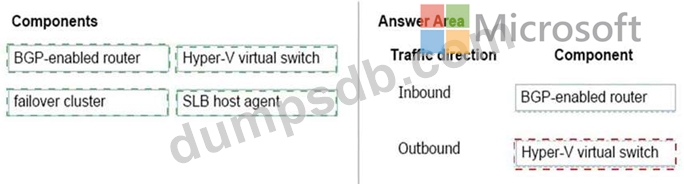
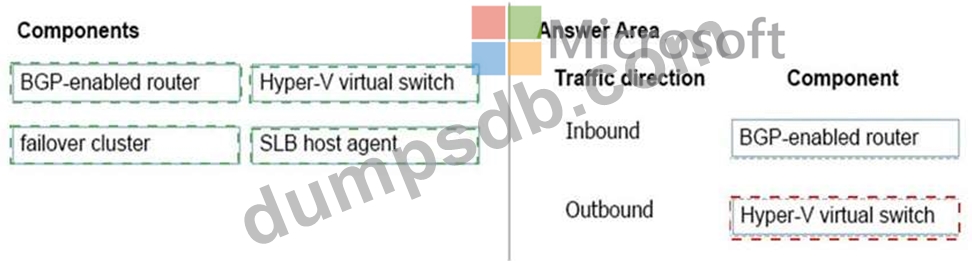
You manage Microsoft System Center Virtual Machine Manager (SCVMM). You plan to implement software load balancer (SLB) on Microsoft Hyper-V host servers by using an SLB Multiplexer (MUX).
You identify the following requirements:
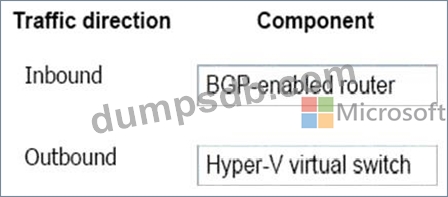
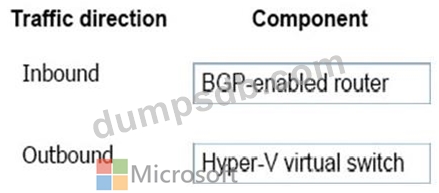
Redirect all inbound traffic to the MUX.
Ensure that all outbound network traffic bypasses the MUX.
You need to configure the environment.
Which components should you implement? To answer, drag the appropriate components to the correct traffic directions. Each component may be used once, more than once, or not at all. You may need to drag the split bar between panes or scroll to view content.
NOTE: Each correct selection is worth one point.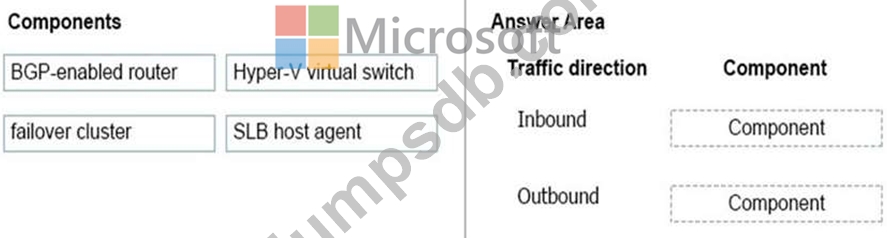
Question 3
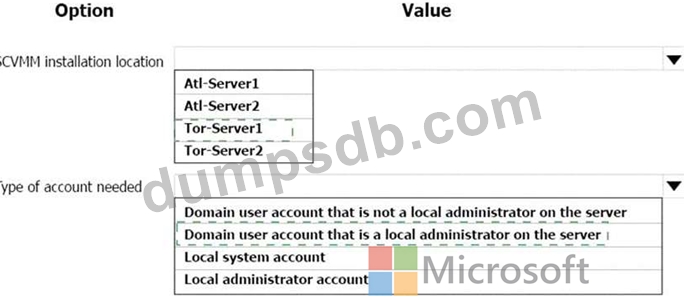
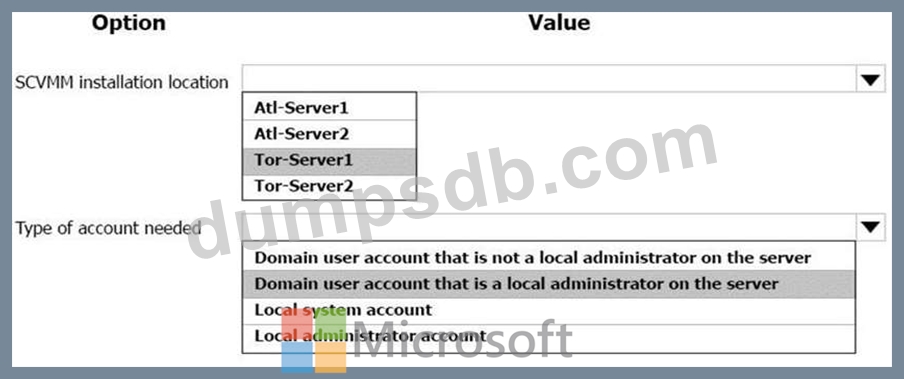
You need to deploy the production SCVMM instance.
Which values should you supply for each installation option? To answer, select the appropriate options in the answer area.
NOTE: Each correct selection is worth one point.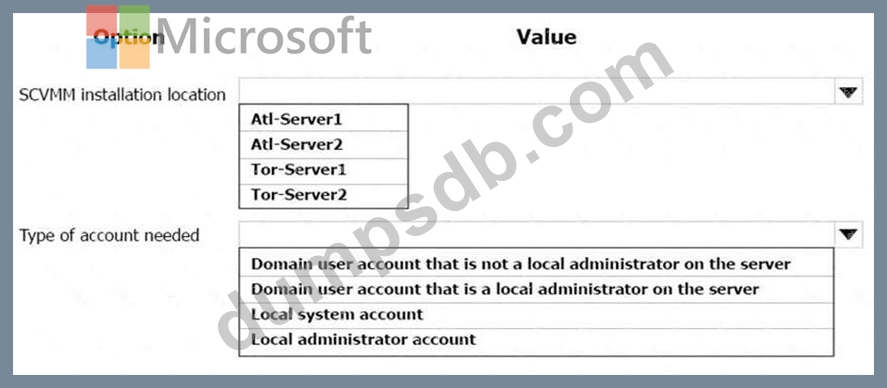
Question 4
You administer Microsoft system center Virtual machine manager (SCVMM). You create a virtual network adapter that connects a virtual machine (VM) named VM1 to a virtual switch called SW1.
You need to configure the maximum and minimum bandwidths for the virtual network adapter.
Which object should you create in SCVMM?
Question 5
You manage Microsoft System Center Virtual Machine Manager (SCVMM). You plan to implement software load balancer (SLB) on Microsoft Hyper-V host servers by using an SLB Multiplexer (MUX).
You identify the following requirements:
Redirect all inbound traffic to the MUX.
Ensure that all outbound network traffic bypasses the MUX.
You need to configure the environment.
Which components should you implement? To answer, drag the appropriate components to the correct traffic directions. Each component may be used once, more than once, or not at all. You may need to drag the split bar between panes or scroll to view content.
NOTE: Each correct selection is worth one point.