Question 141
Note: This question is part of a series of questions that present the same scenario. Each question in the series contains a unique solution that might meet the stated goals. Some question sets might have more than one correct solution, while others might not have a correct solution.
After you answer a question in this section, you will NOT be able to return to it. As a result, these questions will not appear in the review screen.
You are developing a medical records document management website. The website is used to store scanned copies of patient intake forms.
If the stored intake forms are downloaded from storage by a third party, the contents of the forms must not be compromised.
You need to store the intake forms according to the requirements.
Solution:
1. Create an Azure Key Vault key named skey.
2. Encrypt the intake forms using the public key portion of skey.
3. Store the encrypted data in Azure Blob storage.
Does the solution meet the goal?
Question 142
You need to update the APIs to resolve the testing error.
How should you complete the Azure CLI command? To answer, select the appropriate options in the answer area.
NOTE: Each correct selection is worth one point.


Question 143
You need to ensure that validation testing is triggered per the requirements.
How should you complete the code segment? To answer, select the appropriate values in the answer area.
NOTE: Each correct selection is worth one point.


Question 144
You need to correct the corporate website error.
Which four actions should you recommend be performed in sequence? To answer, move the appropriate actions from the list of actions to the answer area and arrange them in the correct order.

Question 145
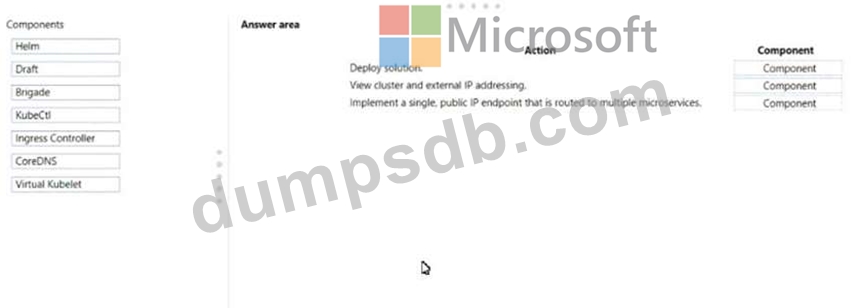
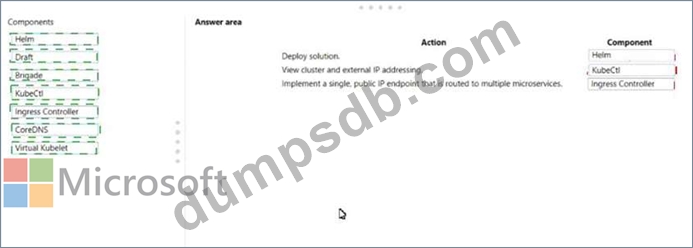
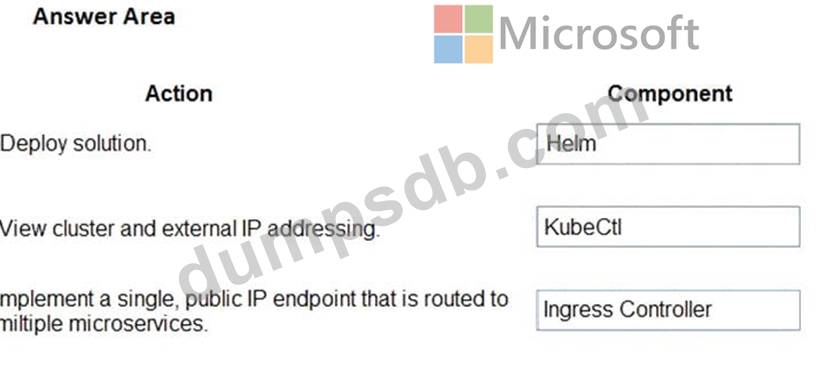
You are developing a microservices solution. You plan to deploy the solution to a multinode Azure Kubernetes Service (AKS) cluster.
You need to deploy a solution that includes the following features:
* reverse proxy capabilities
* configurable traffic routing
* TLS termination with a custom certificate
Which components should you use? To answer, drag the appropriate components to the correct requirements.
Each component may be used once, more than once, or not at all. You may need to drag the split bar between panes or scroll to view content.
NOTE: Each correct selection is worth one point.