Question 276
You use Azure DevOps to manage the build and deployment of an app named App1.
You have a release pipeline that deploys a virtual machine named VM1.
You plan to monitor the release pipeline by using Azure Monitor
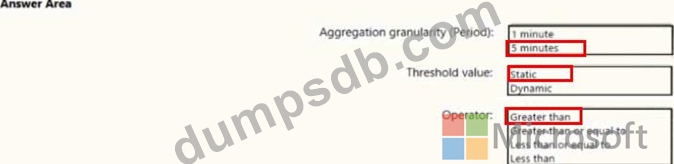
You need to create an alert to monitor the performance of VM1. The alert must be triggered when the average CPU usage exceeds 70 percent for five minutes. The alert must calculate the average once every minute.
How should you configure the alert rule? To answer, select the appropriate options in the answer area.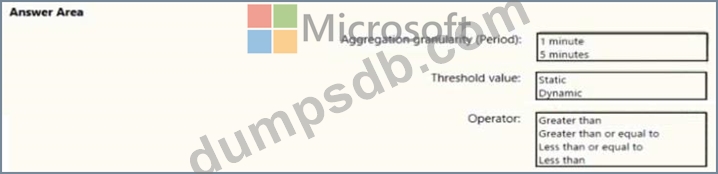
Question 277
You are configuring an Azure DevOps deployment pipeline. The deployed application will authenticate to a web service by using a secret stored in an Azure key vault.
You need to use the secret in the deployment pipeline.
Which three actions should you perform in sequence? To answer, move the appropriate actions from the list of actions to the answer area and arrange them in the correct order.


Question 278
You are creating a container for an ASP.NET Core app.
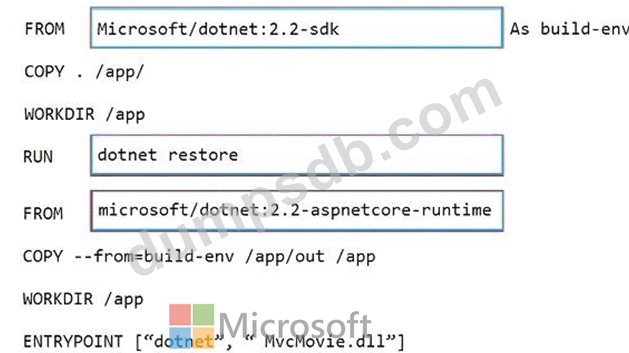
You need to create a Dockerfile file to build the image. The solution must ensure that the size of the image is minimized.
How should you configure the file? To answer, drag the appropriate values to the correct targets. Each value must be used once, more than once, or not at all. You may need to drag the split bar between panes or scroll to view content.
NOTE: Each correct selection is worth one point.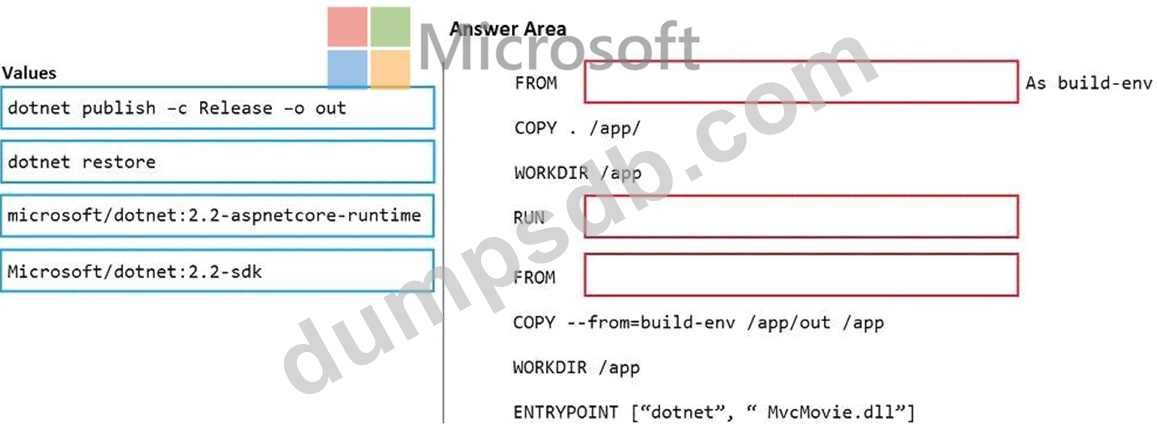

Question 279
You have an Azure DevOps organization named Contoso that contains a project named Project 1.
You provision an Azure key vault name Keyvault1.
You need to reference Keyvault1 secrets in a build pipeline of Project1.
What should you do first?
Question 280
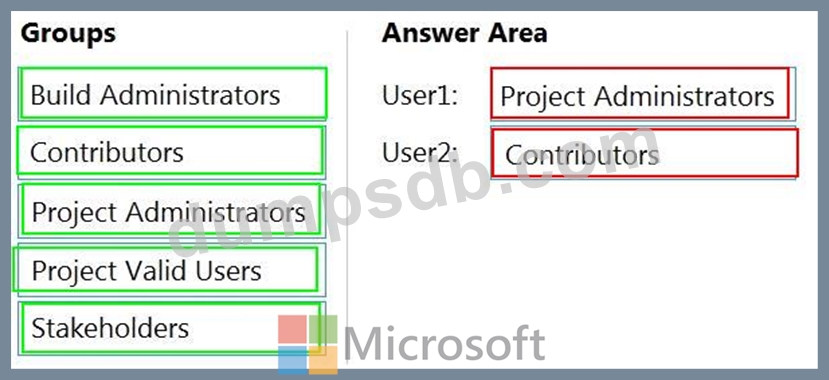
You have a private project in Azure DevOps and two users named User1 and User2.
You need to add User1 and User2 to groups to meet the following requirements:
User1 must be able to create a code wiki.
User2 must be able to edit wiki pages.
The solution must use the principle of least privilege.
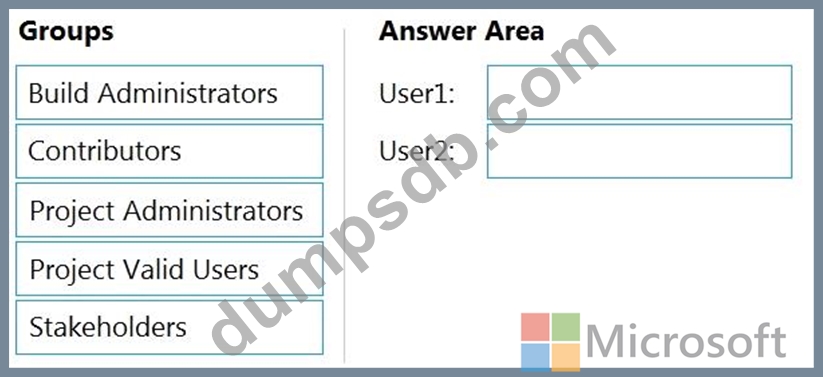
To which group should you add each user? To answer, drag the appropriate groups to the correct users. Each group may be used once, more than once, or not at all. You may need to drag the split bar between panes or scroll to view content.
NOTE: Each correct selection is worth one point.