Question 96
You have an Azure Active Directory (Azure AD) tenant that contains the users shown in the following table.
You create and enforce an Azure AD Identity Protection sign-in risk policy that has the following settings:
Assignments: Include Group1, exclude Group2
Conditions: Sign-in risk level: Medium and above
Access Allow access, Require multi-factor authentication
You need to identify what occurs when the users sign in to Azure AD.
What should you identify for each user? To answer, select the appropriate options in the answer area.
NOTE: Each correct selection is worth one point.

Question 97
Note: This question is part of a series of questions that present the same scenario. Each question in the series contains a unique solution that might meet the stated goals. Some question sets might have more than one correct solution, while others might not have a correct solution.
After you answer a question in this section, you will NOT be able to return to it. As a result, these questions will not appear in the review screen.
You have a hybrid configuration of Azure Active Directory (Azure AD).
You have an Azure HDInsight cluster on a virtual network.
You plan to allow users to authenticate to the cluster by using their on-premises Active Directory credentials.
You need to configure the environment to support the planned authentication.
Solution: You deploy an Azure AD Application Proxy.
Does this meet the goal?
Question 98
You have an Azure Active Directory (Azure AD) tenant named contoso.com that contains the users shown in the following table.
Azure AD Privileged Identity Management (PIM) is enabled for the tenant.
In PIM, the Password Administrator role has the following settings:
Maximum activation duration (hours): 2
Send email notifying admins of activation: Disable
Require incident/request ticket number during activation: Disable
Require Azure Multi-Factor Authentication for activation: Enable
Require approval to activate this role: Enable
Selected approver: Group1
You assign users the Password Administrator role as shown in the following table.
For each of the following statements, select Yes if the statement is true. Otherwise, select No.
NOTE: Each correct selection is worth one point.

Question 99
Use the following login credentials as needed:
To enter your username, place your cursor in the Sign in box and click on the username below.
To enter your password, place your cursor in the Enter password box and click on the password below.
Azure Username: [email protected]
Azure Password: Ag1Bh9!#Bd
The following information is for technical support purposes only:
Lab Instance: 10598168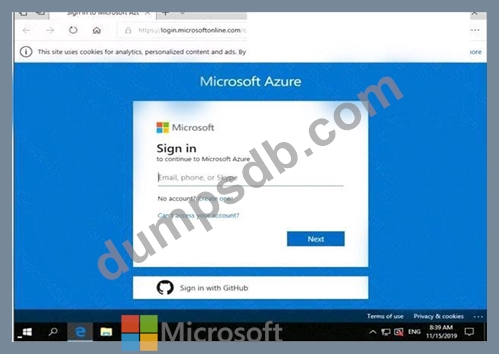


You need to ensure that a user named user21059868 can manage the properties of the virtual machines in the RG1lod10598168 resource group. The solution must use the principle of least privilege.
To complete this task, sign in to the Azure portal.
See the explanation below.

Question 100
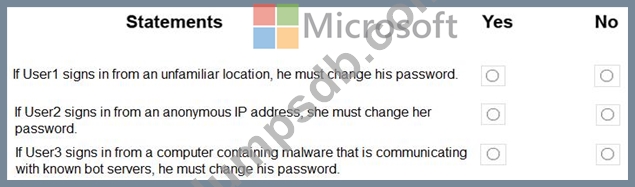
You have an Azure Active Directory (Azure AD) tenant named contoso.com that contains the users shown in the following table.
You create and enforce an Azure AD Identity Protection user risk policy that has the following settings:
Assignment: Include Group1, Exclude Group2
Conditions: Sign-in risk of Medium and above
Access: Allow access, Require password change
For each of the following statements, select Yes if the statement is true. Otherwise, select No.
NOTE: Each correct selection is worth one point.