

Question 1
You are a Dynamics 365 Finance and Operations developer.
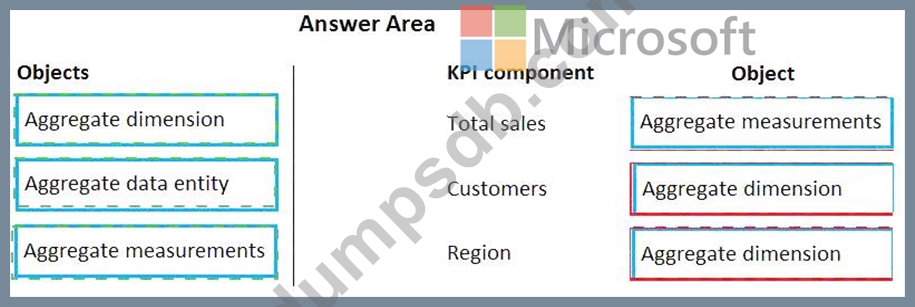
The sales department manager must to be able to view total customers by region and total sales by regions.
You need to build key performance indicators (KPIs) and display them on a tile in the application.
How should you model the KPI? To answer, drag the appropriate objects to the correct KPI components. Each object may be used once, more than once, or not at all. You may need to drag the split bar between panes or scroll to view content.
NOTE: Each correct selection is worth one point.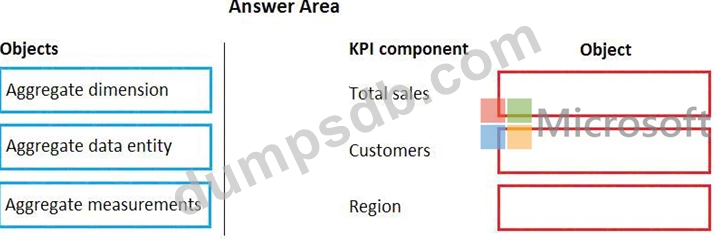
Question 2
You are a Dynamics 365 Finance developer.
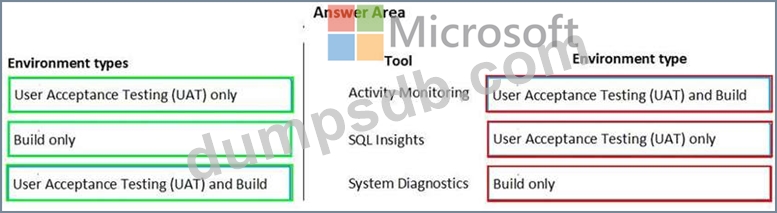
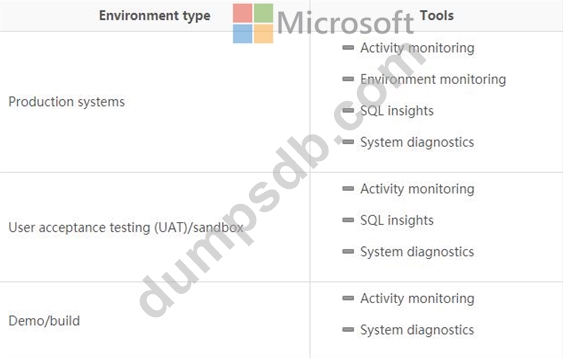
You need to troubleshoot performance issues for a client.
Which Lifecycle Services (LCS) tools should you use for each environment? To answer, drag the appropriate environment types to the correct tools. Each environment type may be used once, more than once, or not at all. You may need to drag the split bar between panes scroll to view content.
NOTE: Each correct selection is worth one point.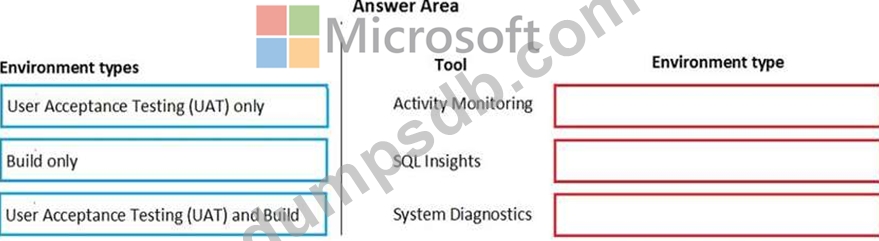
Question 3
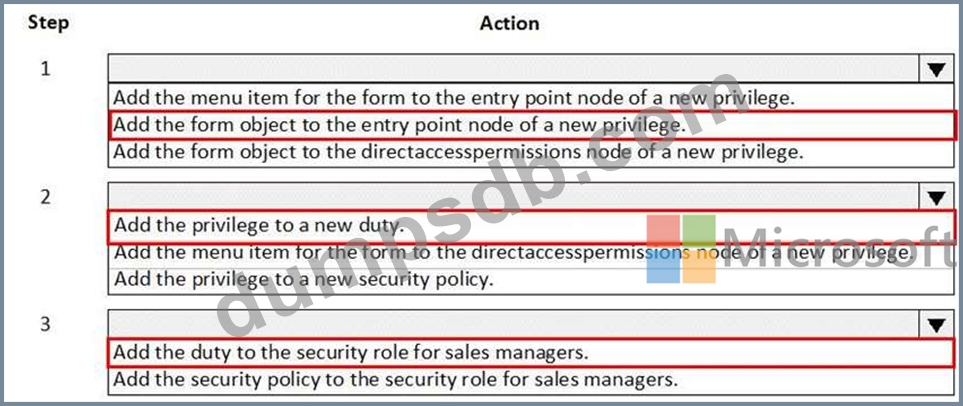
You are a Dynamics 365 Finance developer. You create a form.
You must ensure that only sales managers can view the form.
You need to set up security for the form.
What should you do? To answer, select the appropriate options in the answer area.
NOTE: Each correct selection is worth one point.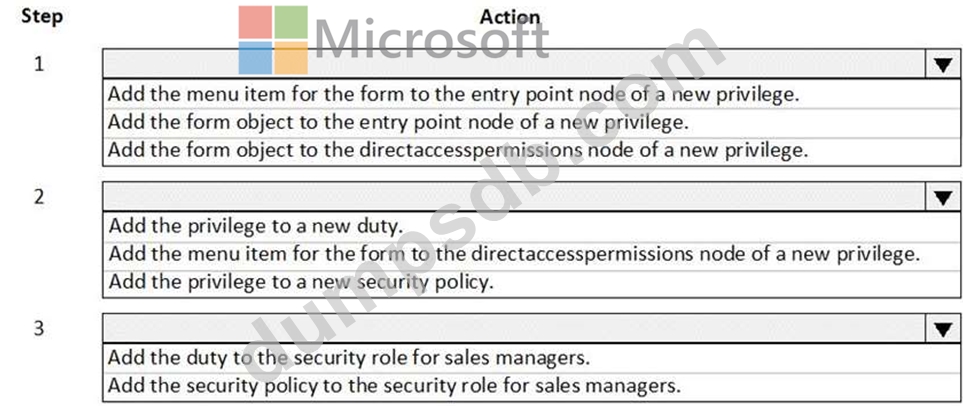
Question 4
You are a Dynamics 365 Finance and Operations developer.
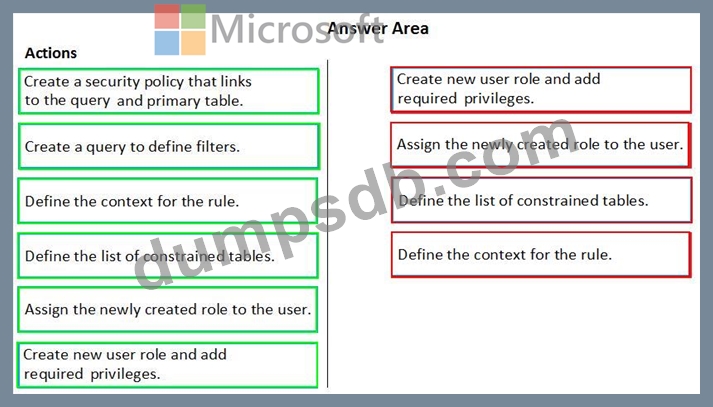
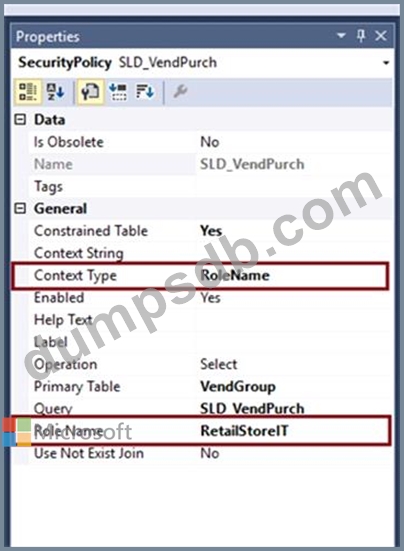
You need to use the Extensible Data Security (SDS) framework to restrict to the data in the Sales table form based on the customer group and the role of the user.
Which four actions should you perform in sequence? To answer, move the appropriate actions from the list of actions to the answer area and arrange them in the correct order.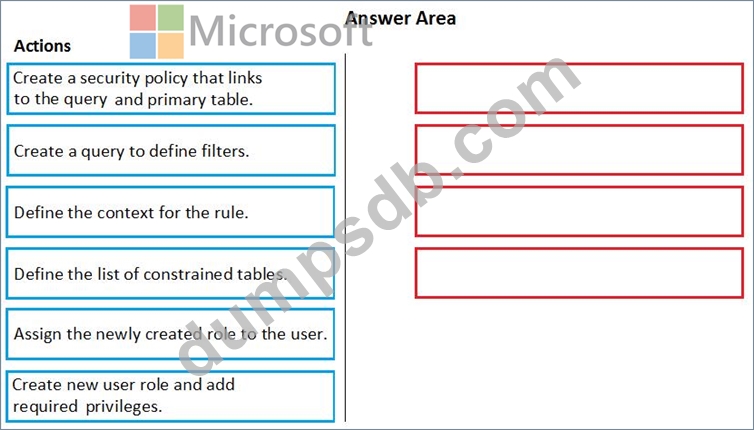
Question 5
Note: This question is part of a series of questions that present the same scenario. Each question in the series contains a unique solution that might meet the stated goals. Some question sets might have more than one correct solution, while others might not have a correct solution.
After you answer a question in this section, you will NOT be able to return to it. As a result, these questions will not appear in the review screen.
You are adding a new field to the SalesTable form.
You must use an extension to add a status field onto the form.
You need to create the extension in the Application Object Tree (AOT) and add the extension to the demoExtensions model.
Solution: Add a new form object to the project and name the form SalesTable.Extension.
Does the solution meet the goal?