Question 46
You are implementing Dynamics 365 Business Central.
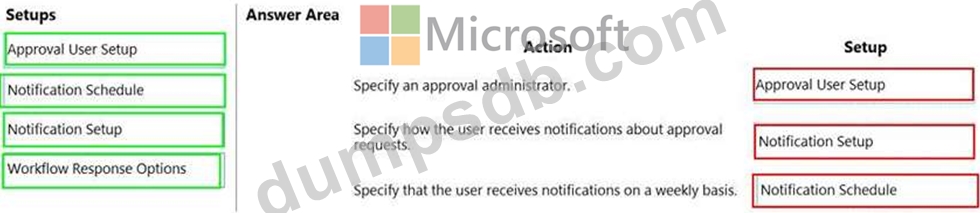
The purchasing manager wants to implement an approval system by using email notifications.
You need to set up the notification system.
Which setup should you use? To answer, drag the appropriate setup to the correct actions. Each setup may be used once, more than once, or not at all. You may need to drag the split bar between panes or scroll to view content.
NOTE: Each correct selection is worth one point.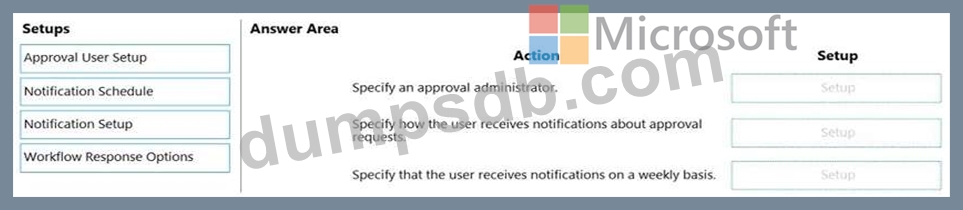
Question 47
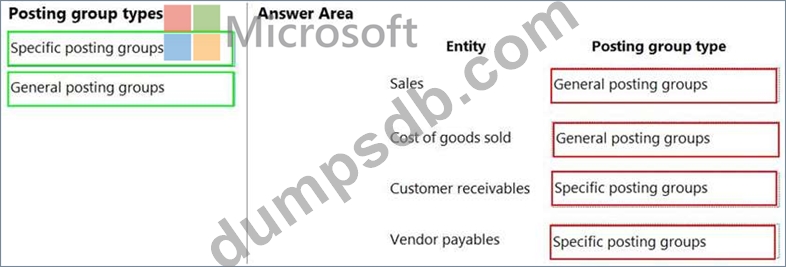
You set up a new company for a customer. The customer provides you with the chart of accounts and the preferred grouping of items, vendors, and customers.
You must ensure that item posting corresponds with the grouping preferences and chart of accounts for the customer.
You need to create the posting groups and setup.
Which type of posting groups should you create? To answer, drag the appropriate posting group types to the correct entities. Each posting group type may be used once, more than once, or not at all. You may need to drag the split bar between panes or scroll to view content.
NOTE: Each correct selection is worth one point.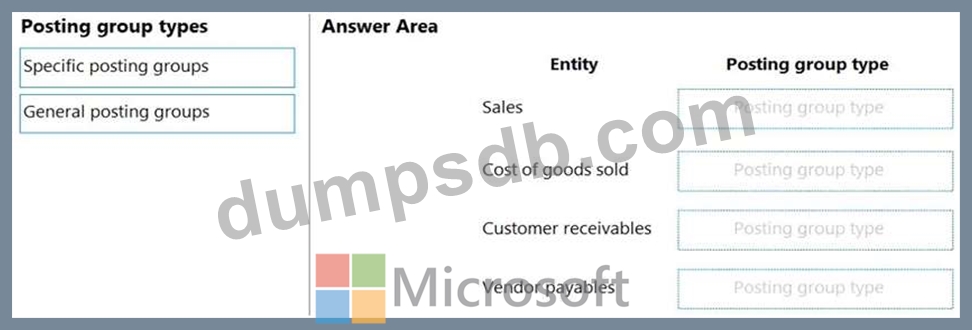
Question 48
You need to configure sales invoicing.
What are two possible ways to achieve this goal? Each correct answer presents a complete solution.
NOTE: Each correct selection is worth one point.
Question 49
You set up a new company in Dynamics 365 Business Central.
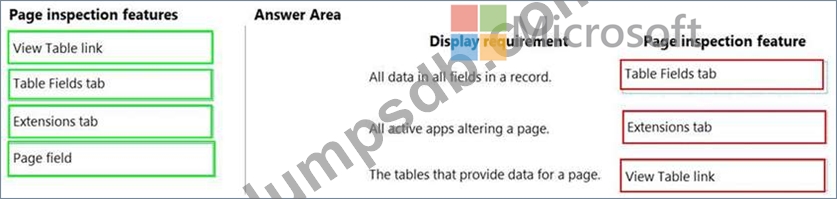
You need to demonstrate Page Inspection functionality.
Which features should you use? To answer, drag the appropriate page inspection features to the correct display requirements. Each page inspection feature may be used once, more than once, or not at all. You may need to drag the split bar between panes or scroll to view content.
NOTE: Each correct selection is worth one point.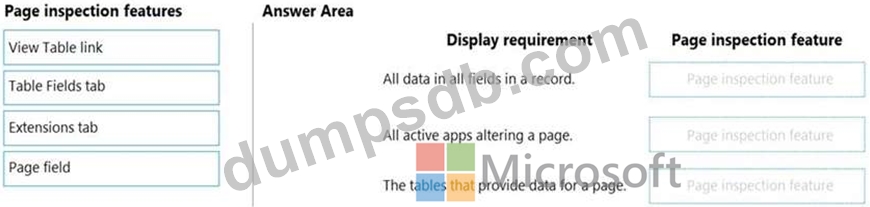
Question 50
You are setting up approval workflows in Dynamics 365 Business Central.
You need to configure approval limits.
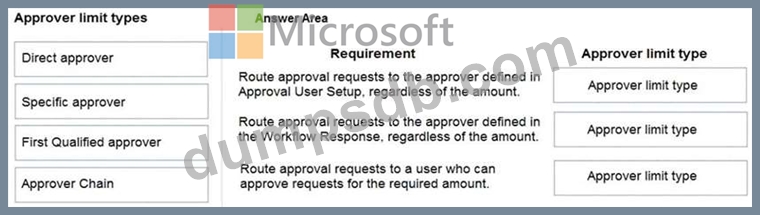
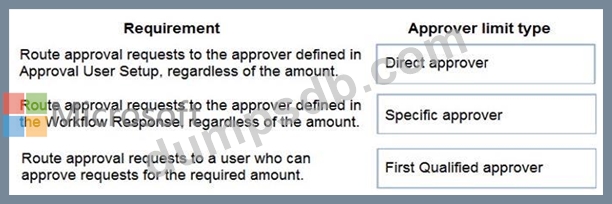
Which approver limit types should you use? To answer, drag the appropriate approver limit types to the correct requirements. Each approver limit type may be used once, or not at all. You may need to drag the split bar between panes or scroll to view content.
NOTE: Each correct selection is worth one point.