Question 76
Note: This question is part of a series of questions that present the same scenario. Each question in the series contains a unique solution that might meet the stated goals. Some question sets might have more than one correct solution, while others might not have a correct solution.
After you answer a question in this section, you will NOT be able to return to it. As a result, these questions will not appear in the review screen.
You are implementing Dynamics 365 Business Central for a company. The company provides subscription services to their customers. The subscription invoices are almost identical each month.
The company wants to set up recurring sales lines for subscription invoices.
You need to create systems for creating subscription invoices.
Solution: Create a new recurring sales line. Open the relevant customers and attach the Recurring Sales Lines code to the customer. Then, run the Create Recurring Sales Invoices batch to create the invoices.
Does the solution meet the goal?
Question 77
You are implementing Dynamics 365 Business Central for a customer.
You need to explain the primary functions of the Adjust Cost - Item Entries batch job.
What are three primary purposes of the Adjust Cost - Item Entries batch job? Each correct answer presents part of the complete solution.
NOTE: Each correct selection is worth one point.
Question 78
A company uses Dynamics 365 Business Central.
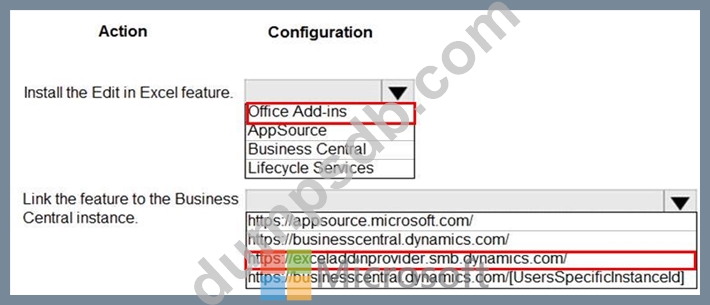
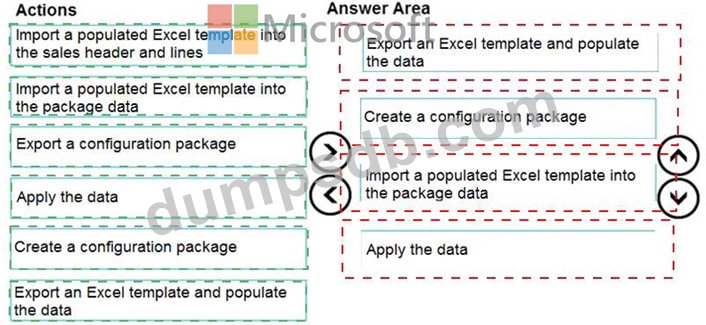
You need to ensure that the company can bulk edit data by using the Edit in Excel feature.
What should you use? To answer, select the appropriate options in the answer area.
NOTE: Each correct selection is worth one point.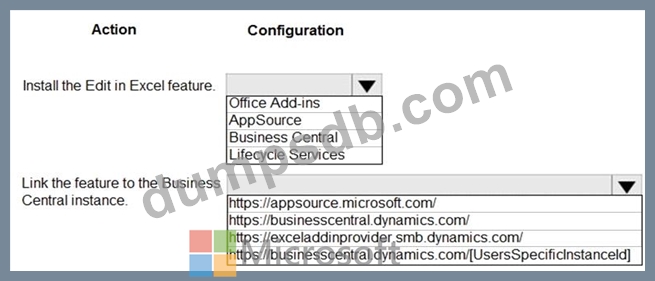
Question 79
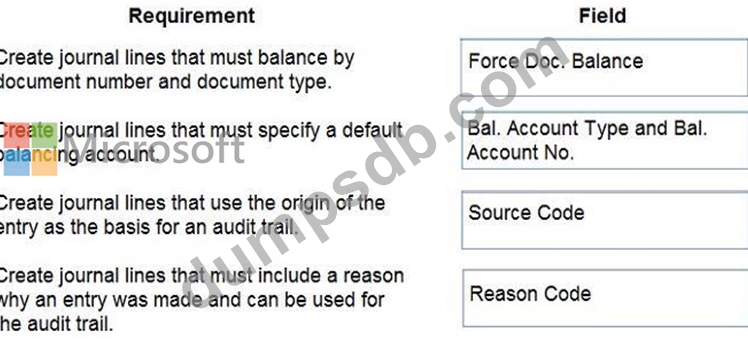
You need to configure a new journal template.
What should you do? To answer, drag the appropriate fields to the correct requirements. Each field may be used once, more than once, or not at all. You may need to drag the split bar between panes or scroll to view content.
NOTE: Each correct selection is worth one point.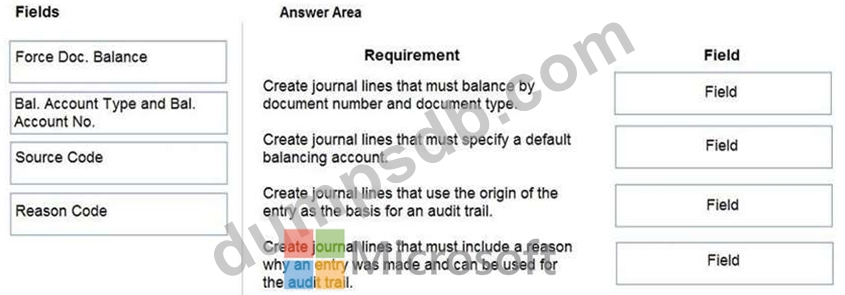
Question 80
You are configuring Dynamics 365 Business Central for a company.
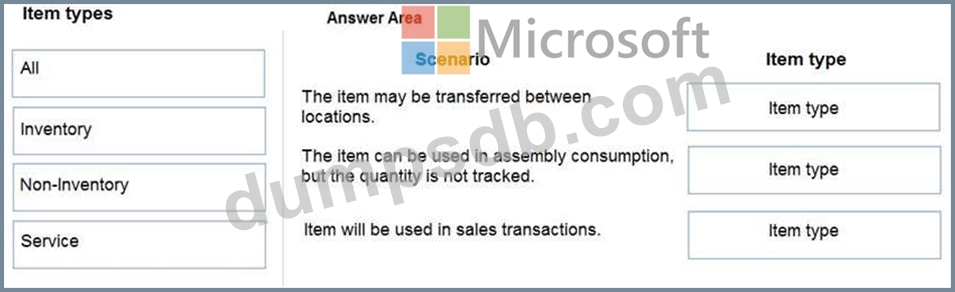
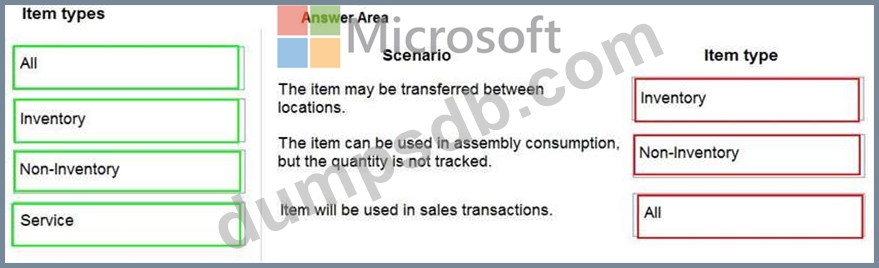
You need to create items.
Which item types should you use? To answer, drag the appropriate item types to the correct scenarios. Each item type may be used once, more than once, or not at all. You may need to drag the split bar between panes or scroll to view content.
NOTE: Each correct selection is worth one point.