Question 271
Your company has a Microsoft Azure Active Directory (Azure AD) tenant.
The company uses Microsoft Intune to manage iOS, Android, and Windows 10 devices.
The company plans to purchase 1,000 iOS devices. Each device will be assigned to a specific user.
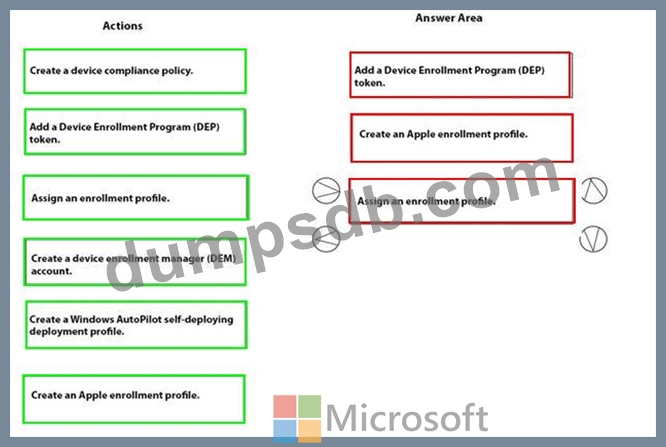
You need to ensure that the new iOS devices are enrolled automatically in Intune when the assigned user signs in for the first time.
Which three actions should you perform in sequence? To answer, move the appropriate actions from the list of actions to the answer area and arrange them in the correct order.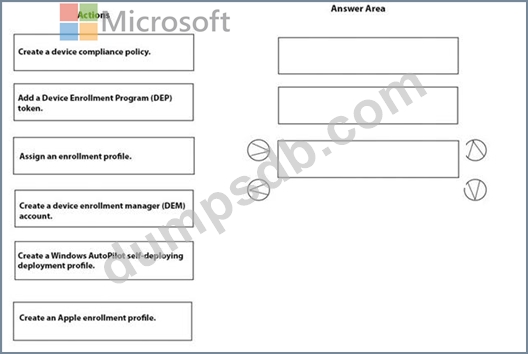
Question 272
Your company has an infrastructure that has the following:
* A Microsoft 365 tenant
* An Active Directory forest
* Microsoft Store for Business
* A Key Management Service (KMS) server
* A Windows Deployment Services (WDS) server
* A Microsoft Azure Active Directory (Azure AD) Premium tenant
The company purchases 100 new computers that run Windows 10.
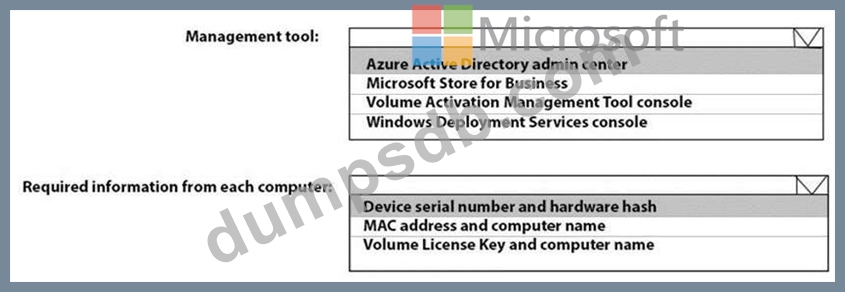
You need to ensure that the new computers are joined automatically to Azure AD by using Windows AutoPilot.
What should you use? To answer, select the appropriate options in the answer area.
NOTE: Each correct selection is worth one point.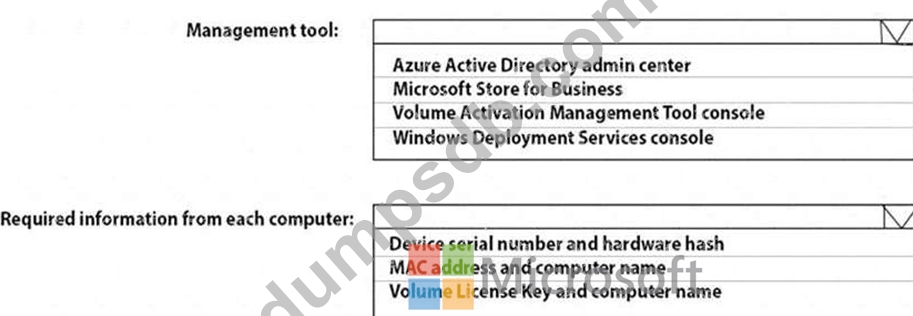

Question 273
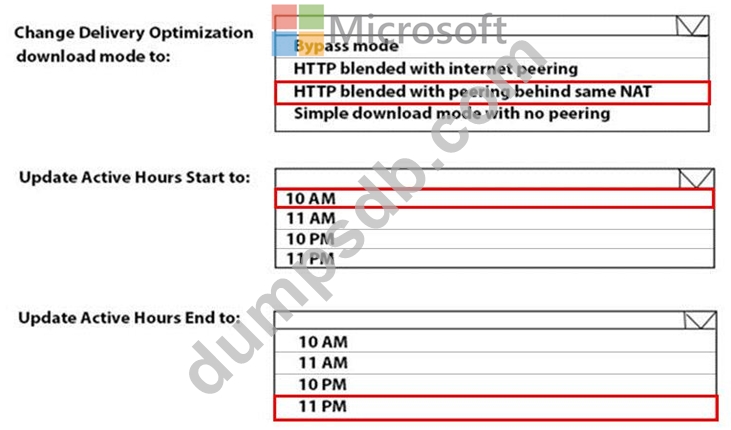
You need to resolve the performance issues in the Los Angeles office.
How should you configure the update settings? To answer, select the appropriate options in the answer area.
NOTE: Each correct selection is worth one point.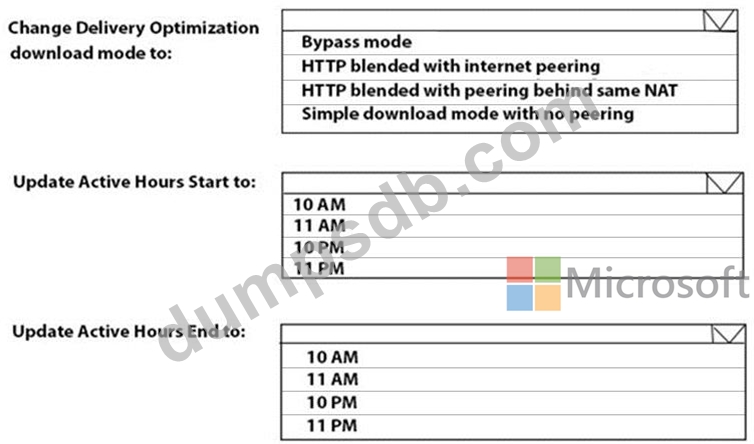
Question 274
You have a Microsoft 365 subscription.
You have a conditional access policy that requires multi-factor authentication (MFA) for users in a group name Sales when the users sign in from a trusted location. The policy is configured as shown in the exhibit.
(Click the Exhibit tab.)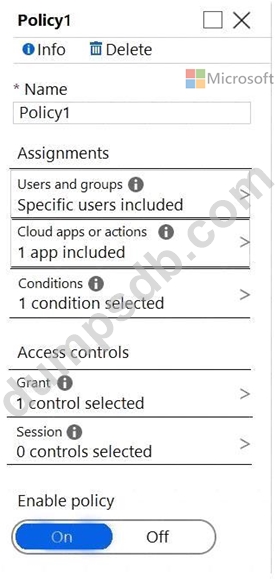
You create a compliance policy.
You need to ensure that the users are authenticated only if they are using a compliant device.
What should you configure in the conditional access policy?
Question 275
Your company has a Microsoft Azure Active Directory (Azure AD) tenant and computers that run Windows 10.
The company uses Microsoft Intune to manage the computers.
The Azure AD tenant has the users shown in the following table.
The device type restrictions in Intune are configured as shown in the following table:
User3 is a device enrollment manager (DEM) in Intune.
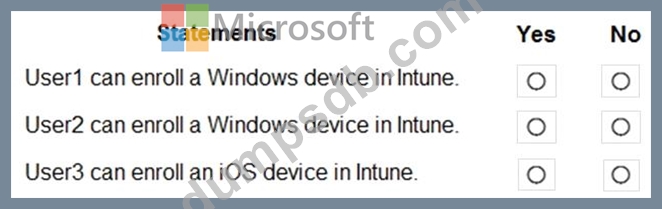
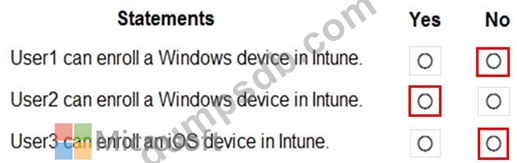
For each of the following statements, select Yes if the statement is true. Otherwise, select No.
NOTE: Each correct selection is worth one point.