Question 56
Note: This question is part of a series of questions that present the same scenario. Each question in the series contains a unique solution that might meet the stated goals. Some question sets might have more than one correct solution, while others might not have a correct solution.
After you answer a question in this section, you will NOT be able to return to it. As a result, these questions will not appear in the review screen.
You are deploying Microsoft Endpoint Manager.
You successfully enroll Windows 10 devices in Endpoint Manager.
When you try to enroll an iOS device in Endpoint Manager, you get an error.
You need to ensure that you can enroll the iOS device in Endpoint Manager.
Solution: You create the Mobility (MDM and MAM) settings.
Does this meet the goal?
Question 57
Your network contains an Active Directory forest named contoso.com that is synced to Microsoft Azure Active Directory (Azure AD).
You use Microsoft System Center Configuration Manager (Current Branch) for device management.
You have the Windows 10 devices shown in the following table.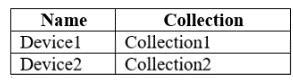
You configure Configuration Manager co-management as follows:
* Automatic enrollment in Intune: Pilot
* Pilot collection: Collection2
You configure co-management workloads as shown in the following exhibit.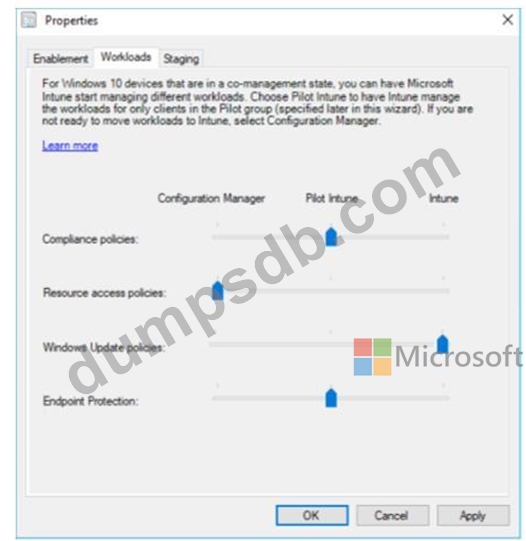
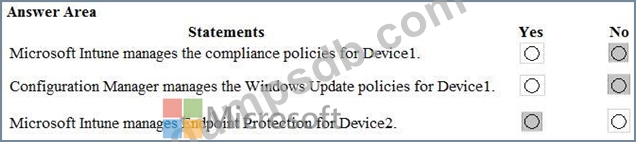
For each of the following statements, select Yes if the statement is true. Otherwise, select No.
NOTE: Each correct selection is worth one point.

Question 58
You have a Microsoft Office 365 subscription.
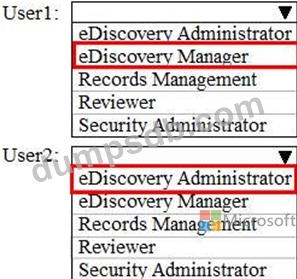
You need to delegate eDiscovery tasks as shown in the following table.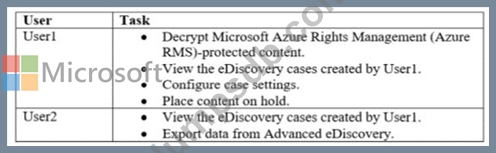
The solution must follow the principle of the least privilege.
To which role group should you assign each user? To answer, select the appropriate options in the answer area.
NOTE: Each correct selection is worth one point.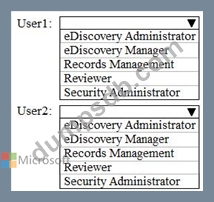
Question 59
You have several devices enrolled in Microsoft Endpoint Manager
You have a Microsoft Azure Active Directory (Azure AD) tenant that includes the users shown In the following table.
The device limit restrictions in Endpoint manager are configured as shown in the following table.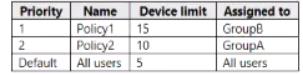
You add user as a device enrollment manager in Endpoint manager
For each of the following statements, select Yes if the statement is true. Otherwise, select No

Question 60
Your company has a Microsoft 365 subscription.
You need to configure Microsoft 365 to meet the following requirements:
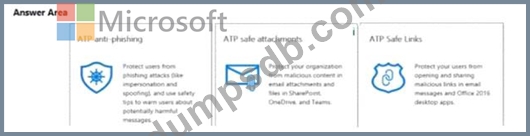
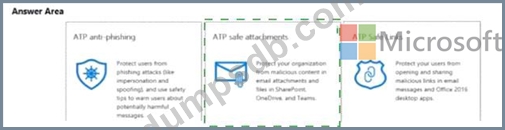
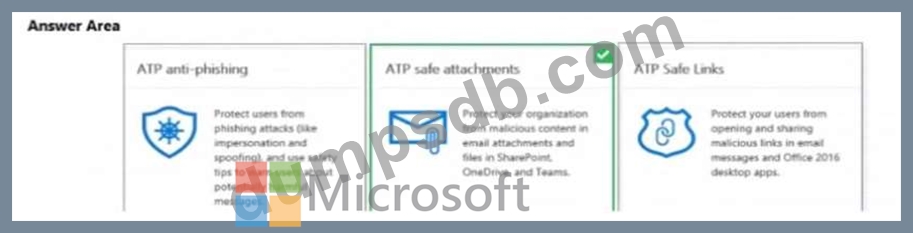
* Malware found in email attachments must be quarantined for 20 days.
* The email address of senders to your company must be verified.
Which two options should you configure in the Security & Compliance admin center? To answer, select the appropriate options in the answer area.
NOTE: Each correct selection is worth one point.