Question 1
Your company has a Microsoft 365 subscription.
You implement Microsoft Azure Information Protection.
You need to automatically protect email messages that contain the word Confidential in the subject line.
What should you create?
Question 2
You have a Microsoft 365 subscription.
You configure a data loss prevention (DIP) policy.
You discover that users are incorrectly marking content as false positive and bypassing the OLP policy.
You need to prevent the users from bypassing the DLP policy.
What should you configure?
Question 3
Your company has a Microsoft 365 subscription.
You need to configure Microsoft 365 to meet the following requirements:
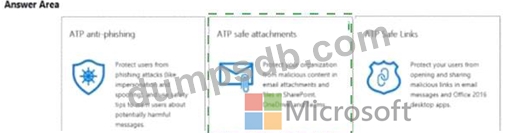
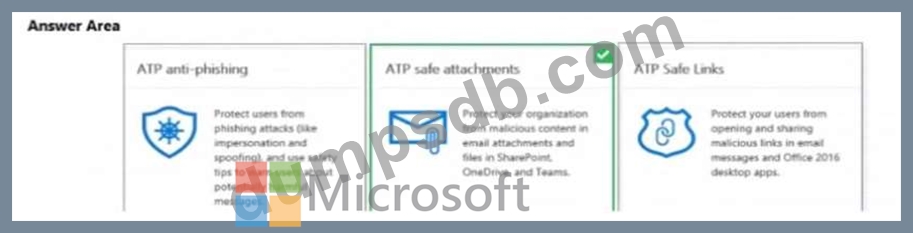
* Malware found in email attachments must be quarantined for 20 days.
* The email address of senders to your company must be verified.
Which two options should you configure in the Security & Compliance admin center? To answer, select the appropriate options in the answer area.
NOTE: Each correct selection is worth one point.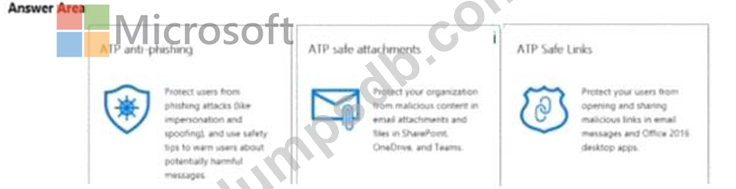
Question 4
You have several devices enrolled in Microsoft Intune.
You have a Microsoft Azure Active Directory (Azure AD) tenant that includes the users shown in the following table.
The device limit restrictions in Intune are configured as shown in the following table.
You add User3 as a device enrollment manager in Intune.
For each of the following statements, select Yes if the statement is true. Otherwise, select No.
NOTE: Each correct selection is worth one point.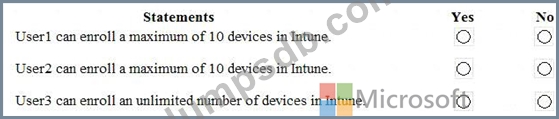

Question 5
You have a Microsoft 365 tenant.
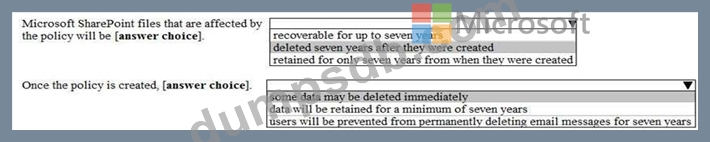
You plan to create a retention policy as shown in the following exhibit.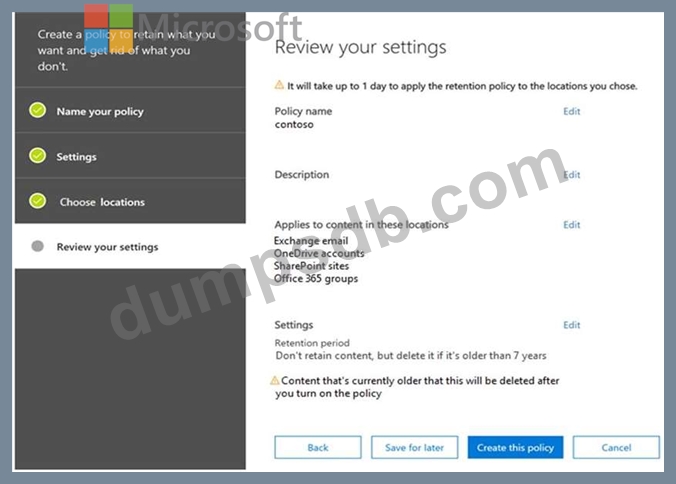
Use the drop-down menus to select the answer choice that completes each statement based on the information presented in the graphic.
NOTE: Each correct selection is worth one point.