

Question 261
You manage a hybrid deployment between Microsoft Exchange Online and on-premises Exchange Server 2019. The deployment contains a primary SMTP domain named contoso.com.
Users have email addresses that use a syntax of [email protected].
A user named Ben Smith receives a new client computer. You configure the computer1 to access Ben Smith's mailbox. Ben Smith reports that he cannot connect to his mailbox from the new computer.
You verify that other users can connect successfully to their mailbox and that new users can discover their mailboxes by using Autodiscover.
You need to ensure that Ben Smith can connect to his mailbox from the new computer.
What should you do?
Question 262
You have a Microsoft Exchange Server 2019 organization and a Microsoft 365 E5 subscription.
From the Microsoft 365 admin center, you open Data migration as shown in the following exhibit.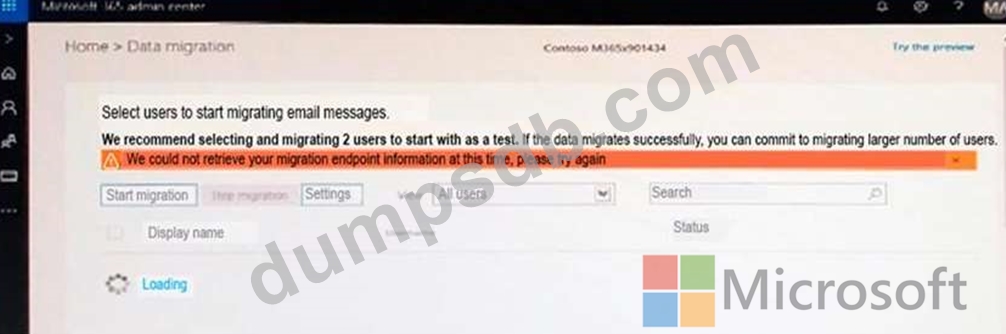
Use the drop-down menus to select the answer choice that completes each statement based on the information presented in the graphic.
NOTE: Each correct selection is worth one point.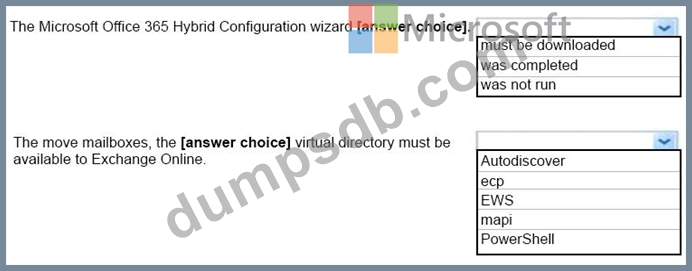

Question 263
You manage an Exchange Online tenant.
You plan to migrate on-premises Microsoft Exchange Server mailboxes by using a cutover migration.
You need to grant the required permissions to the migration administrator account to complete the migration. The solution must use the principle of least privilege.
Which three permissions should you grant? Each correct answer presents a complete solution NOTE: Each correct selection is worth one point.
Question 264
You have a Microsoft Exchange Online tenant that contains a user named User1.
User1 has a retention policy to delete Inbox messages after 30 days.
User1 is going on extended leave and requires that the Inbox messages be retained during the user's absence.
You need to temporarily suspend the processing of the Inbox messages for User1.
How should you complete the command? To answer, select the appropriate options in the answer area.
NOTE: Each correct selection is worth one point.

Question 265
You have a Microsoft 365 E5 tenant that contains two Azure Active Directory (Azure AD) security groups named Finance and Marketing. The tenant contains the users and devices shown in the following table.
The devices are configured as shown in the following table.
A conditional access policy is configured as shown in the following exhibit.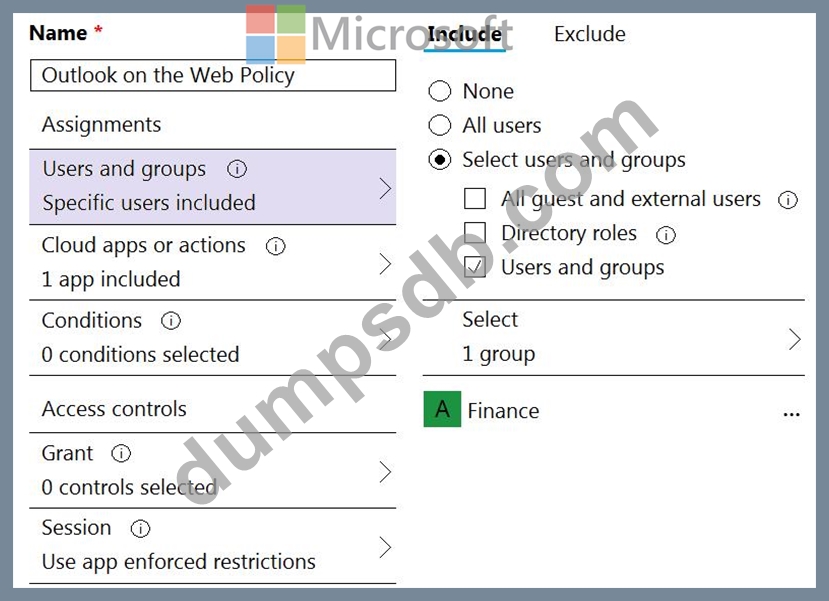
From Microsoft Exchange Online PowerShell, you run the following cmdlet.
Set-OwaMailboxPolicy -Identity OwaMailboxPolicy-Default
-ConditionalAccessPolicy ReadOnly
All the users connect to Exchange Online by using Outlook on the web.
For each of the following statements, select Yes if the statement is true. Otherwise, select No.
NOTE: Each correct selection is worth one point.
