Question 116
You have a Microsoft Azure Active Directory (Azure AD) tenant named contoso.com.
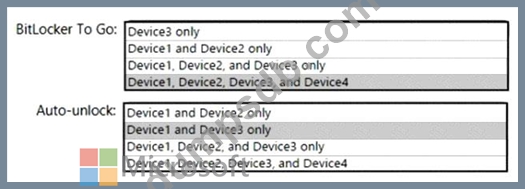
Four Windows 10 devices are joined to the tenant as shown in the following table.
On which devices can you use BitLocker To Go and on which devices can you turn on auto-unlock? To answer, select the appropriate options in the answer area.
NOTE: Each correct selection is worth one point.

Question 117
You have a Microsoft 365 subscription.
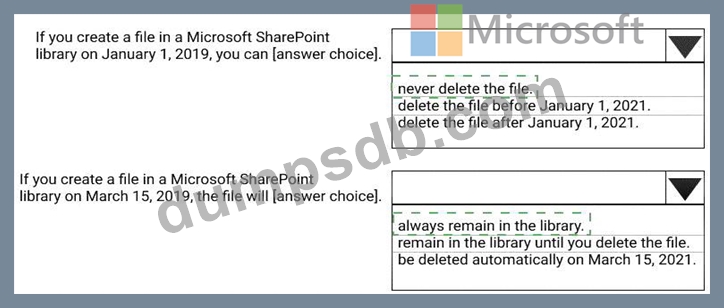
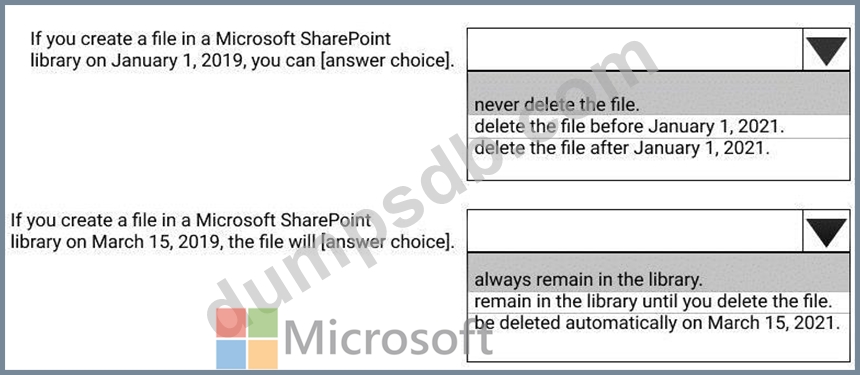
You create a retention label named Label1 as shown in the following exhibit.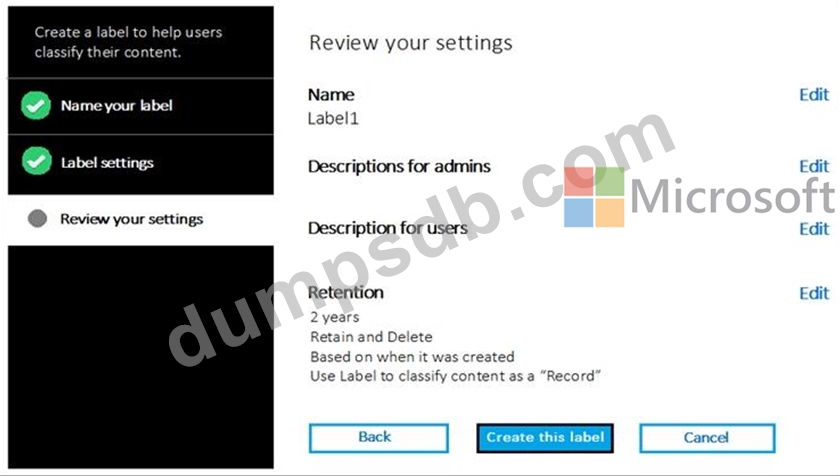
You publish Label1 to SharePoint sites.
Use the drop-down menus to select the answer choice that completes each statement based on the information presented in the graphic.
NOTE: Each correct selection is worth one point.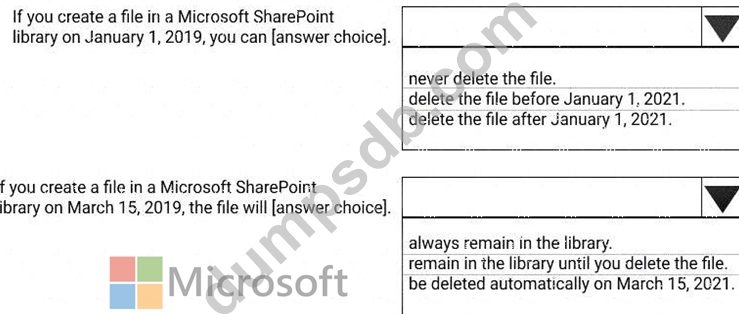
Question 118
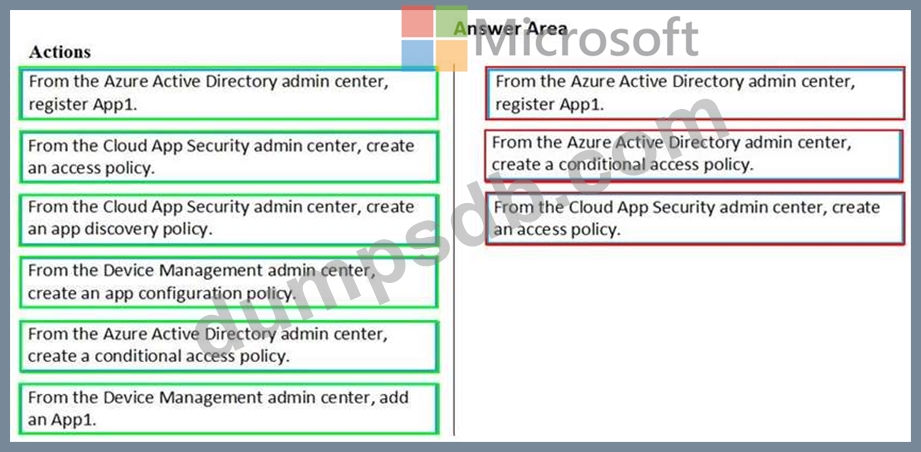
You have a Microsoft 365 subscription that uses an Azure Active Directory (Azure AD) tenant named contoso.com. All the devices in the tenant are managed by using Microsoft Intune.
You purchase a cloud app named App1 that supports session controls.
You need to ensure that access to App can be reviewed in real time.
Which three actions should you perform in sequence? To answer, move the appropriate actions from the list of actions to the answer area and arrange them in the correct order.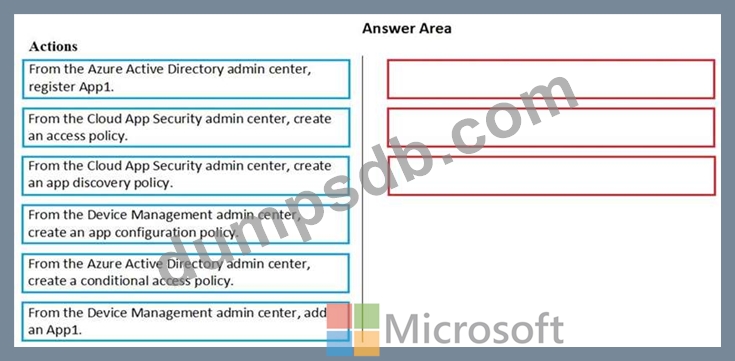
Question 119
You have a Microsoft 365 subscription. All users use Microsoft Exchange Online.
Microsoft 365 is configured to use the default policy settings without any custom rules.
You manage message hygiene.
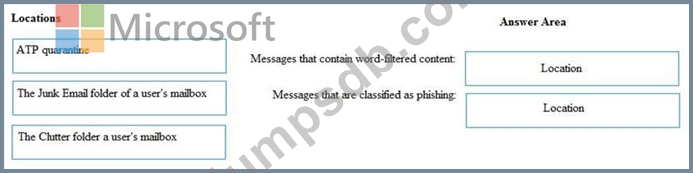
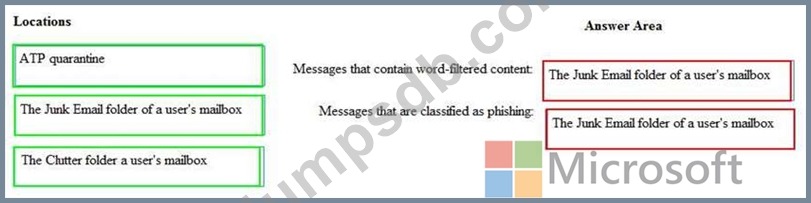
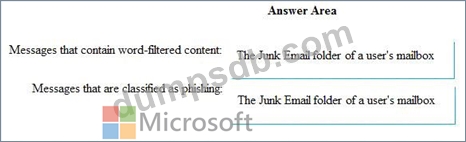
Where are suspicious email messages placed by default? To answer, drag the appropriate location to the correct message types. Each location may be used once, more than once, or not at all. You may need to drag the split bar between panes or scroll to view content.

Question 120
You have a Microsoft 365 subscription. All users use Microsoft Exchange Online.
Microsoft 365 is configured to use the default policy settings without any custom rules.
You manage message hygiene.
Where are suspicious email messages placed by default? To answer, drag the appropriate location to the correct message types. Each location may be used once, more than once, or not at all. You may need to drag the split bar between panes or scroll to view content.