Question 111
You have a Microsoft 365 E5 subscription that uses Microsoft Defender XDR.
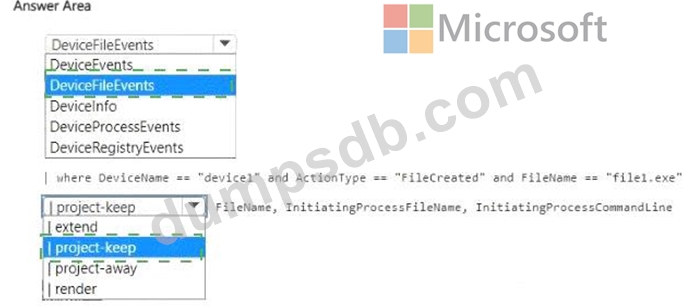
You discover a malicious process that was initiated by a file named File1exe on a device named Device1.
You need to create a KQL query that will identify when File1.exe was created. The solution must meet the following requirements:
* Return the FileName, InitiatingProcessFileName, and InitiatingProcessCommandLine columns.
* Minimize the volume of data returned.
How should you complete the query? To answer, select the appropriate options in the answer area.
NOTE: Each correct selection is worth one point.

Question 112
You have a Microsoft Sentinel workspace that contains a custom workbook.
You need to query the number of daily security alerts. The solution must meet the following requirements:
* Identify alerts that occurred during the last 30 days.
* Display the results in a timechart.
How should you complete the query? To answer, select the appropriate options in the answer area. NOTE:
Each correct selection is worth one point.


Question 113
You have a Microsoft 365 E5 subscription that uses Microsoft Defender for Endpoint.
You have the on-premises devices shown in the following table.
You are preparing an incident response plan for devices infected by malware. You need to recommend response actions that meet the following requirements:
* Block malware from communicating with and infecting managed devices.
* Do NOT affect the ability to control managed devices.
Which actions should you use for each device? To answer, select the appropriate options in the answer are a. NOTE: Each correct selection is worth one point.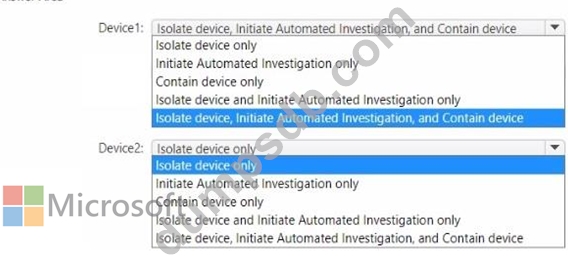

Question 114
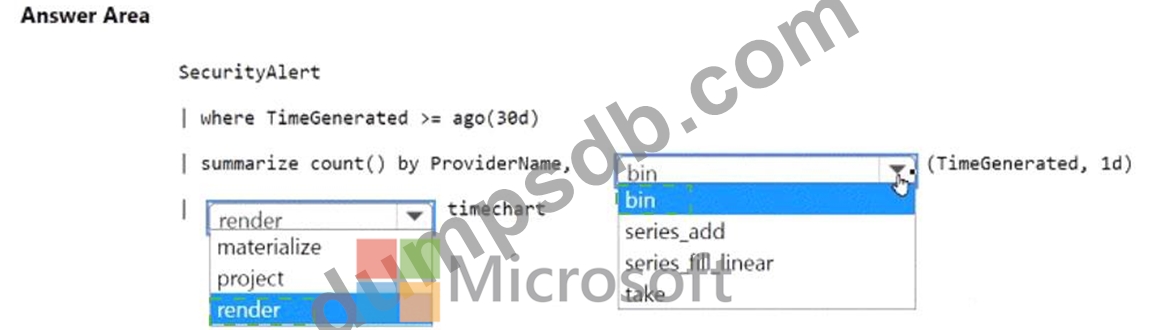
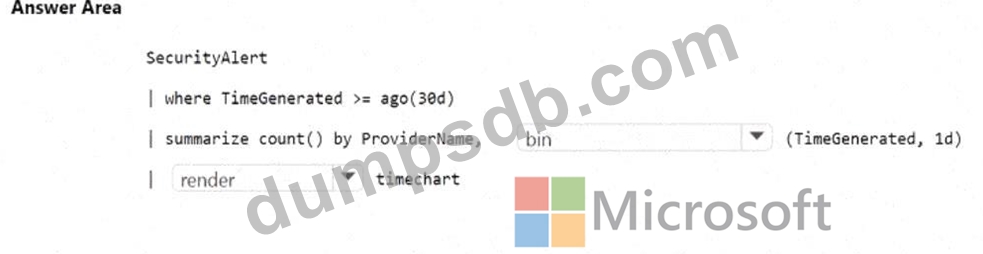
You have an Microsoft Sentinel workspace named SW1.
You plan to create a custom workbook that will include a time chart.
You need to create a query that will identify the number of security alerts per day for each provider.
How should you complete the query? To answer, select the appropriate options in the answer area.
NOTE: Each correct selection is worth one point.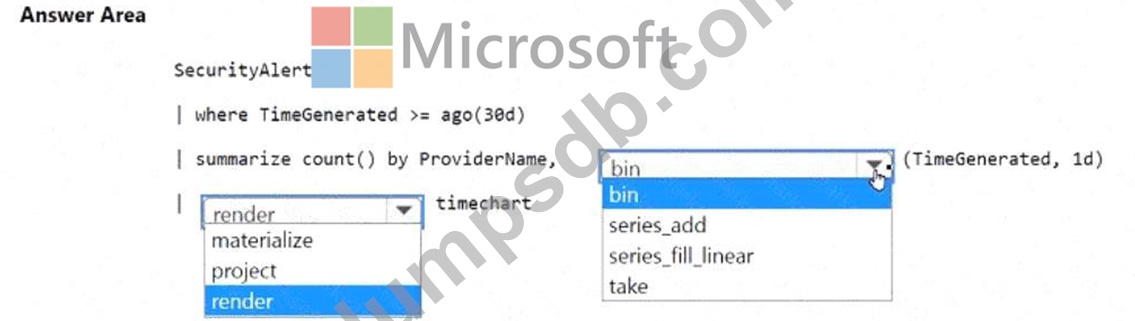
Question 115
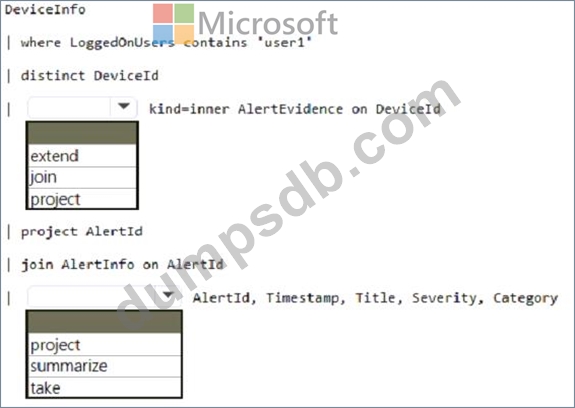
You have a Microsoft 365 subscription that uses Microsoft 365 Defender and contains a user named User1.
You are notified that the account of User1 is compromised.
You need to review the alerts triggered on the devices to which User1 signed in.
How should you complete the query? To answer, select the appropriate options in the answer area.
NOTE: Each correct selection is worth one point.