Question 86
You have an Azure Active Directory (Azure AD) tenant that contains the users shown in the following table.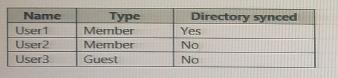
For which users can you configure the Job title property and the Usage location property in Azure AD? To answer, select the appropriate options in the answer area.
NOTE: Each correct selection is worth one point.

Question 87
You have a Microsoft 365 tenant.
You configure a conditional access policy as shown in the Conditional Access policy exhibit. (Click the Conditional Access policy tab.)
You view the User administrator role settings as shown in the Role setting details exhibit. (Click the Role setting details tab.)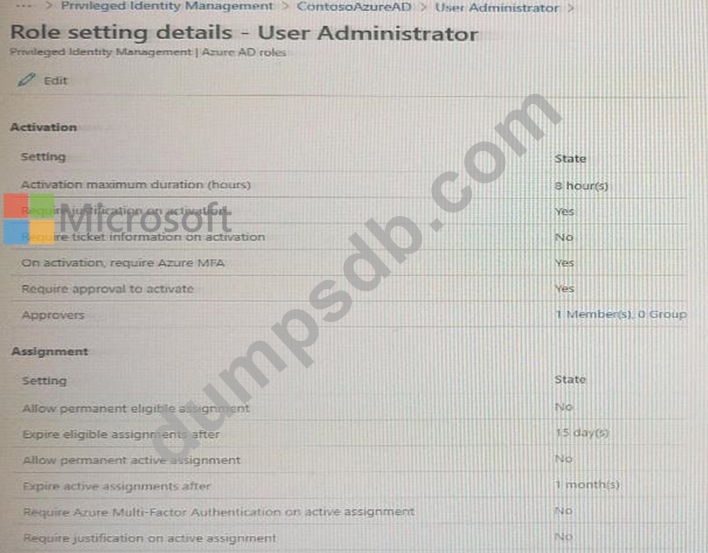
You view the User administrator role assignments as shown in the Rote assignments exhibit. (Click the Role assignments lab.)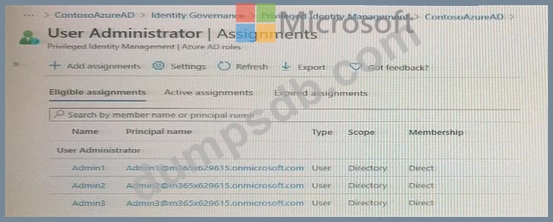
For each of the following statement, select Yes if the statement is true. Otherwise, select No.
NOTE: Each correct selection is worth one point.

Question 88
Your network contains an Active Directory forest named contoso.com that is linked to an Azure Active Directory (Azure AD) tenant named contoso.com by using Azure AD Connect.
Attire AD Connect is installed on a server named Server 1.
You deploy a new server named Server? that runs Windows Server 2019.
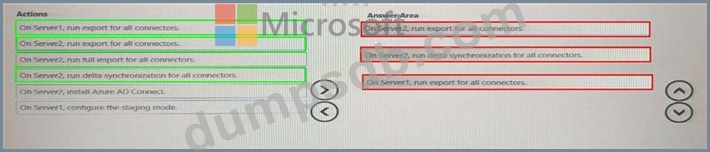
You need to implement a failover server for Azure AD Connect. The solution must minimize how long it takes to fail over if Server1 fails.
Which three actions should you perform in sequence? To answer, move the appropriate actions from the list of actions to the answer area and arrange them in the correct order.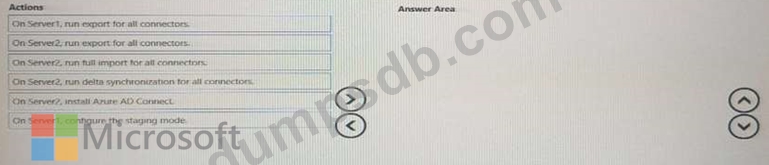
Question 89
Note: This question is part of a series of questions that present the same scenario. Each question in the series contains a unique solution that might meet the stated goals. Some question sets might have more than one correct solution, while others might not have a correct solution.
After you answer a question in this section, you will NOT be able to return to it. As a result, these questions will not appear in the review screen.
You have a Microsoft 365 tenant.
All users must use the Microsoft Authenticator app for multi-factor authentication (MFA) when accessing Microsoft 365 services.
Some users report that they received an MFA prompt on their Microsoft Authenticator app without initiating a sign-in request.
You need to block the users automatically when they report an MFA request that they did not initiate.
Solution: From the Azure portal, you configure the Notifications settings for multi-factor authentication (MFA).
Does this meet the goal?
Question 90
You have a Microsoft 365 tenant named contoso.com.
Guest user access is enabled.
Users are invited to collaborate with contoso.com as shown in the following table.
From the External collaboration settings in the Azure Active Directory admin center, you configure the Collaboration restrictions settings as shown in the following exhibit.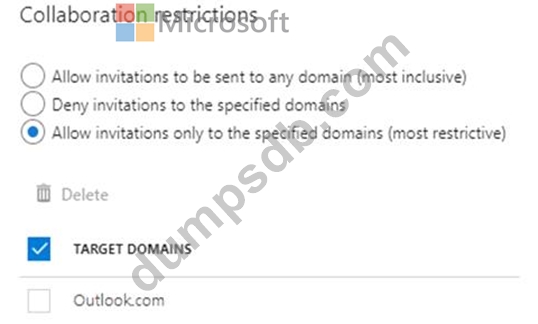
From a Microsoft SharePoint Online site, a user invites [email protected] to the site.
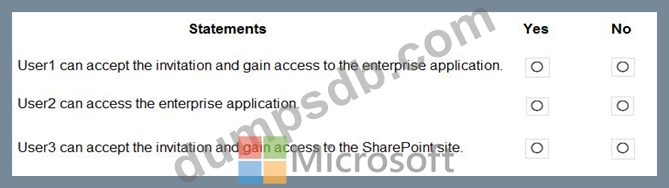
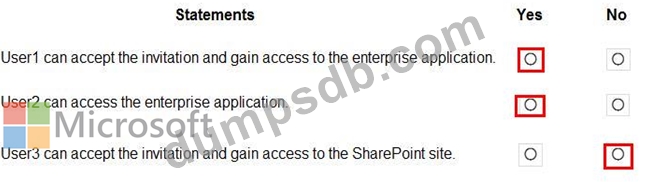
For each of the following statements, select Yes if the statement is true. Otherwise, select No.
NOTE: Each correct selection is worth one point.