Question 166
Note: This question is part of a series of questions that present the same scenario. Each question in the series contains a unique solution that might meet the stated goals. Some question sets might have more than one correct solution, while others might not have a correct solution.
After you answer a question in this section, you will NOT be able to return to it. As a result, these questions will not appear in the review screen.
You have a Microsoft 365 subscription.
You have a user named User1. Several users have full access to the mailbox of User1.
Some email messages sent to User1 appear to have been read and deleted before the user viewed them.
When you search the audit log in the Microsoft Purview compliance portal to identify who signed in to the mailbox of User1, the result are blank.
You need to ensure that you can view future sign-ins to the mailbox of User1.
Solution: You run the Set-MailboxFolderPermission -Identity "User1" -User [email protected] -AccessRights Owner command.
Does that meet the goal?
Question 167
You have a Microsoft 365 E5 subscription.
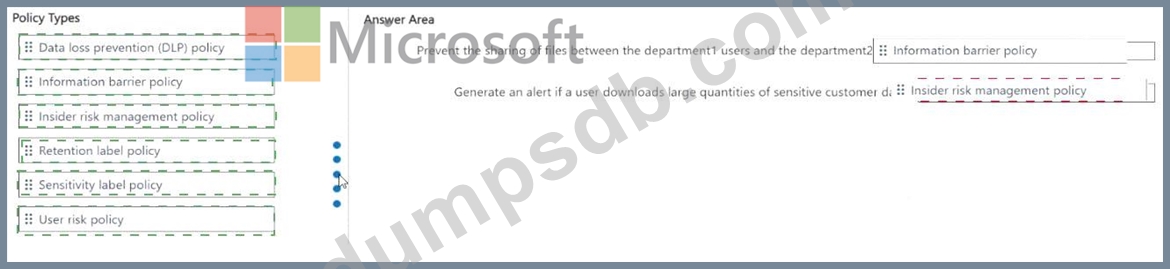
You need to meet the following requirements:
* Prevent the sharing of files between the users in a department named department1 and the users in a department named department2.
* Generate an alert if a user downloads large quantities of sensitive customer data.
Which type of policy should you use for each requirement? To answer, drag the appropriate policy types to the correct requirements. Each policy type may be used once, more than once, or not at all. You may need to drag the split bar between panes or scroll to view content NOTE: Each correct selection is worth one point.
Question 168
Note: This question is part of a series of questions that present the same scenario. Each question in the series contains a unique solution that might meet the stated goals. Some question sets might have more than one correct solution, while others might not have a correct solution.
After you answer a question in this section, you will NOT be able to return to it. As a result, these questions will not appear in the review screen.
You have a Microsoft 365 tenant that uses the following sensitivity labels:
* Confidential
* Internal
* External
The labels are published by using a label policy named Policy1. Users report that Microsoft Office for the wen apps do not display the Sensitivity button. The Sensitivity button appears in Microsoft
365 Apps that are installed locally.
You need to ensure that the users can apply sensitivity labels to content when they use Office for the web apps.
Solution: You run the Execute-AzureAdLabelSync cmdlet.
Does this meet the goal?
Question 169
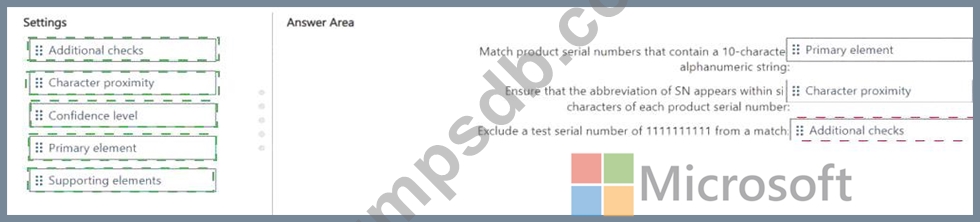
You have a Microsoft 365 E5 subscription that has data loss prevention (DLP) implemented.
You need to create a custom sensitive info type. The solution must meet the following requirements:
* Match product serial numbers that contain a 10-character alphanumeric string.
* Ensure that the abbreviation of SN appears within six characters of each product serial number.
* Exclude a test serial number of 1111111111 from a match.
Which pattern settings should you configure for each requirement? To answer, drag the appropriate settings to the correct requirements. Each setting may be used once, more than once, or not at all. You may need to drag the split bar between panes or scroll to view content.
NOTE: Each correct selection is worth one point.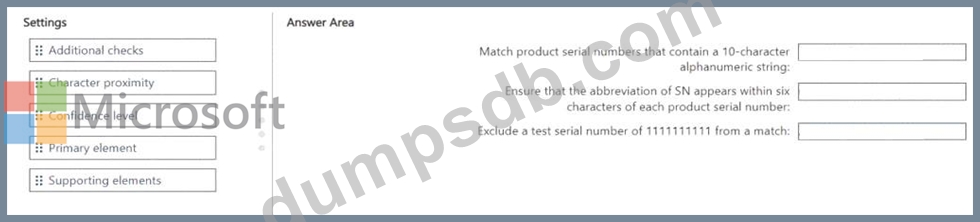

Question 170
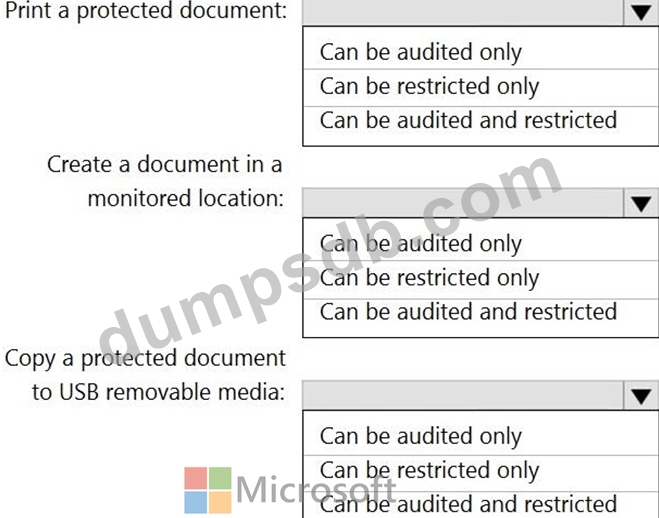
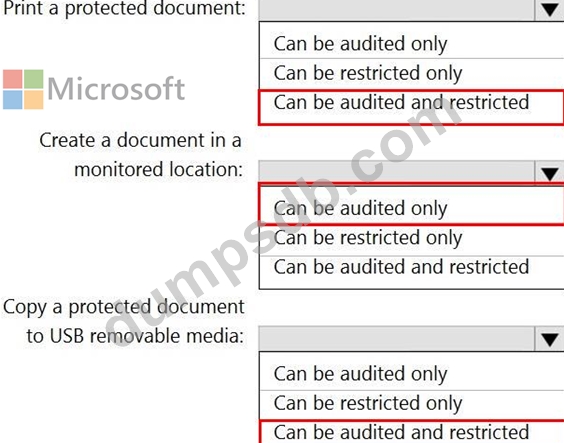
You plan to implement Microsoft 365 Endpoint data loss prevention (Endpoint DLP).
You need to identify which end user activities can be audited on the endpoints, and which activities can be restricted on the endpoints.
What should you identify for each activity? To answer, select the appropriate options in the answer area.
NOTE: Each correct selection is worth one point.