Question 1
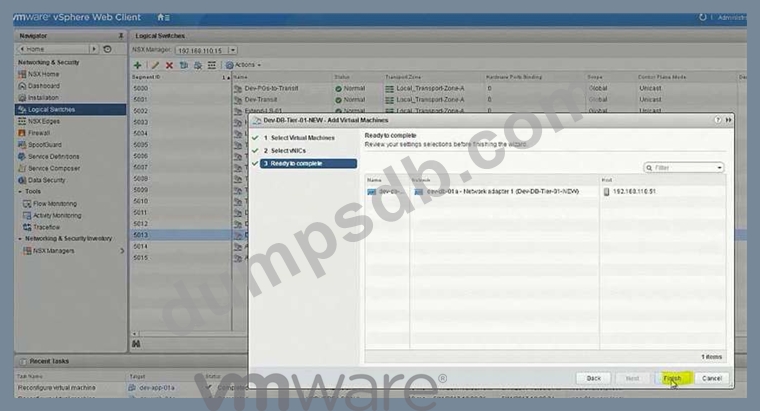
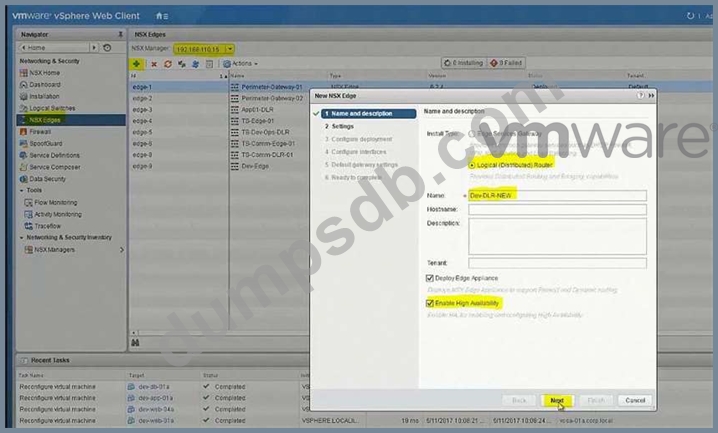
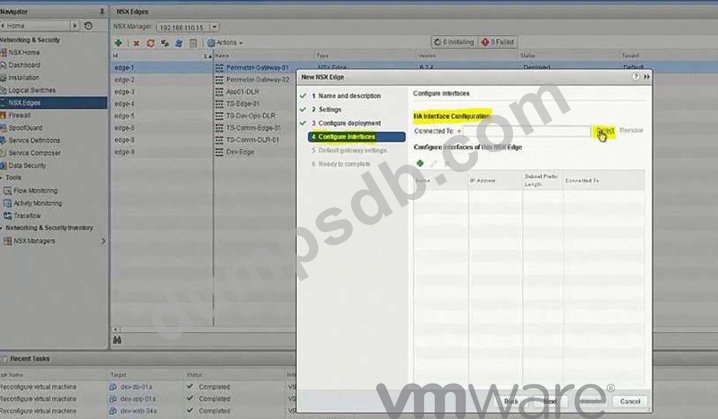
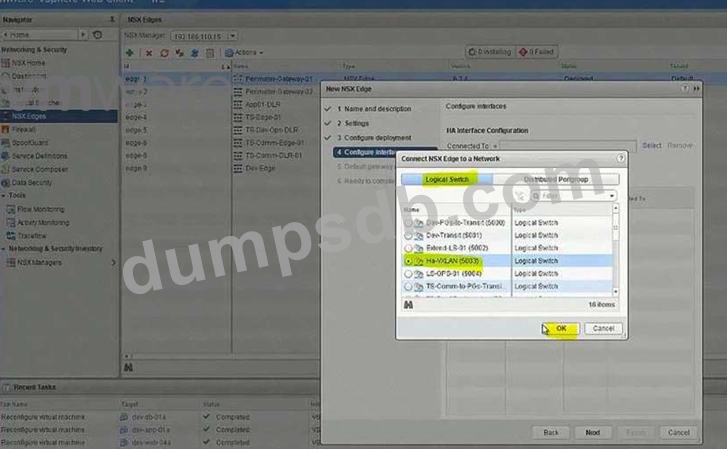
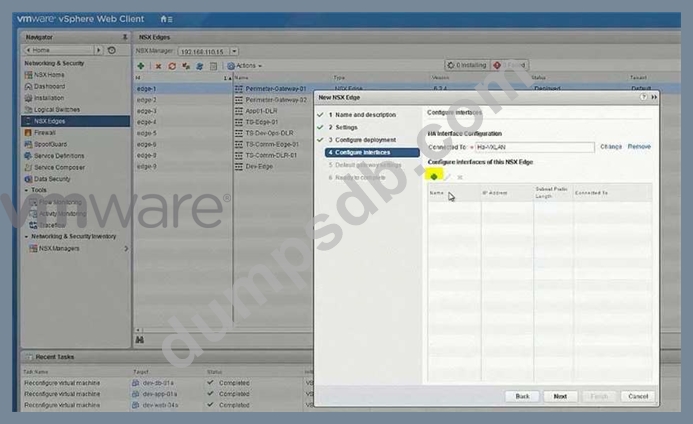
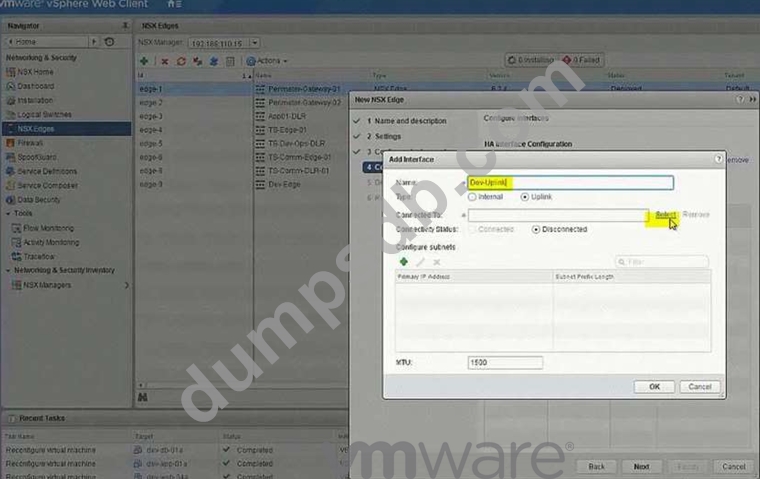
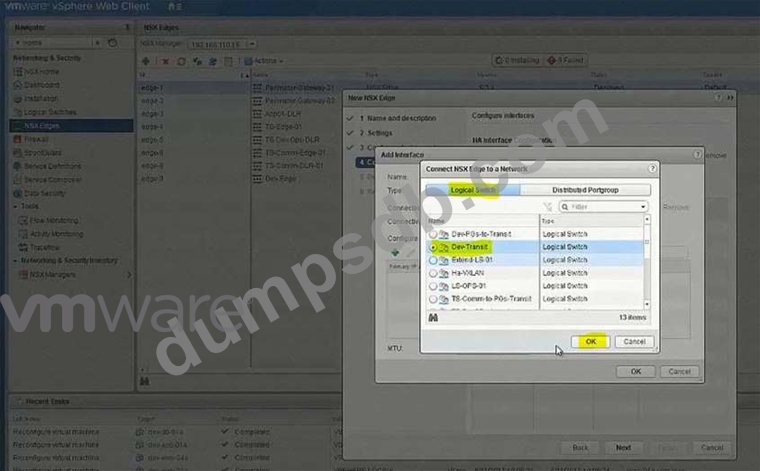
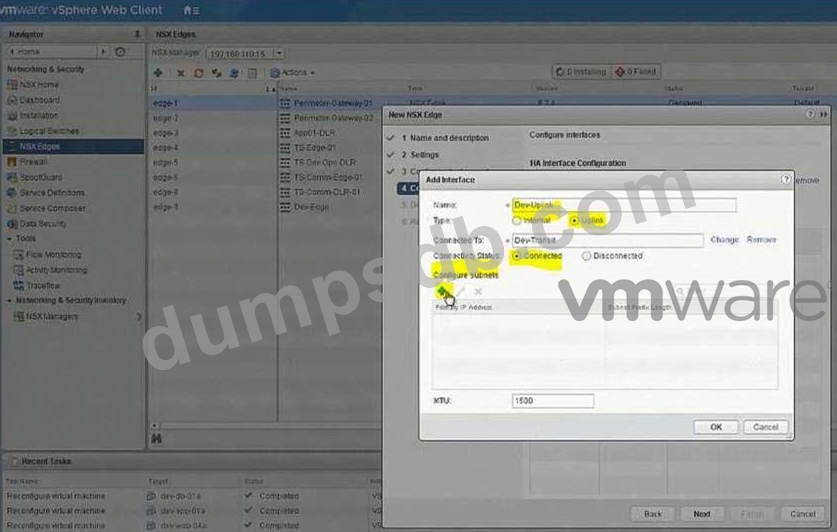
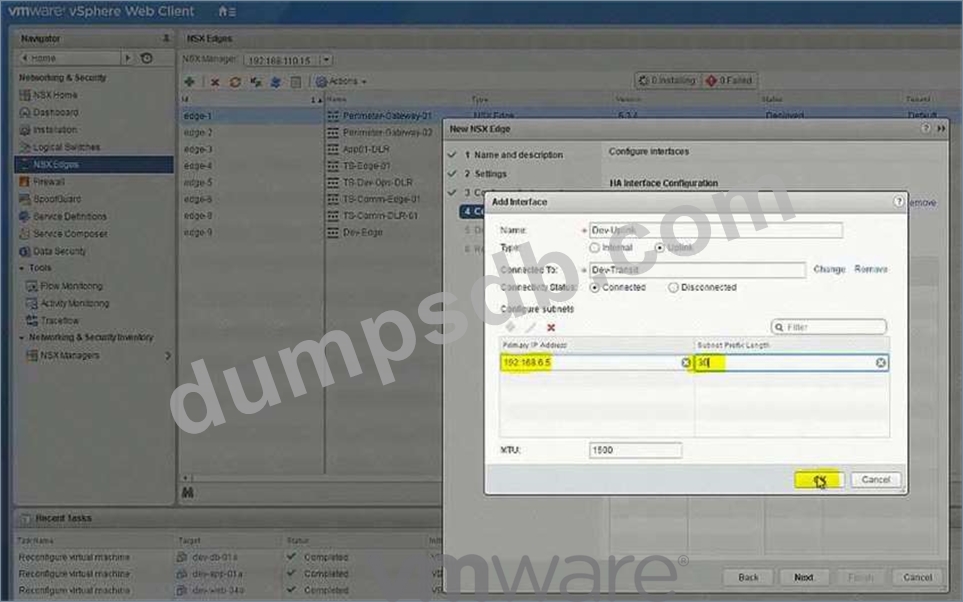
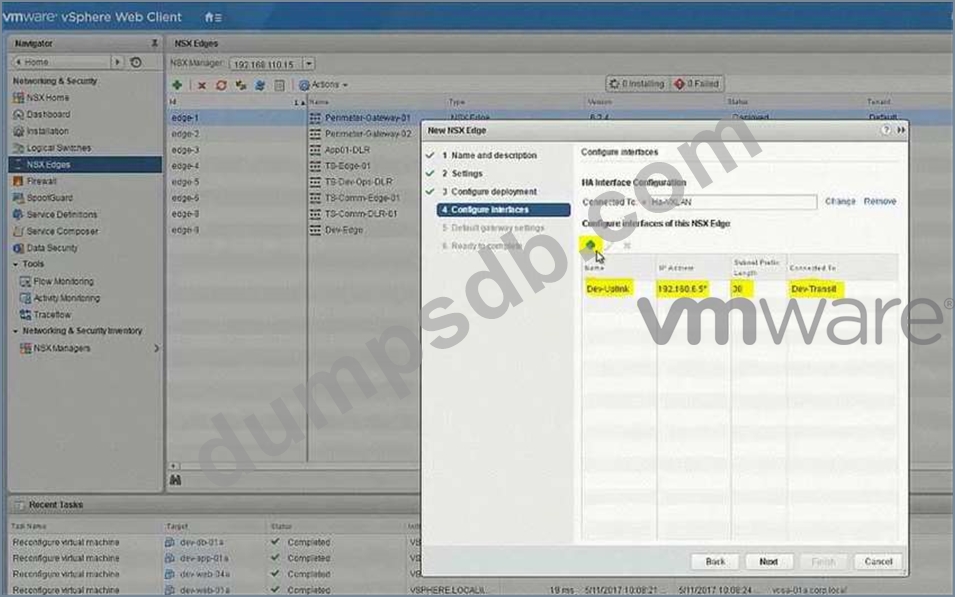
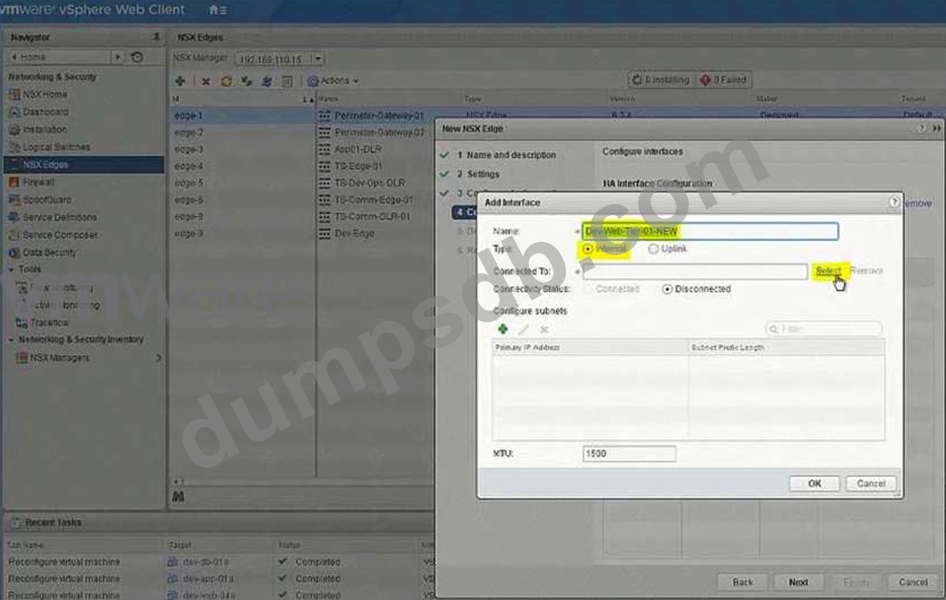
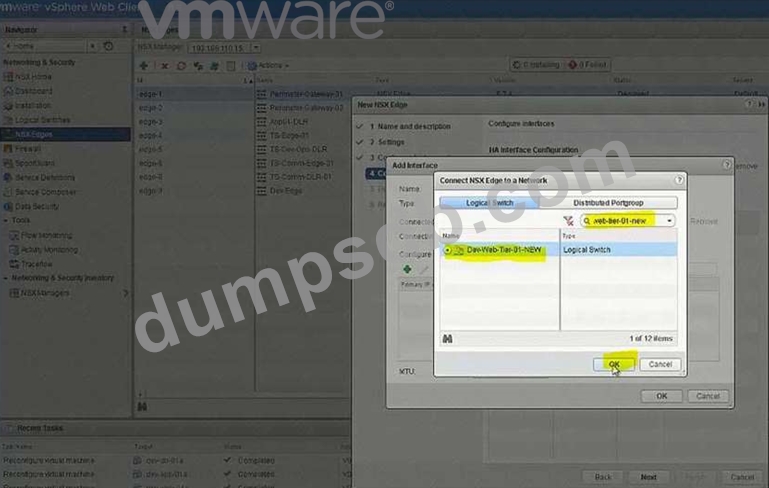
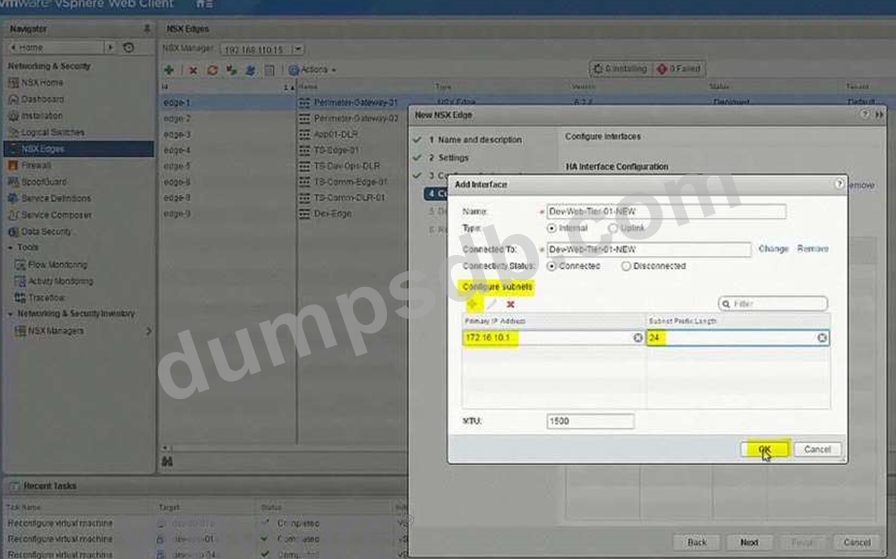
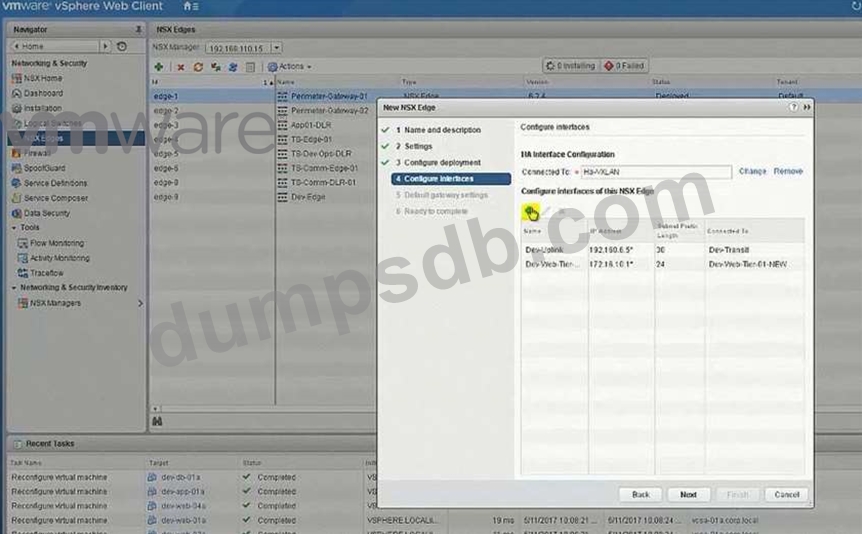
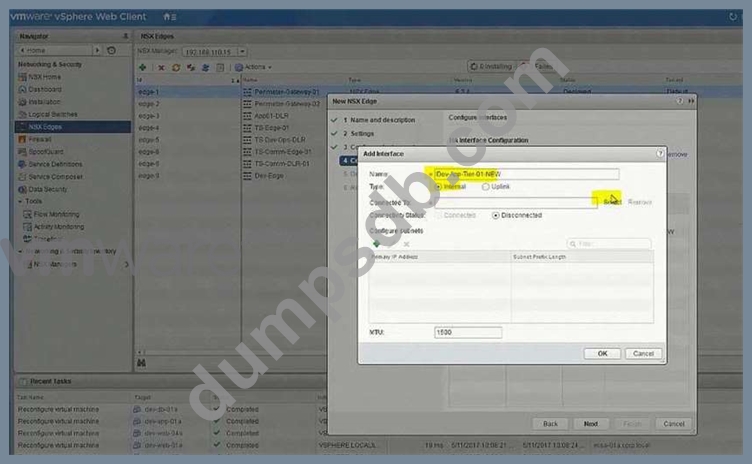
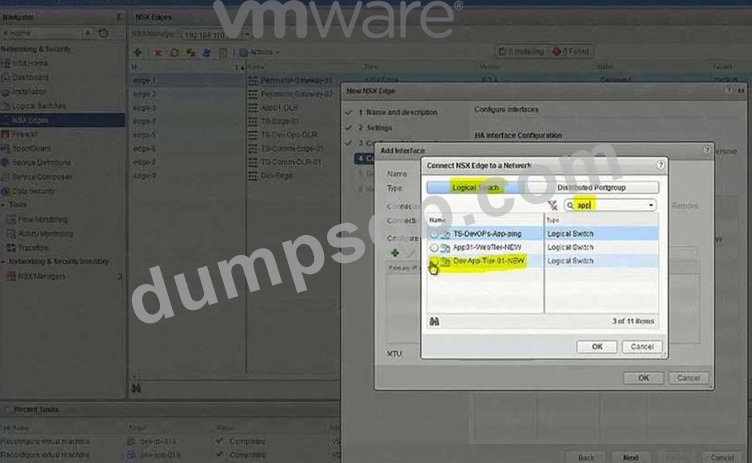
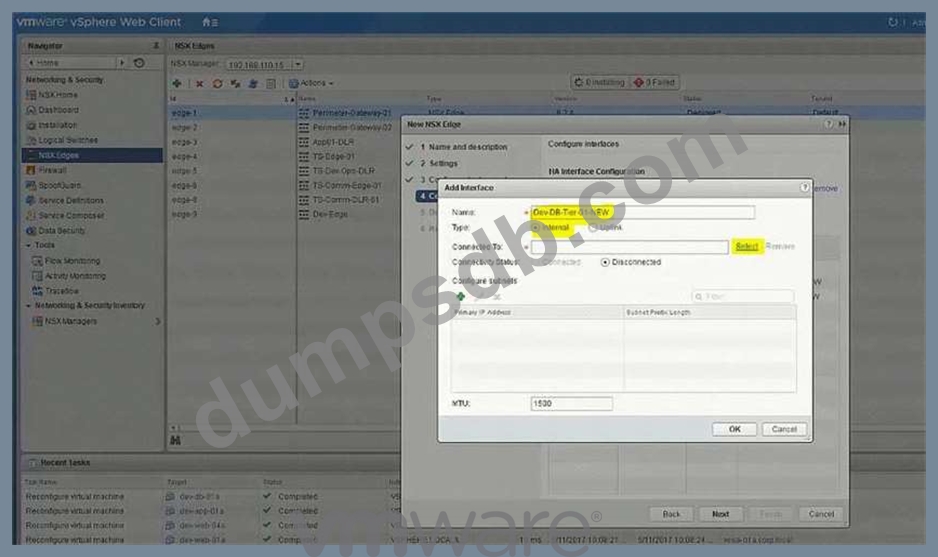
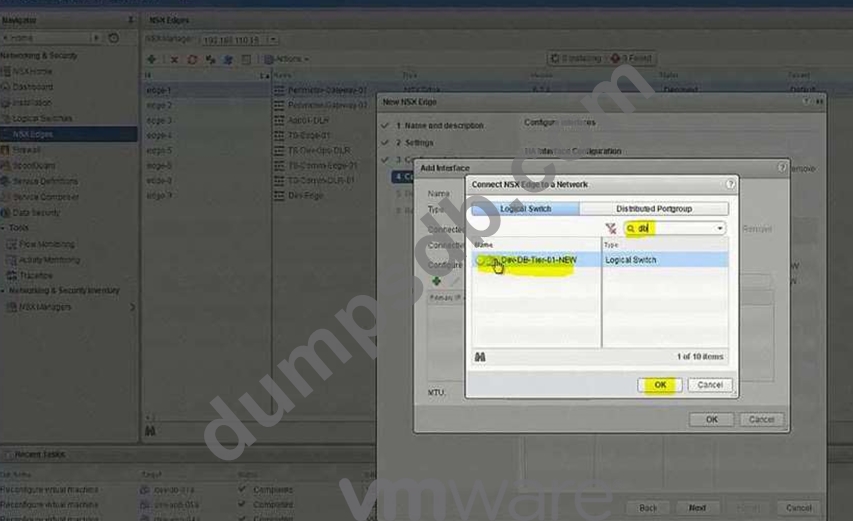
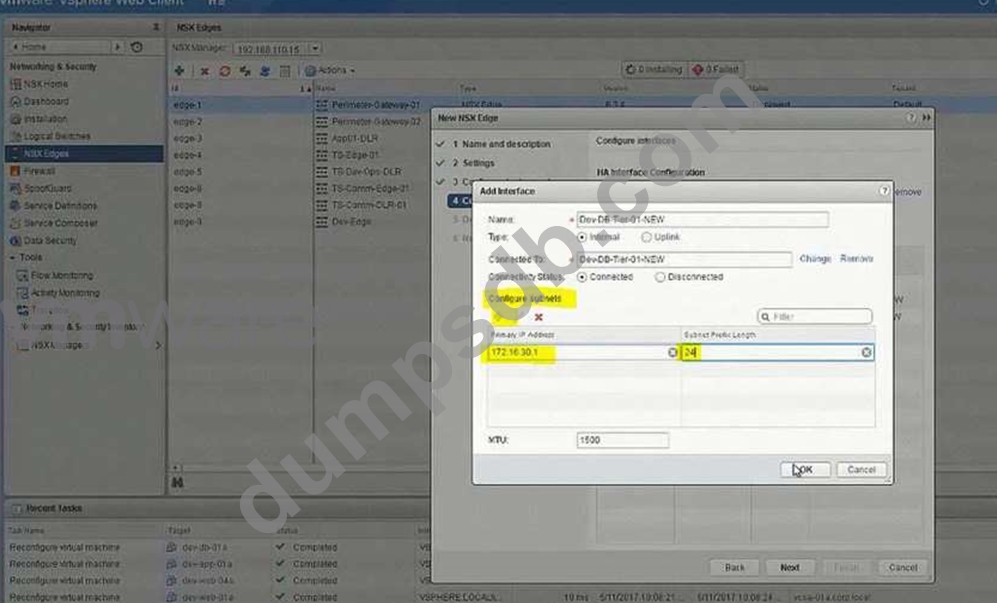
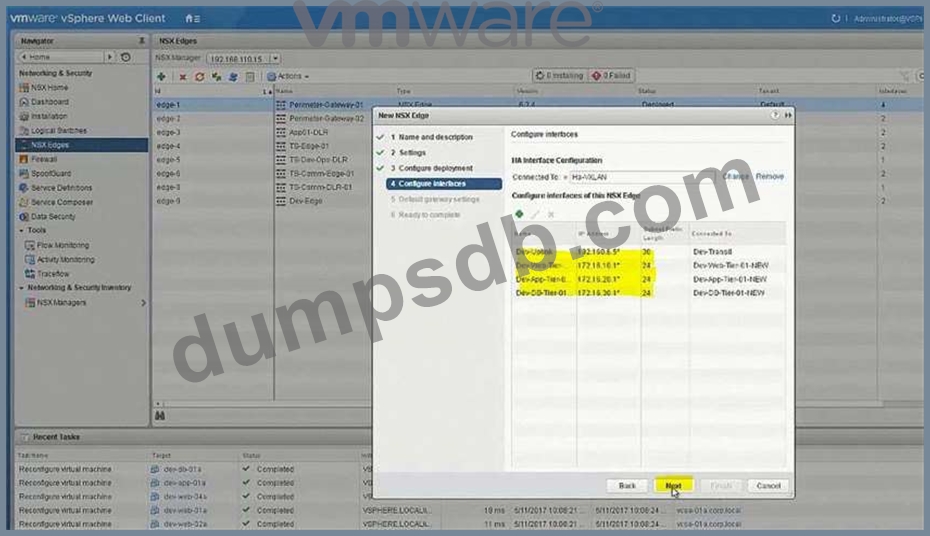
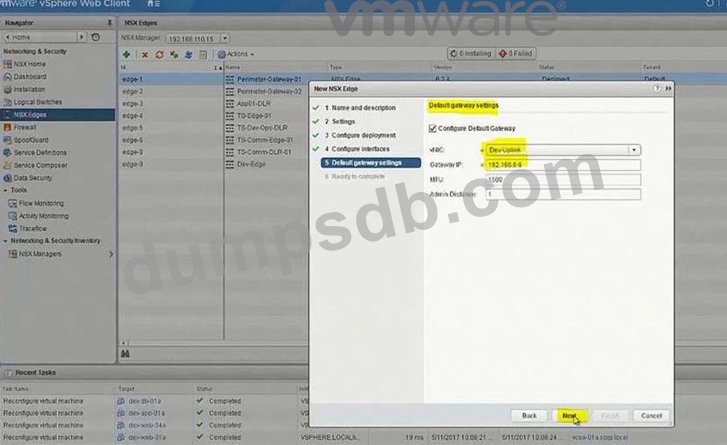
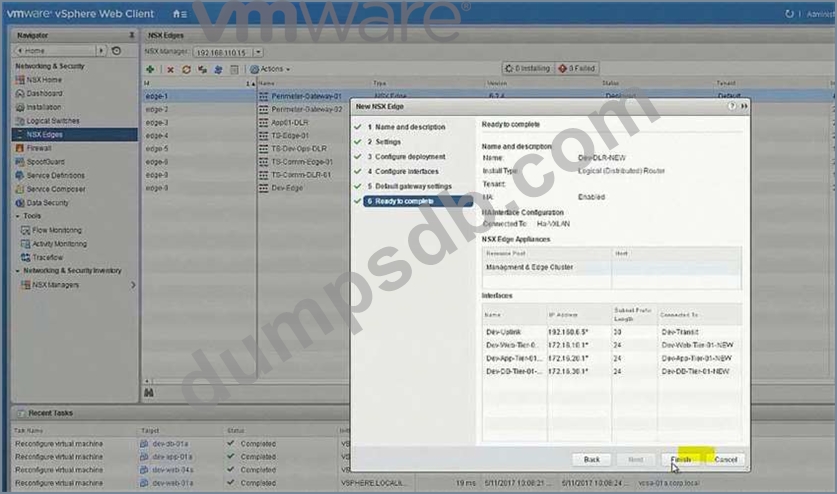
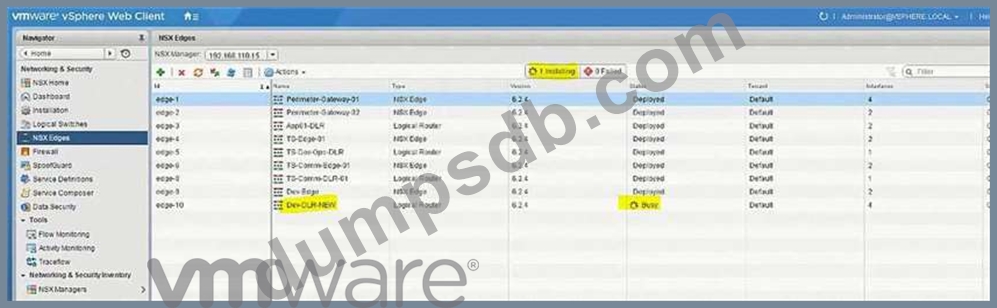
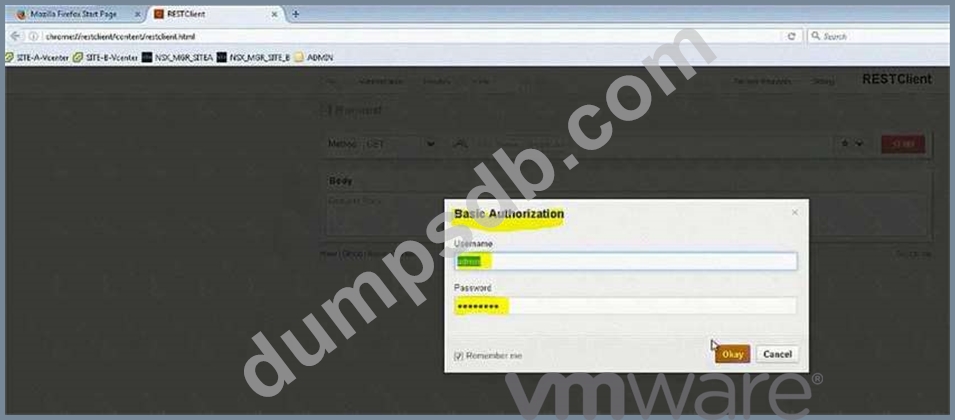
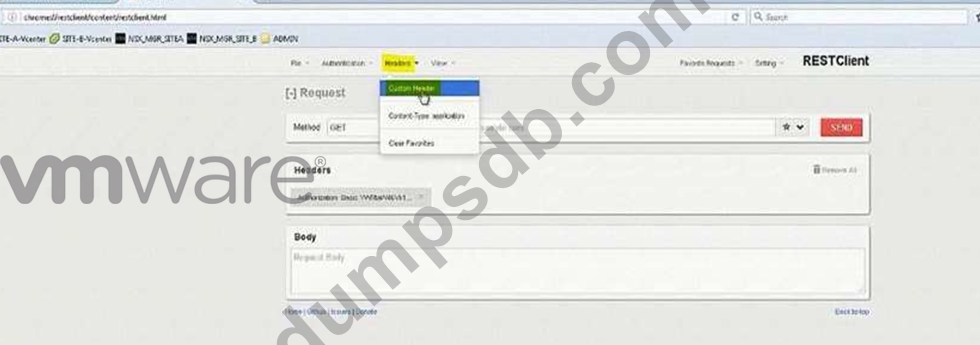
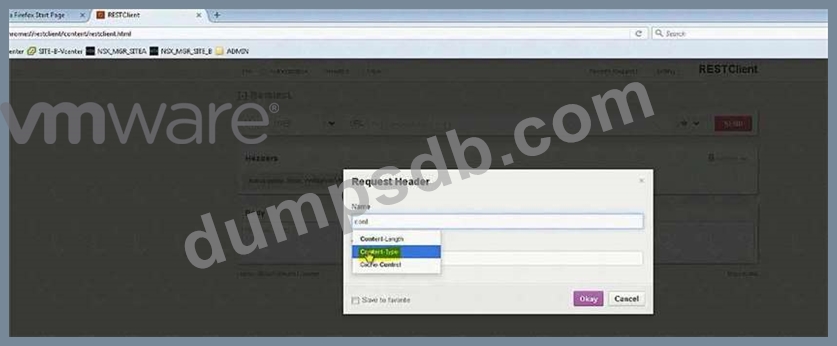
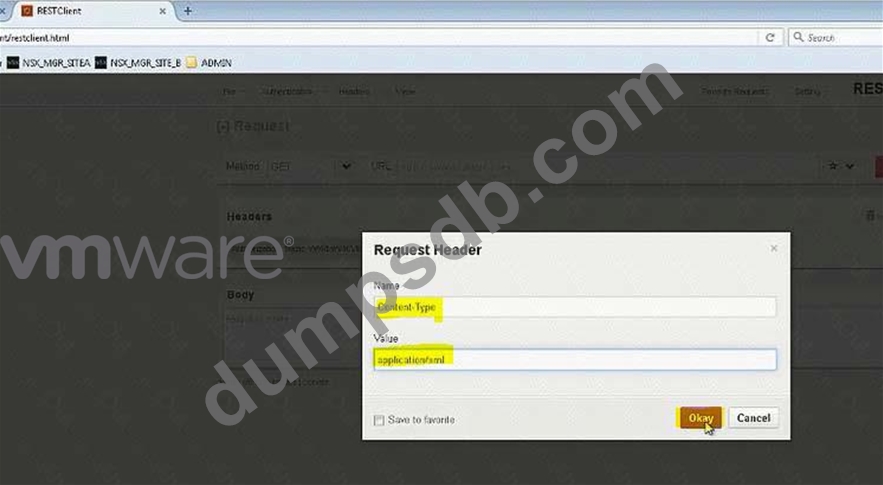
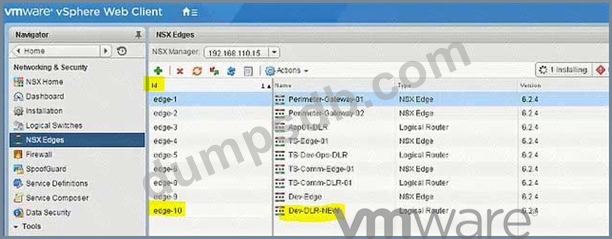
Configure the Layer 3 connectivity between the newly created Dev-segments by assigning them to a new DLR named Dev-DLR-NEW.
Requirements:
vCenter: vcsa-01a.corp.local
Ccredentials: [email protected] . VMware1!
Default GW for Dev-subnets:
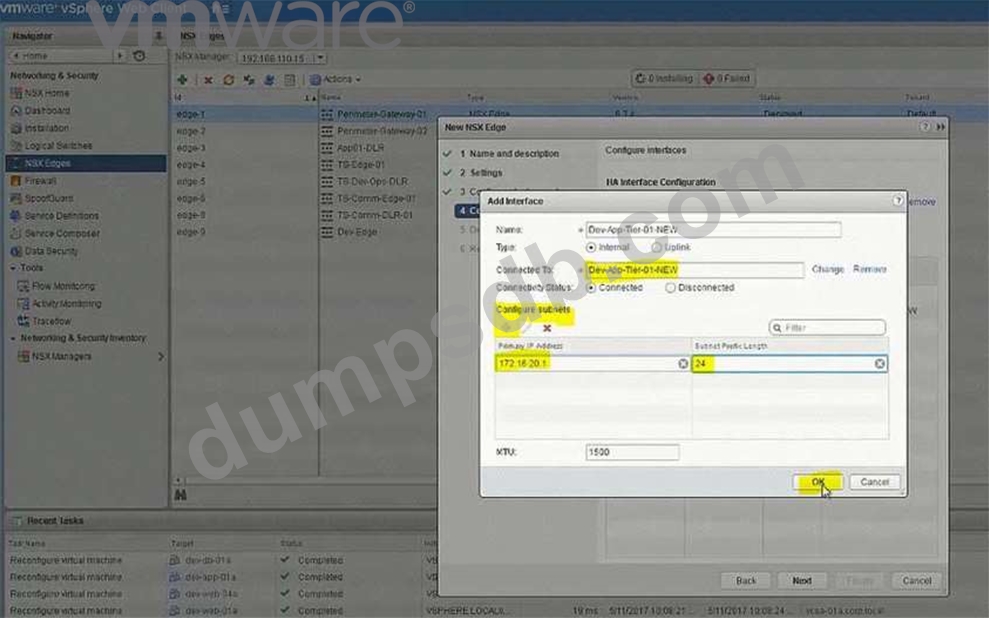
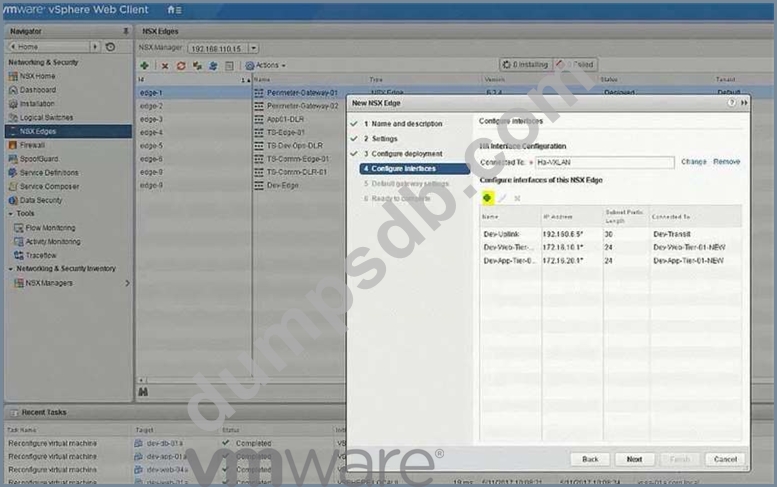
Dev-Web-Tier-01-NEW172.16.10.1/24
Dev-App-Tier-01-NEW172.16.20.1/24
Dev-DB-Tier-01-NEW172.16.30.1/24
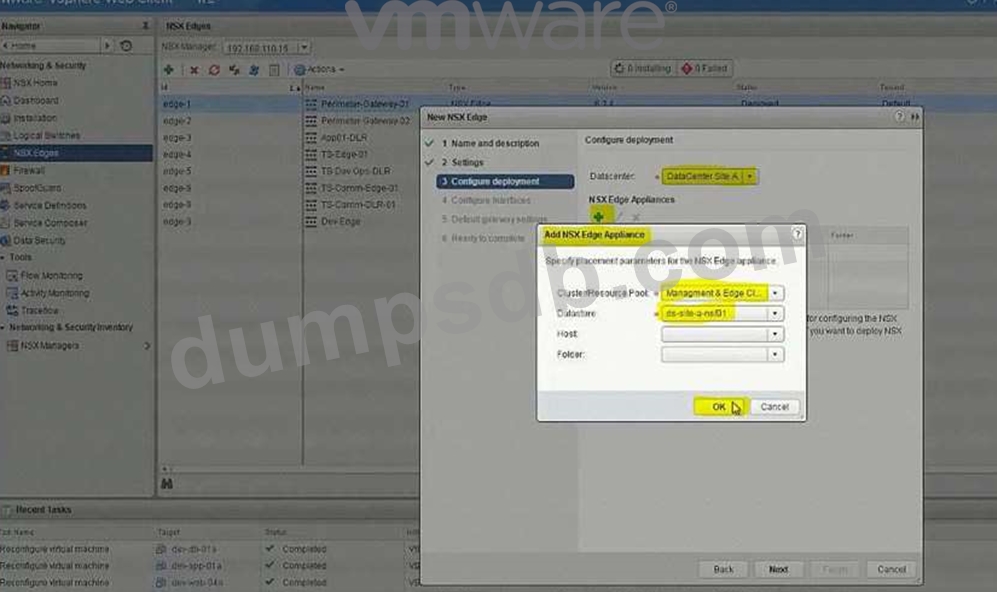
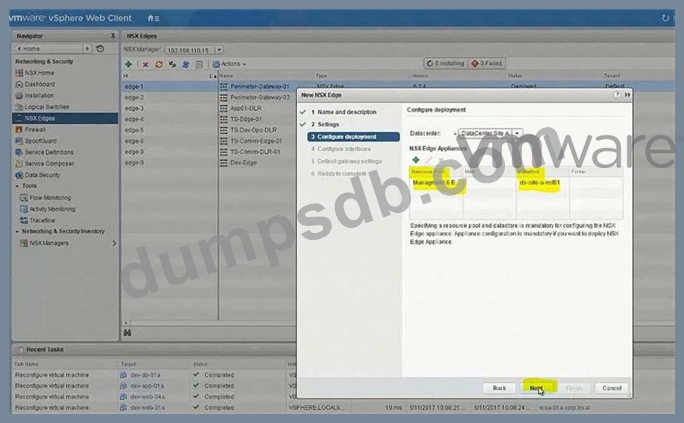
DLR Settings:
DLR Name: Dev-DLR-NEW
Uplink IP Address: 192.168.6.5/30
Interface: Dev-Transit
Password: VMware1!WMware1!
Cluster: Management & Edge Cluster
Ensure east-west routing has been optimized.
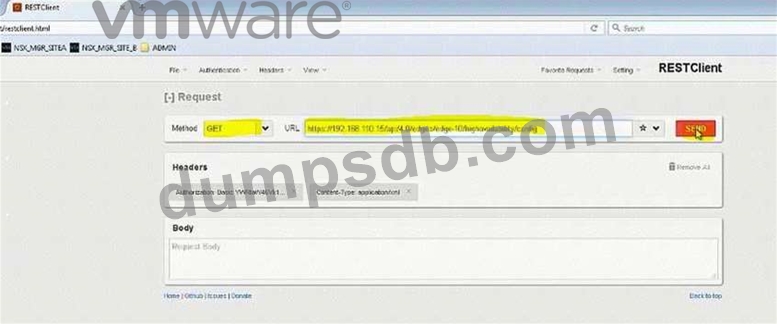
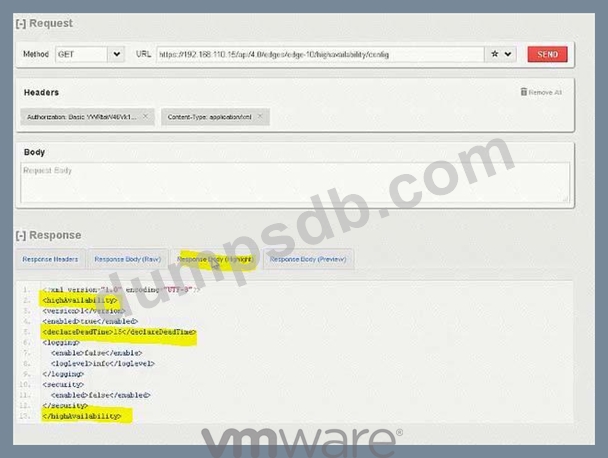
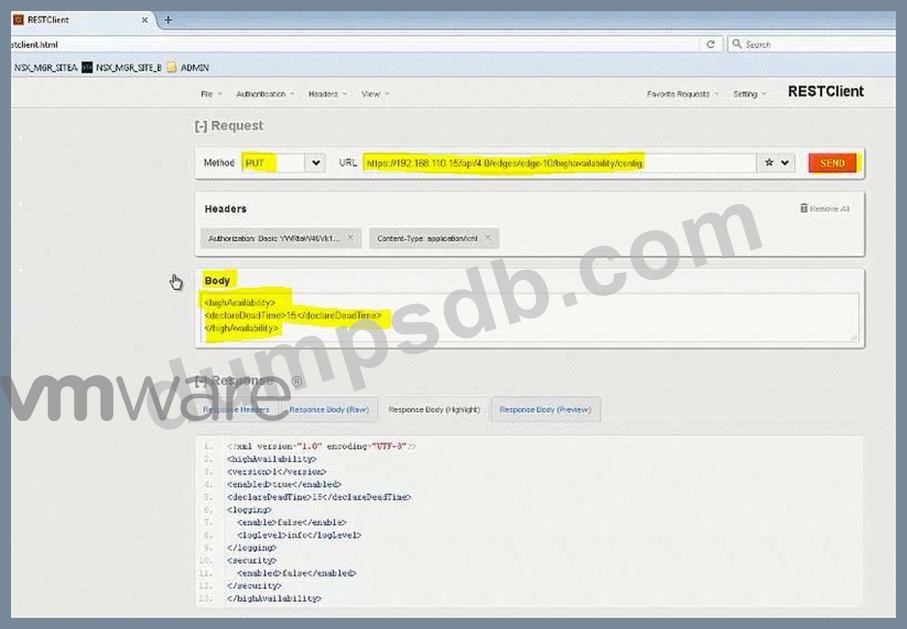
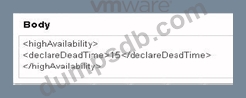
The control plane failover should begin 15 seconds on logical switch HA-VXLAN.
Ensure secure shell is available.
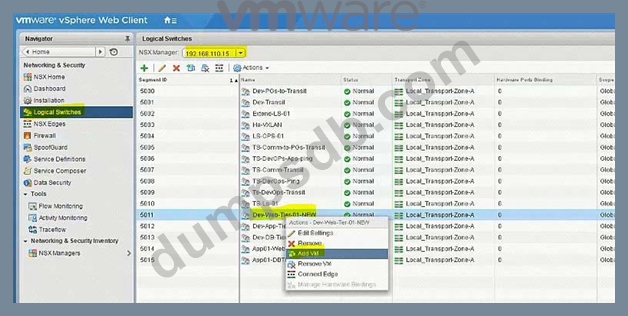
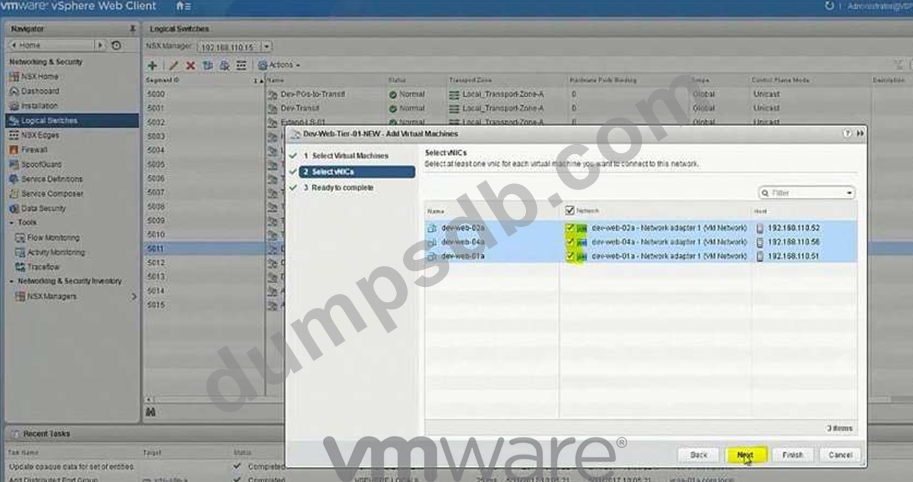
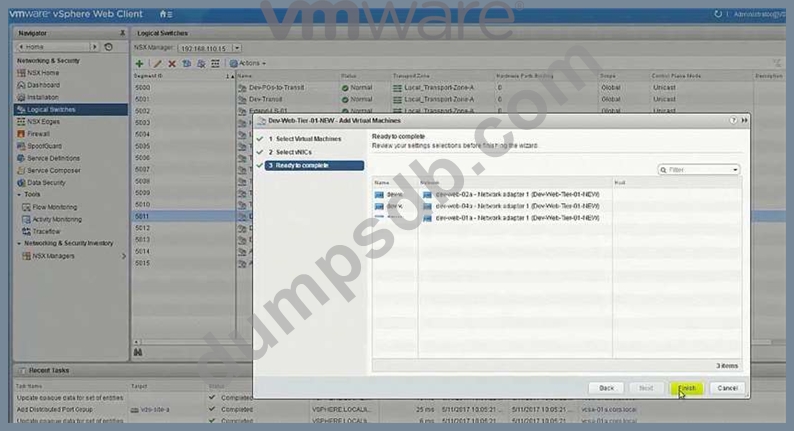
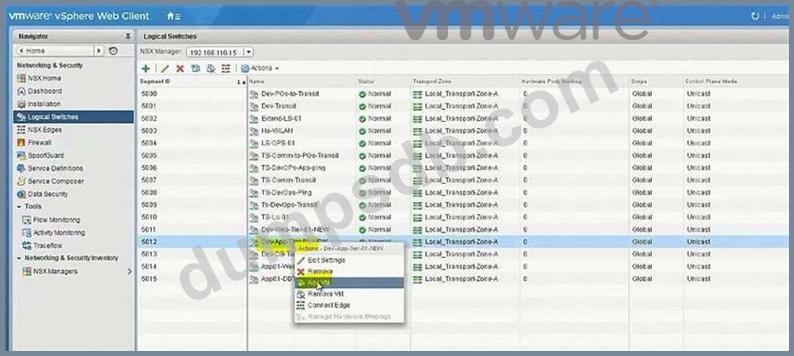
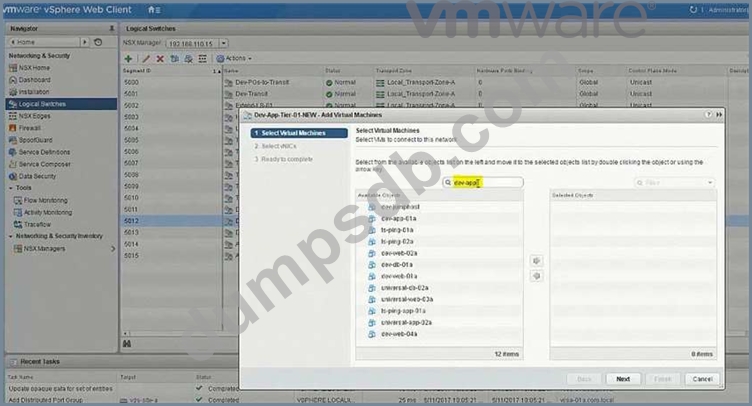
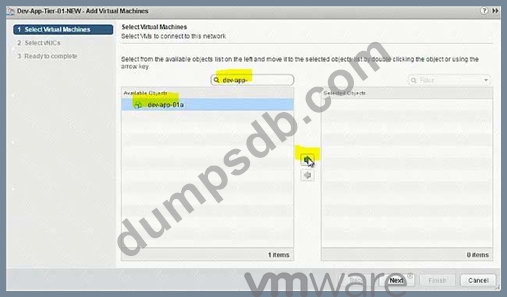
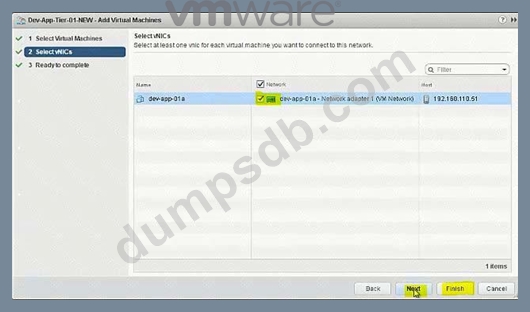
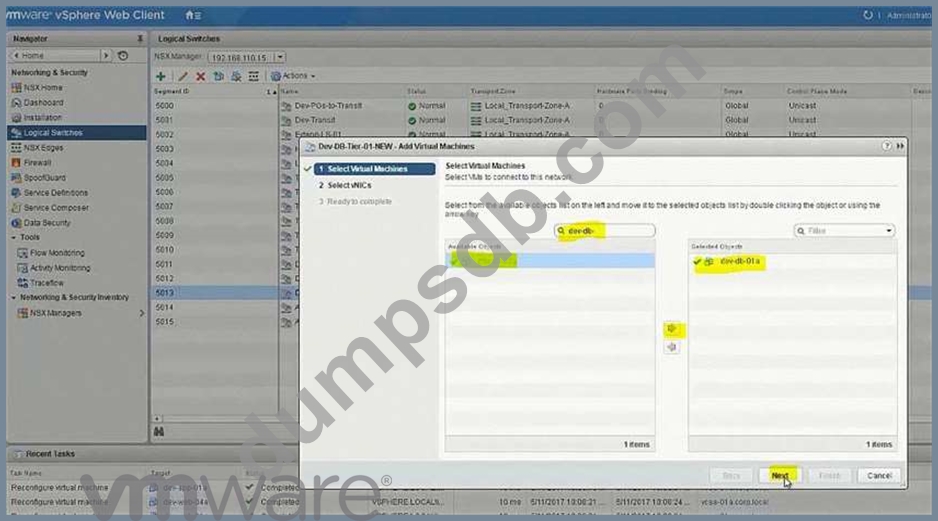
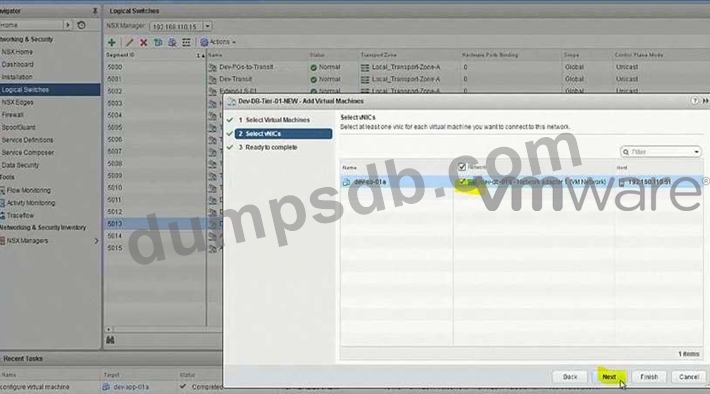
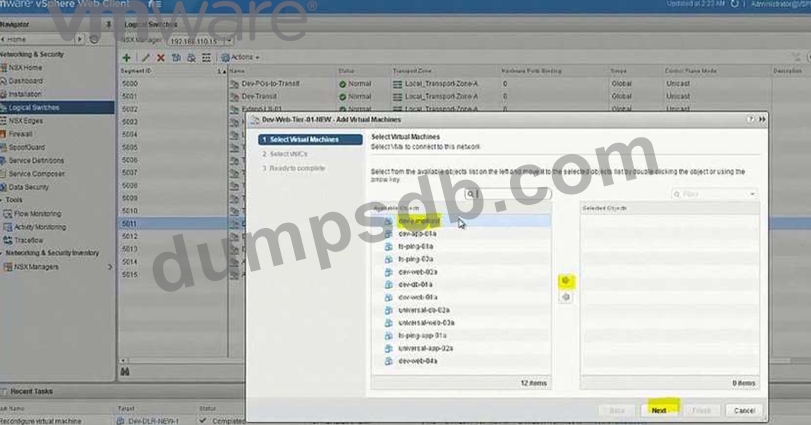
Connect the Web, App and DB virtual machines to their respective dev tiers.
Dev-web-01, Dev-web-02a, Dev-web-04a
Dev-app-01a
Dev-db-01a
HOL LAB for Practice:
also deploy Distributed logical router DLR in the same way the lab.
See the explanation part for complete solution.



Question 2
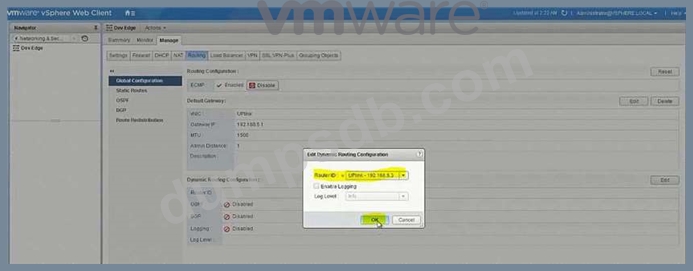
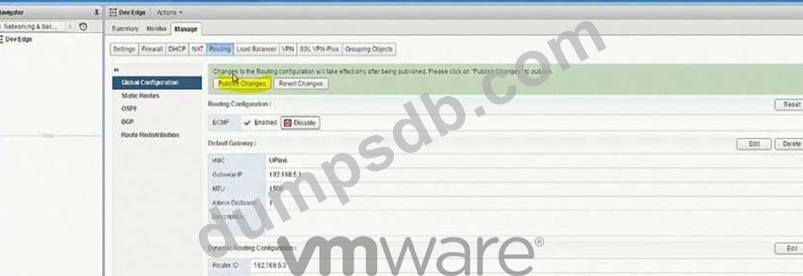
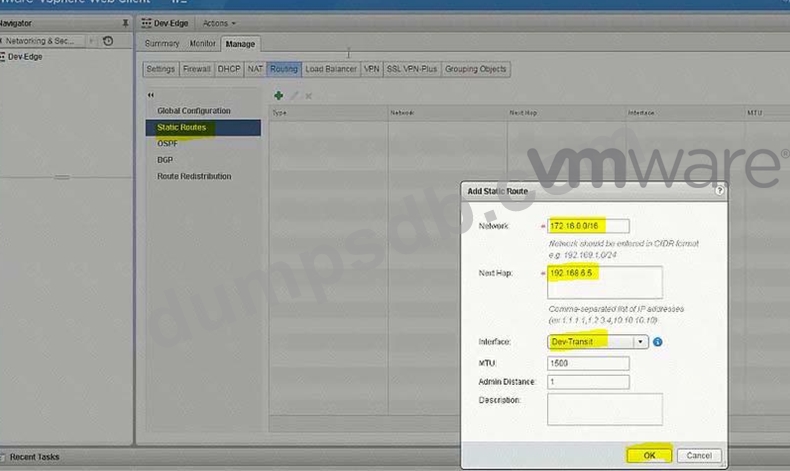
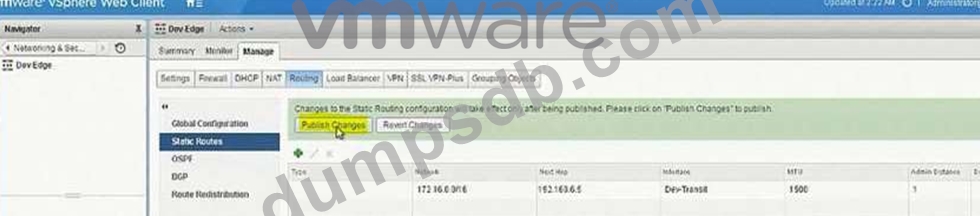
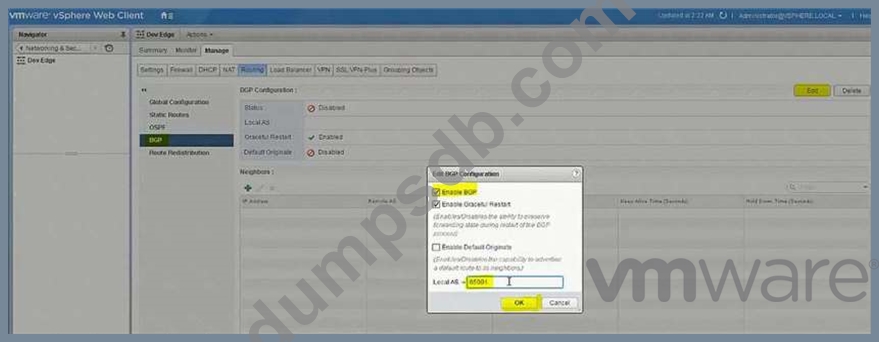
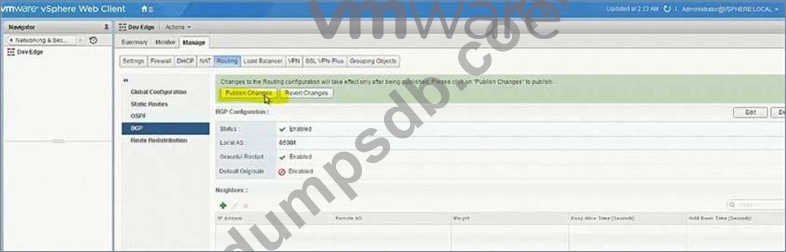
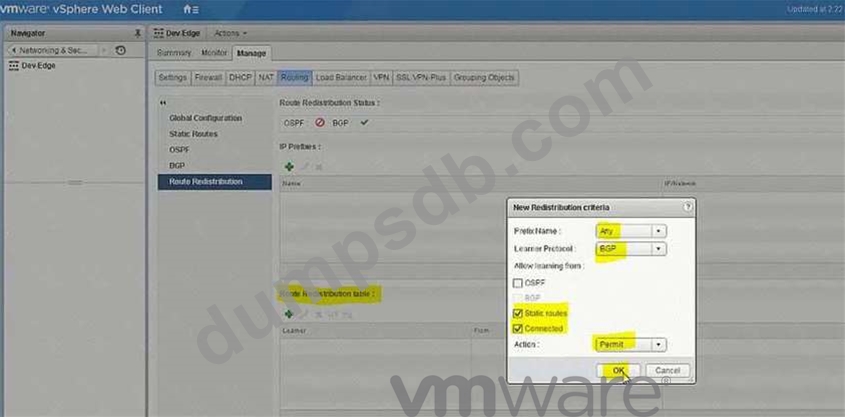
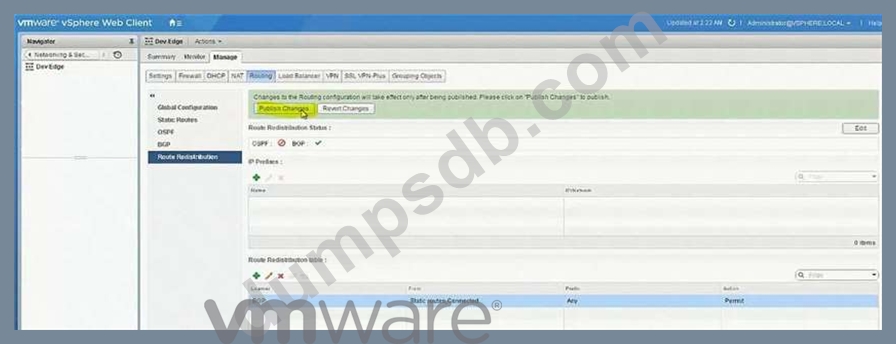
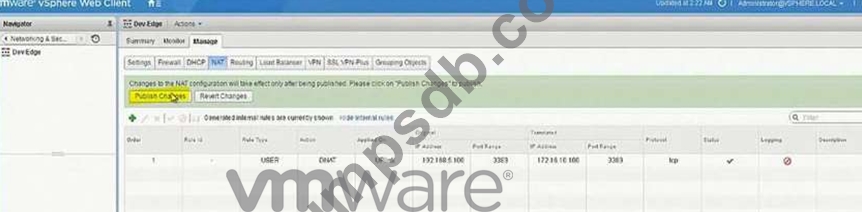
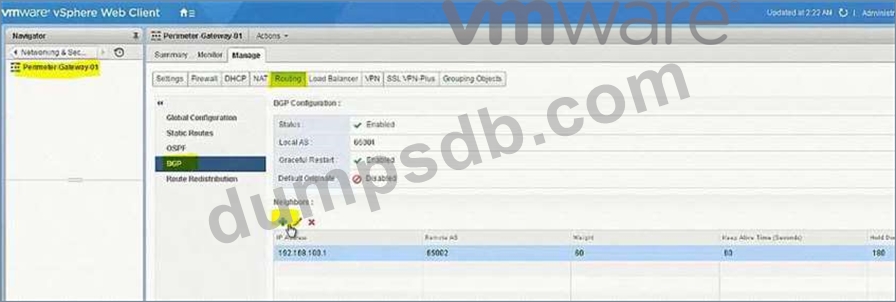
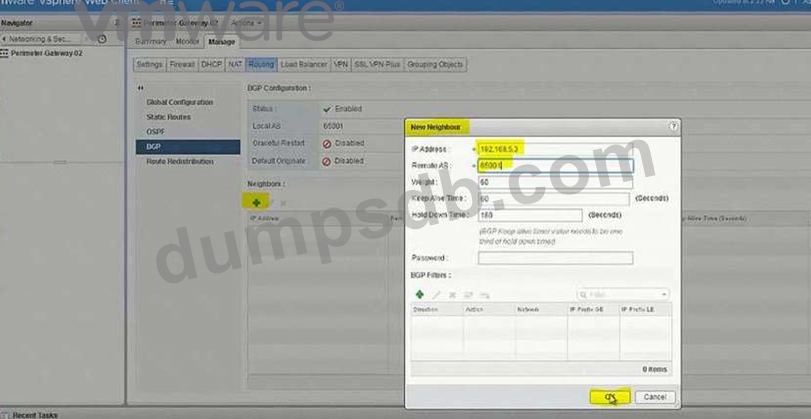
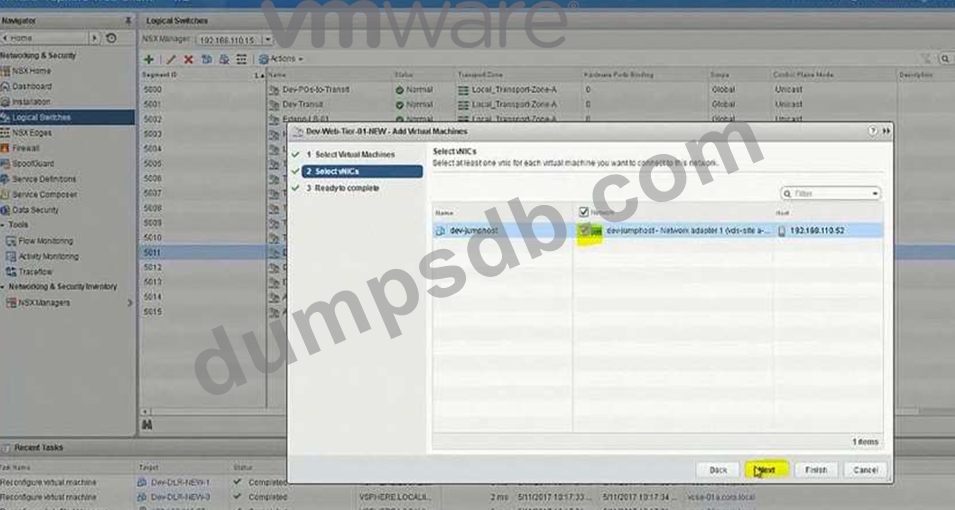
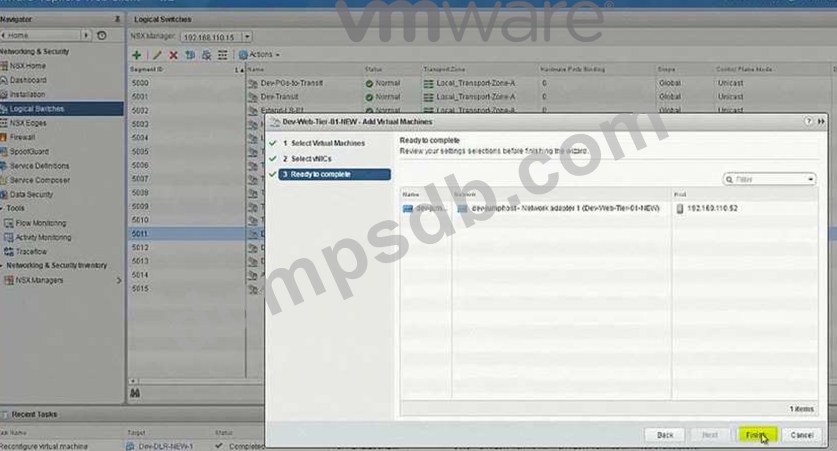
Complete the configuration of Dev-Edge to allow north-south routing connectivity for the new Dev-segment.
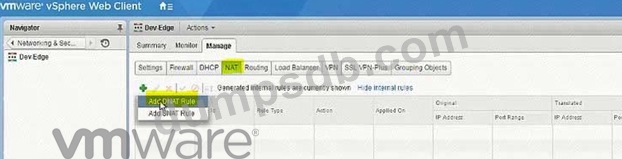
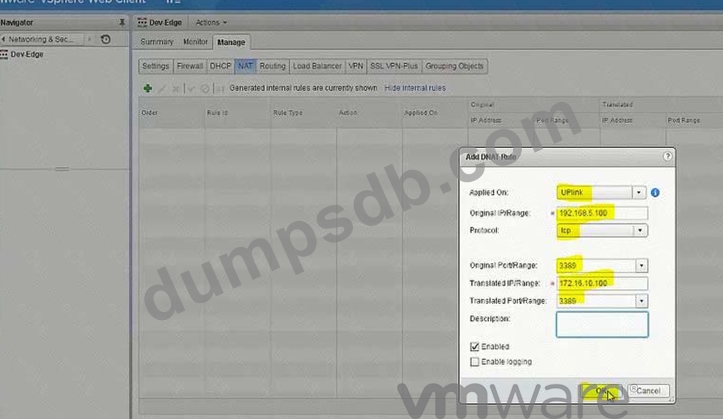
Workloads will have overlapping IP addressing with production workloads. The developers will RDP into a jump host server (Dev-Jumphost) on the Dev-Web segment. An RDP shortcut named To Dev-JumpHost.rdp has been created on the ControlCenter Desktop.
The following has been preconfigured on Dev-Edge:
The uplink interface on the Dev-Edge has been pre-configured to communicate the upstream Gateways and attached to Dev-to-PGs-Transit.
Dev-DLR-NEW and Dev-Edge interfaces have been preconfigured to communicate with each other.
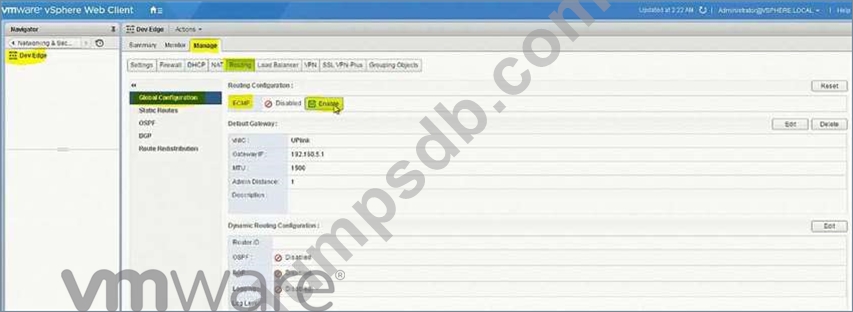
ECMP has been disabled.
Requirements:
vCenter: vcsa-01a.corp.local
Credentials: [email protected] / VMware1!
Dev-Jumphost information:
Credentials: administrator / VMware1!
Internal IP of Dev-Jumphost: 172.16.10.100
External IP of Dev-Jumphost: 192.168.5.100
Connection Information:
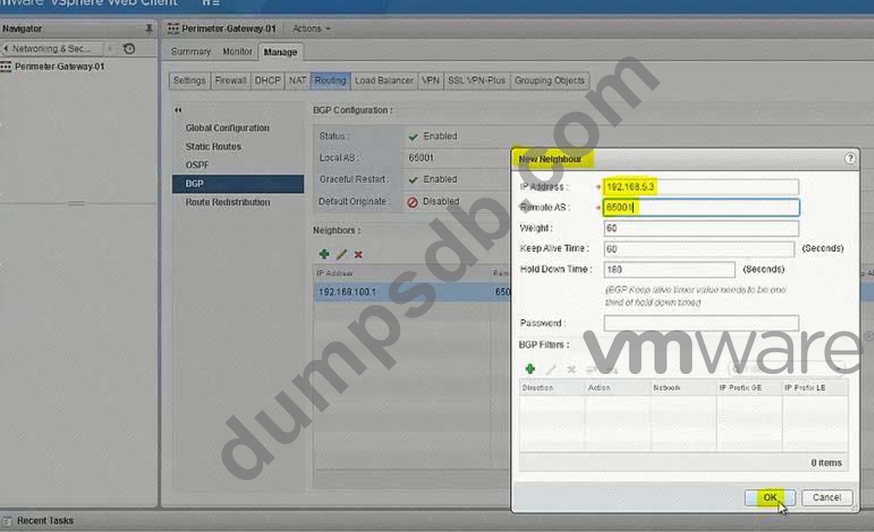
Dev-Edge-Uplink IP: 192.168.5.3/24
Dev-Edge-Internal IP : 192.168.6.6/30
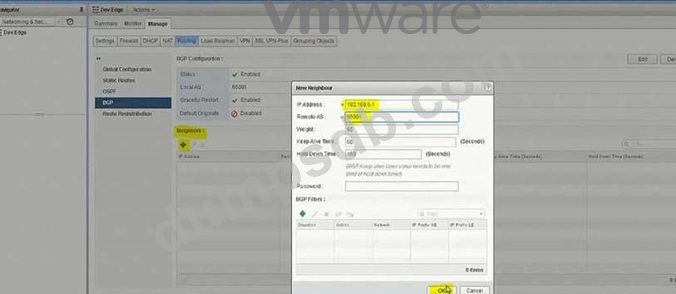
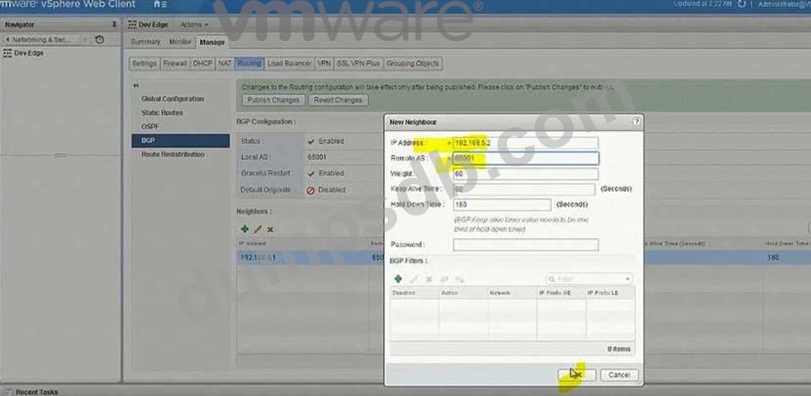
Preimeter-Gateway-01-Internal IP: 192.168.5.1/24
Preimeter-Gateway-02-Internal IP: 192.168.5.2/24
Logical switch: Dev-to-PGs-Transit
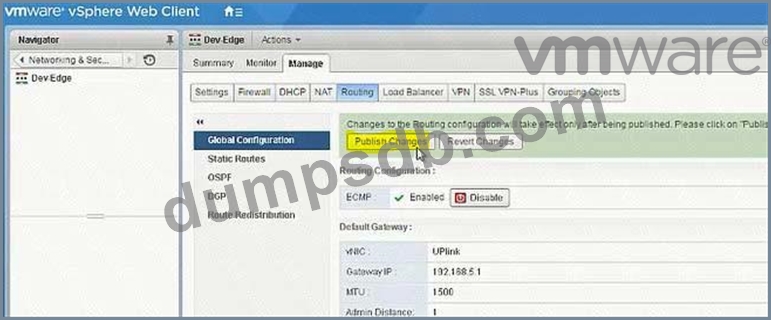
ECMP: Enabled.
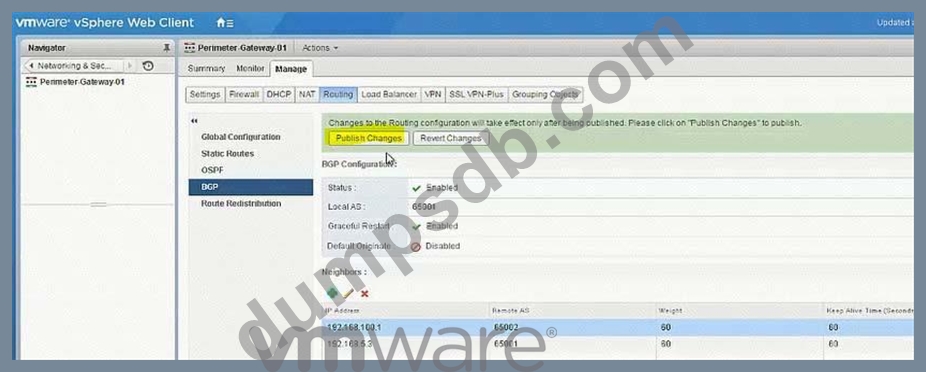
BGP AS: 65001
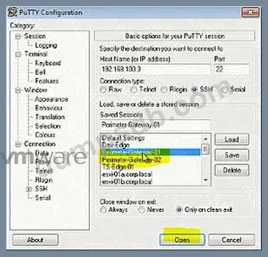
Credentials for all Edge Devices: admin / VMware1!VMware1!
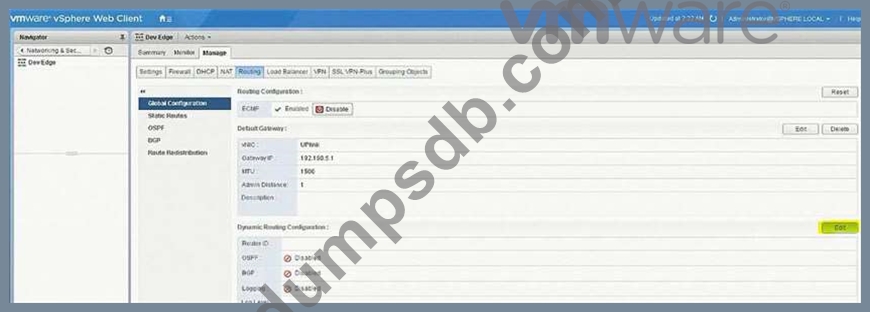
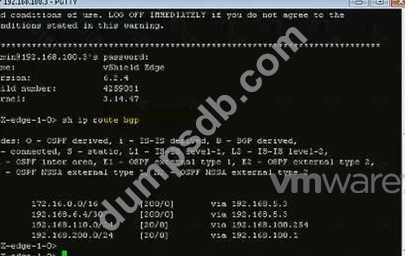
The networking team requires BGP as a routing protocol with an AS of 65001 for North-bound access for the Dev-environment.
Use the fewest number of static routes and utilize network prefixes to ensure accessibility to the Dev-Web-Tier-01-NEW within the Dev-environment.
Ensure Dev-Jumphost is on Dev-Web-Tier-01-NEW.
Ensure the ability to RDP into the Dev-Jumphost server from the production network (ControlCenter).
HOL LAB for Practice:
module, it will be use full for other question like 20 and 22
See the explanation part for complete solution.



Question 3
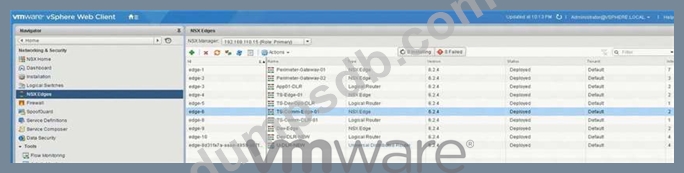
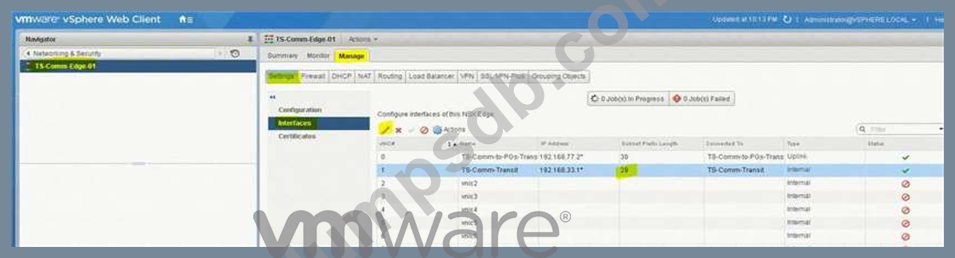
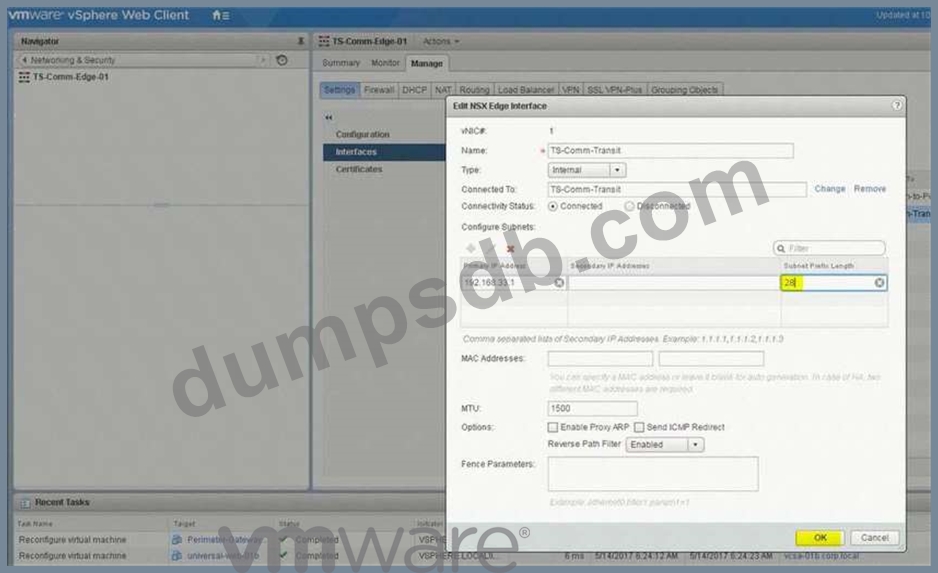
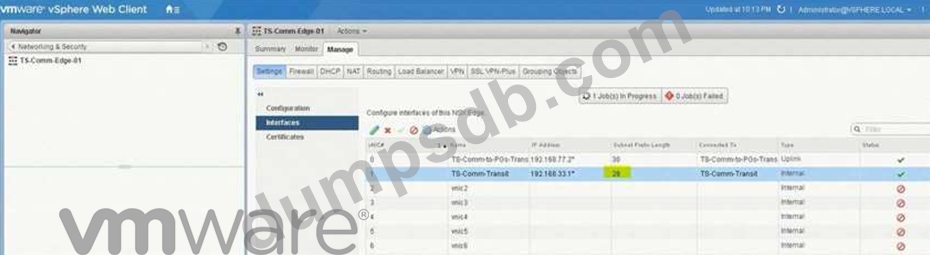
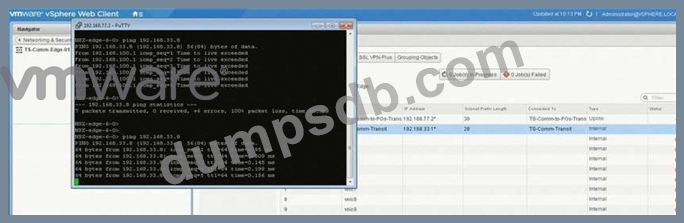
An NSX administrator has been troubleshooting a communication issue between Edge device TS-Comm-Edge-01 and the TS-Comm-DLR-01 logical router with no success and has reached out to you for further assistance. The following troubleshooting has already been performed.
Temporarily disabled the firewall between both devices.
Unsuccessful ping from TS-Comm-Edge-01 to TS-Comm-DLR-01
Unsuccessful ping from TS-Comm-DLR-01 to TS-Comm-Edge-01
Determine and resolve the communication issue between the two devices.
Requirements:
vCenter: vcsa01a.crop.local
Credentials: [email protected] / VMware1!
Troubleshooting Information:
Edge: TS-Comm-Edge-01 (192.168.33.1)
DLR: TS-Comm-DLR-01 (192.168.33.8)
Transit Network: TS-Comm-Transit
IP Subnet: 192.168.33.0/29
Ensure communication between both devices is successful.
NOTE:
IP addresses must remain unchanged.
HOL LAB for Practice:
See the explanation part for complete solution.
Question 4
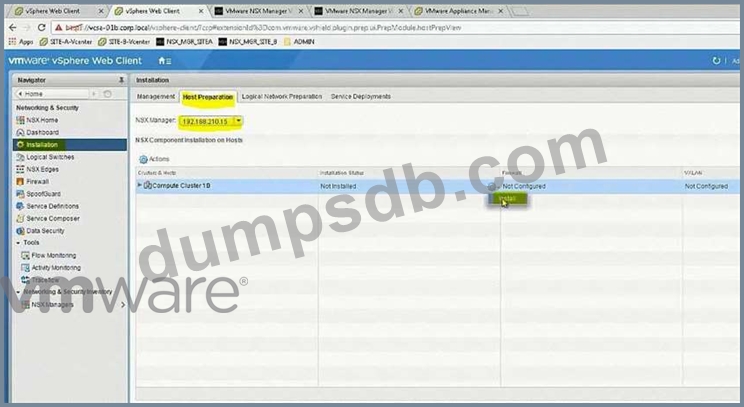
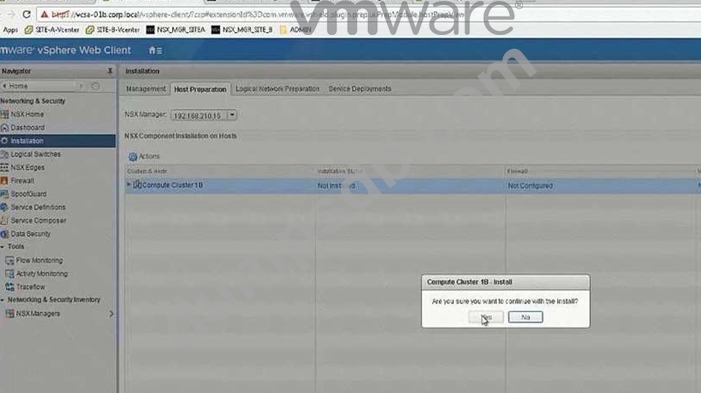
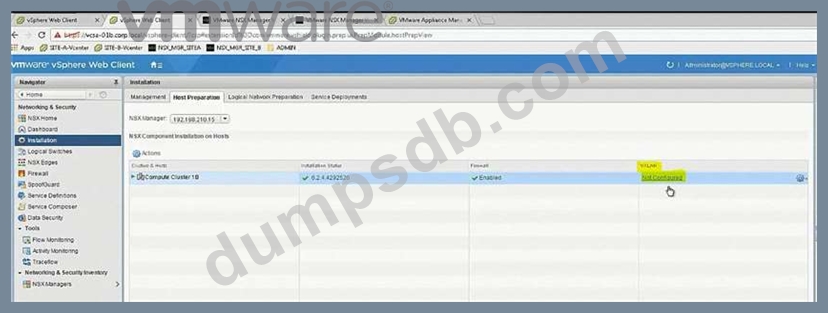
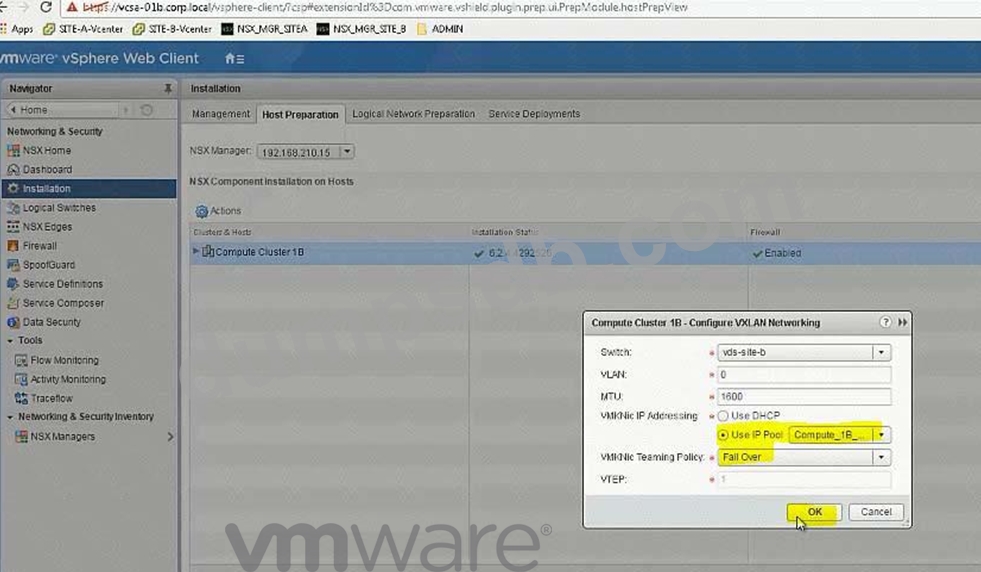
In the previous scenario, vCenter vcsa-b.corp.local was configured for NSX. Now the hosts must be prepared for NSX and the initial VXLAN configuration should be completed.
Requirements:
vCenter: vcsa-01b.corp.local
Credentials: [email protected] / VMware1!
Cluster: Compute Cluster 1B
ESXi Hosts: esx-01b.corp.local, esx-02b.corp.local
VTEP Information:
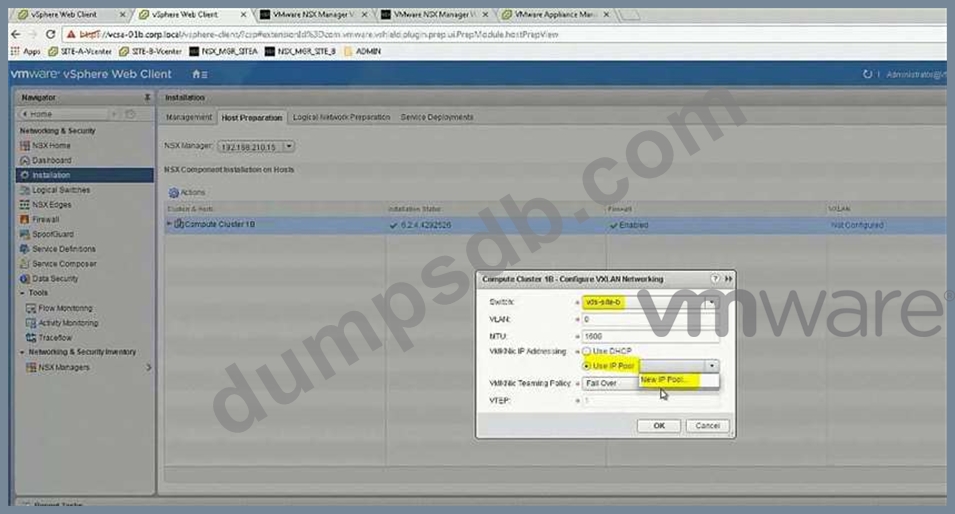
VMKNic Teaming Policy: Fail Over
VLAN: 0
MTU: 1600
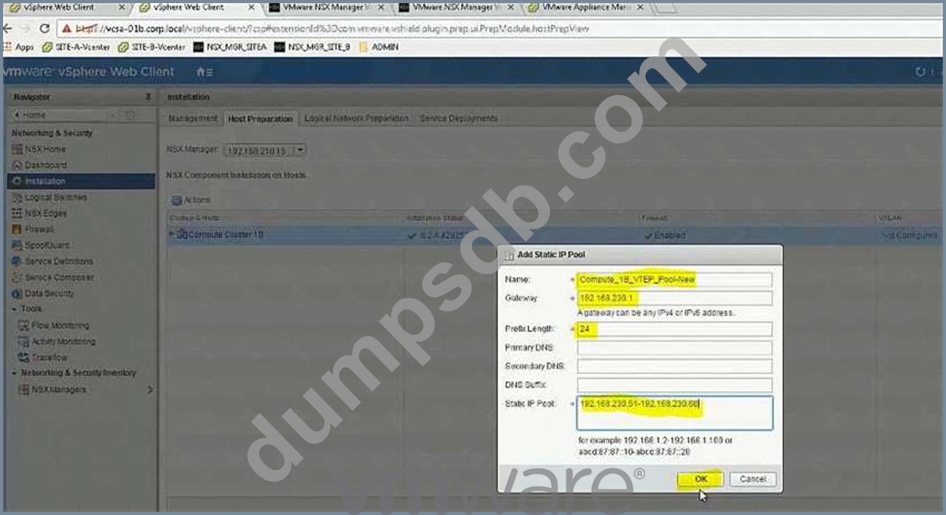
IP Pools for VTEP:
* Name: Compute_1B_VTEP_Pool-New
* Gateway: 192.168.230.1
* Prefix Length: 24
* Static IP Pool: 192.168.230.51 - 192.168.230.60
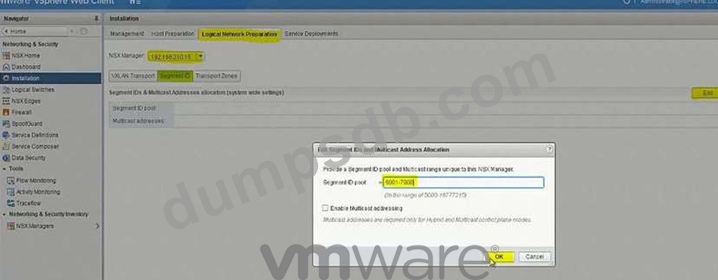
* Segment ID Pool: 6001-7000 - HOL 1903-01 Page 26-36
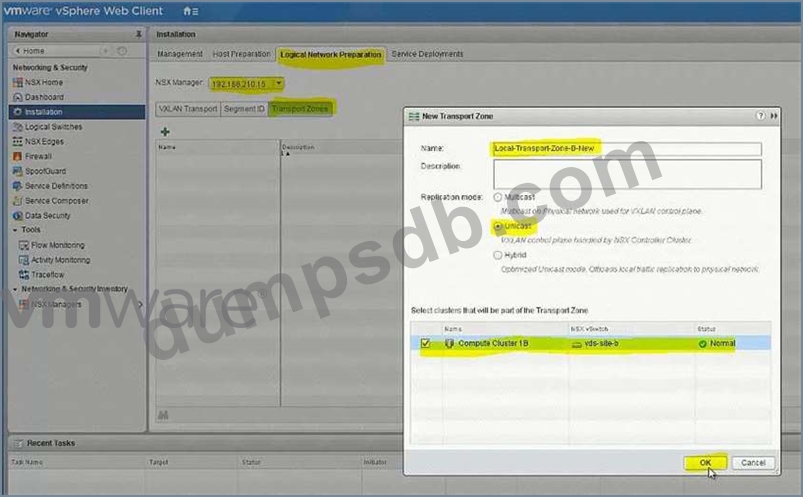
* VXLAN Span: Compute Cluster 1B - HOL 1903-01 Page 26-36
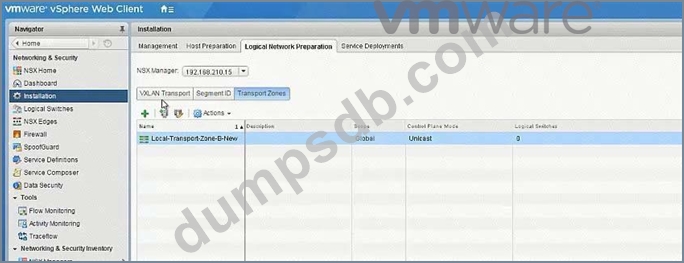
* Transport Zone: Local-Transport-Zone-B-New - HOL 1903-01 Page 26-36
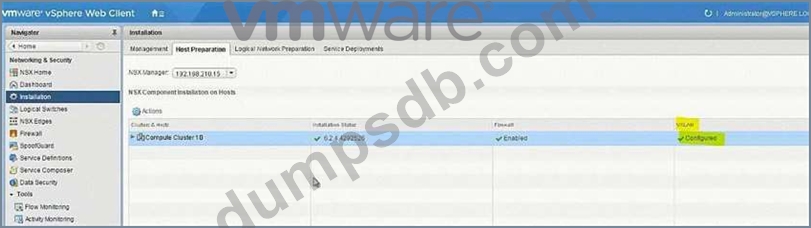
* Host must be prepared for NSX
* Use provided information to complete the initial VXLAN configuration.
* The underlying physical network does not support multicast.
* Ensure that requirements are met:
* Create the IP Pool as given:
* Do the Host preparation.
* Create a Local Transport Zone as given. - HOL 1903-01 Page 26-36
* Create the segment ID as given. - HOL 1903-01 Page 26-36
HOL LAB for Practice:
http://docs.hol.vmware.com/hol-isim/HOL-2019/hol-1903-01-nsxinstall-p2.htm and LAB - HOL 1903-01 Page 26-36 See the explanation part for complete solution.
Question 5
The troubleshooting NSX deployment is growing and running out of compute capacity. An additional ESXi host is being added for VXLAN.
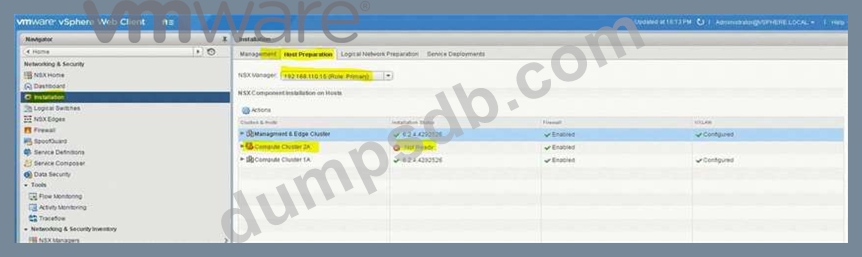
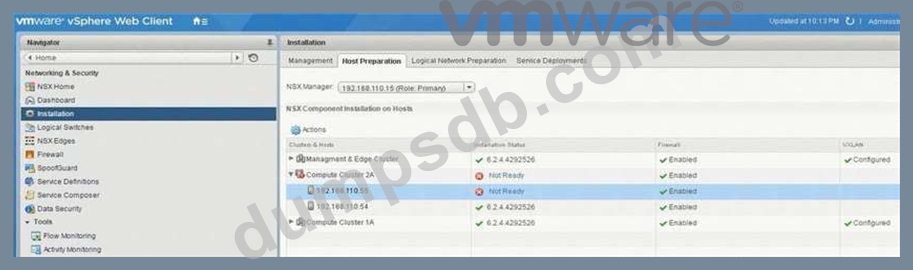
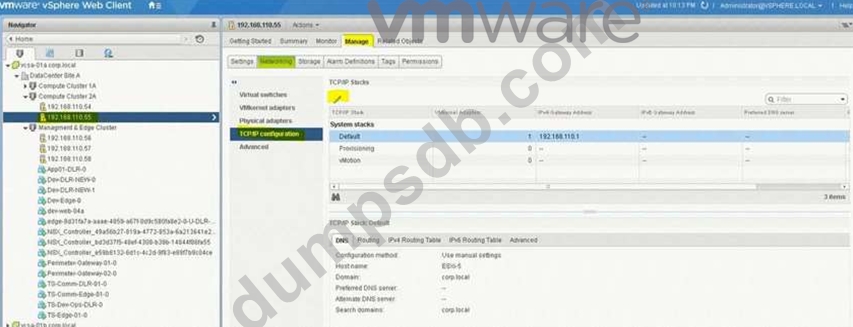
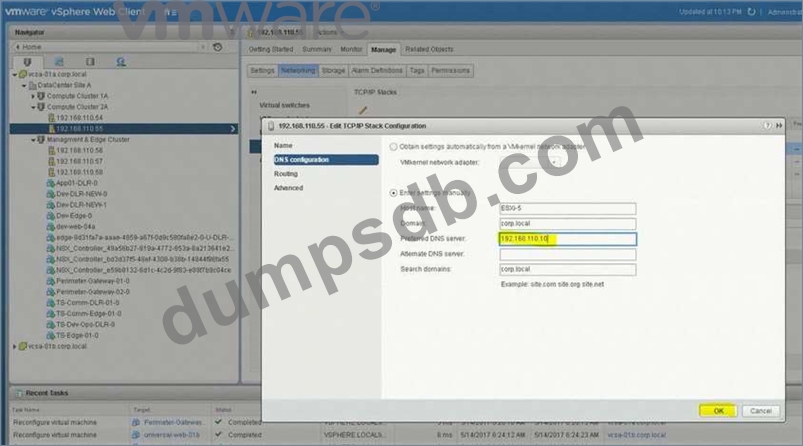
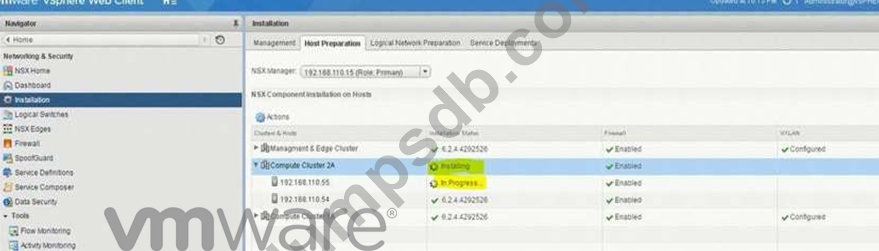
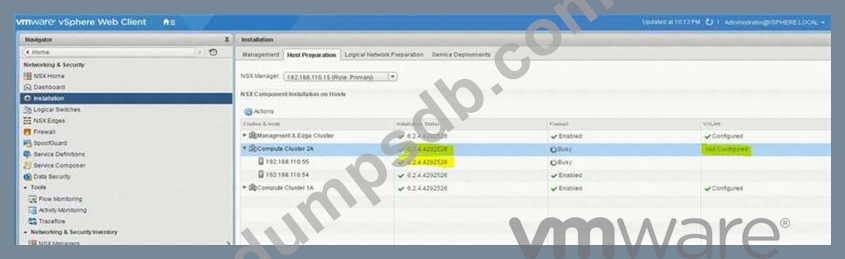
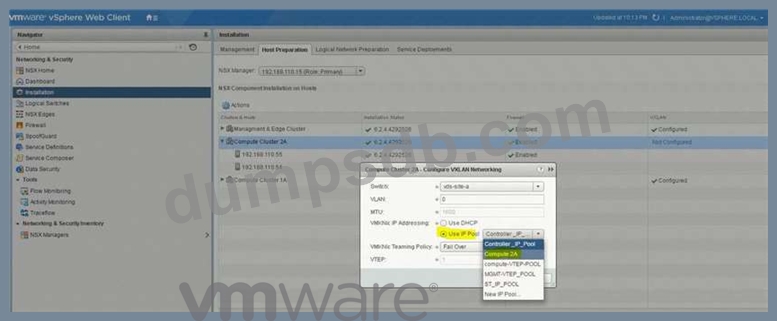
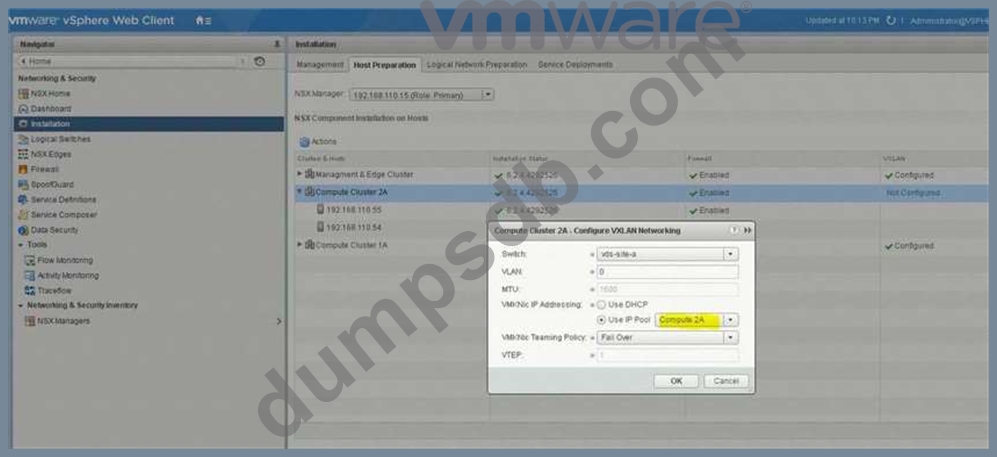
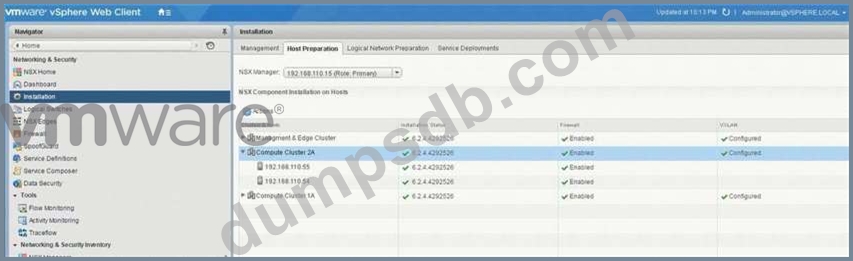
Host preparation has failed on esx-05a.corp.local on several attempts and the Compute Cluster 2A was left in an error state, determine and resolve the issue.
Requirements:
vCenter: vcsa-01a.corp.local
Credentials: [email protected] / VMware1!
Cluster: Compute Cluster 2A
IP Pool: Compute-2A
Transport Zone: Local-Transport-Zone-A
Esx-05a.corp.local IP information:
IP: 192.168.110.58
Netmask: 255.255.255.0
Gateway: 192.168.110.1
DNS: 192.168.110.10
1-Resolve deployment issue.
2-Prepare esx-05-a.corp.local for NSX in Compute Cluster 2A.
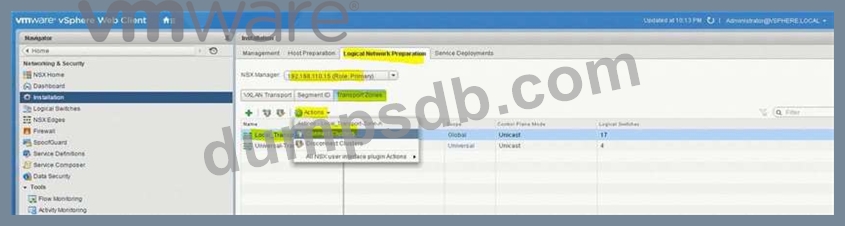
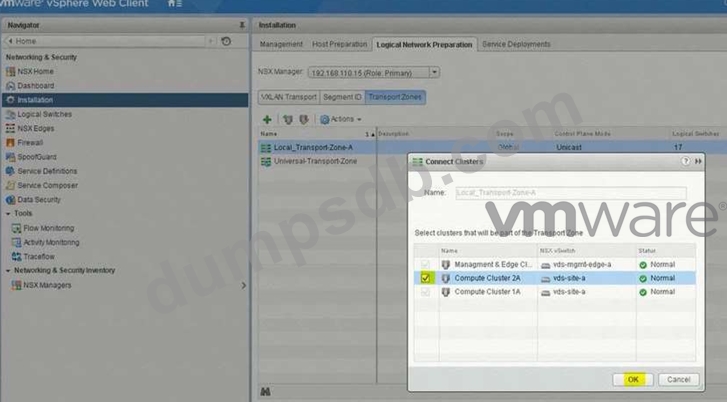
3-Ensure once the issue is resolved with the Compute Cluster 2A cluster, that it is connected to Local-Transport-Zone-A.
HOL LAB for Practice:
No Lab Module available
See the explanation part for complete solution.