Question 41
You have a Microsoft 365 subscription.
You are creating a retention policy named Retention1 as shown in the following exhibit.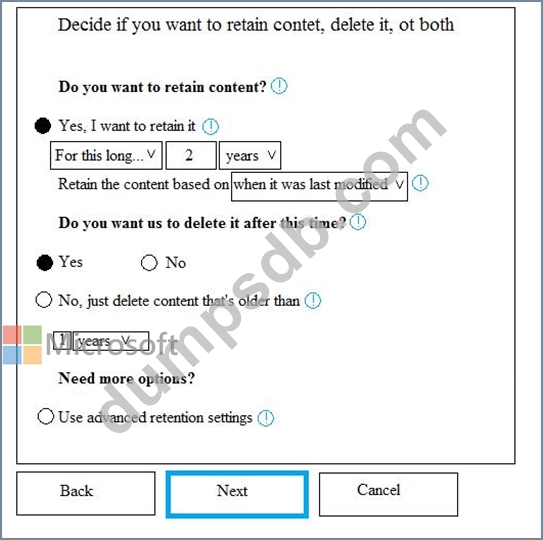
You apply Retention1 to SharePoint sites and OneDrive accounts.
Use the drop-down menus to select the answer choice that completes each statement based on the information presented in the graphic.
NOTE: Each correct selection is worth one point.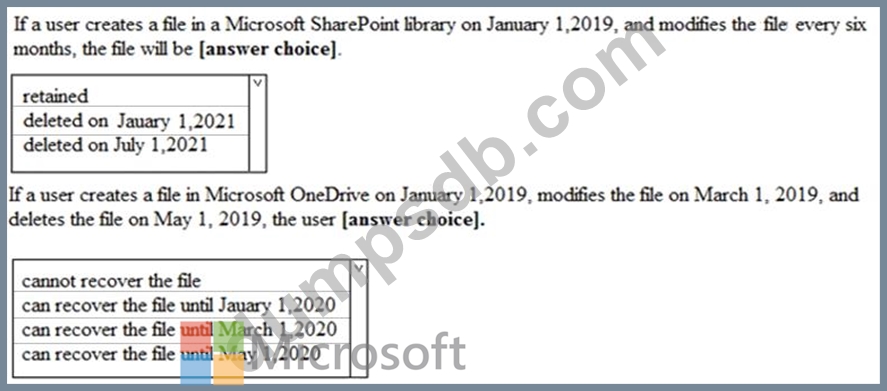

Question 42
Please wait while the virtual machine loads. Once loaded, you may proceed to the lab section. This may take a few minutes, and the wait time will not be deducted from your overall test time.
When the Next button is available, click it to access the lab section. In this section, you will perform a set of tasks in a live environment. While most functionality will be available to you as it would be in a live environment, some functionality (e.g., copy and paste, ability to navigate to external websites) will not be possible by design.
Scoring is based on the outcome of performing the tasks stated in the lab. In other words, it doesn't matter how you accomplish the task, if you successfully perform it, you will earn credit for that task.
Labs are not timed separately, and this exam may more than one lab that you must complete. You can use as much time as you would like to complete each lab. But, you should manage your time appropriately to ensure that you are able to complete the lab(s) and all other sections of the exam in the time provided.
Please note that once you submit your work by clicking the Next button within a lab, you will NOT be able to return to the lab.
Username and password
Use the following login credentials as needed:
To enter your username, place your cursor in the Sign in box and click on the username below.
To enter your password, place your cursor in the Enter password box and click on the password below.
Microsoft 365 Username:
admin@[email protected]
Microsoft 365 Password: #HSP.ug?$p6un
If the Microsoft 365 portal does not load successfully in the browser, press CTRL-K to reload the portal in a new browser tab.
The following information is for technical support only:
Lab instance: 11122308

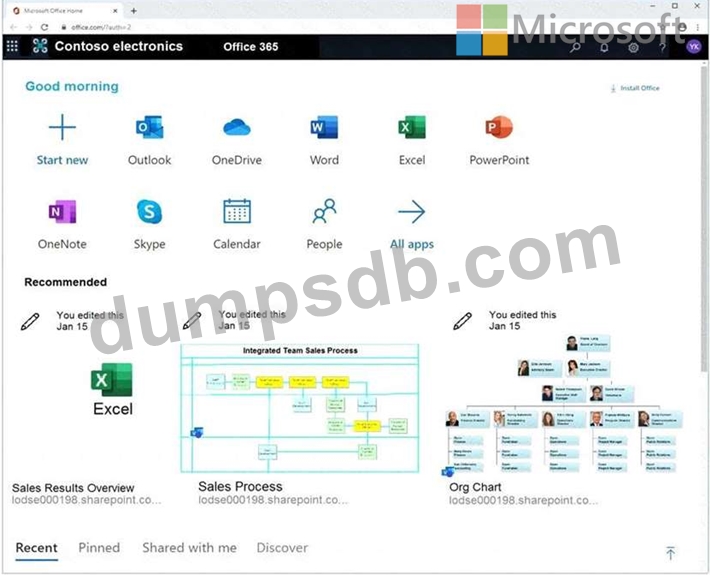
You need to ensure that a user named Allan Deyoung receives incident reports when email messages that contain data covered by the U.K. Data Protection Act are sent outside of your organization.
To complete this task, sign in to the Microsoft 365 admin center.
Question 43
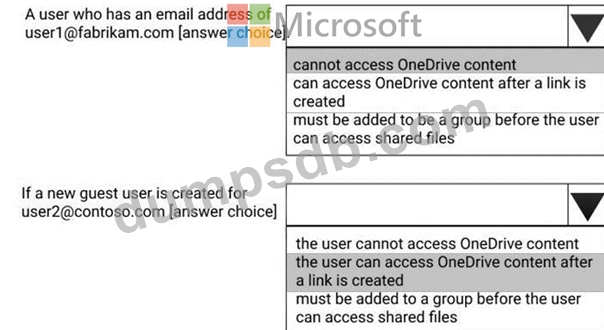
You have a Microsoft 365 subscription that uses a default name of litwareinc.com.
You configure the Sharing settings in Microsoft OneDrive as shown in the following exhibit.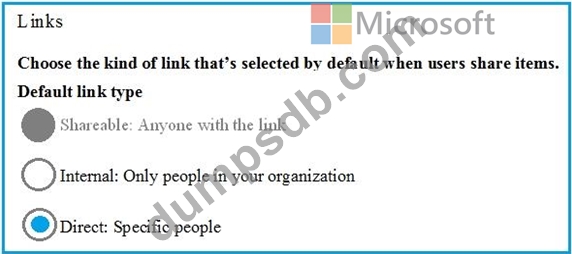
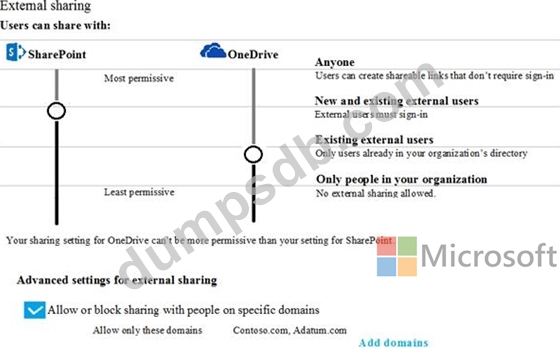
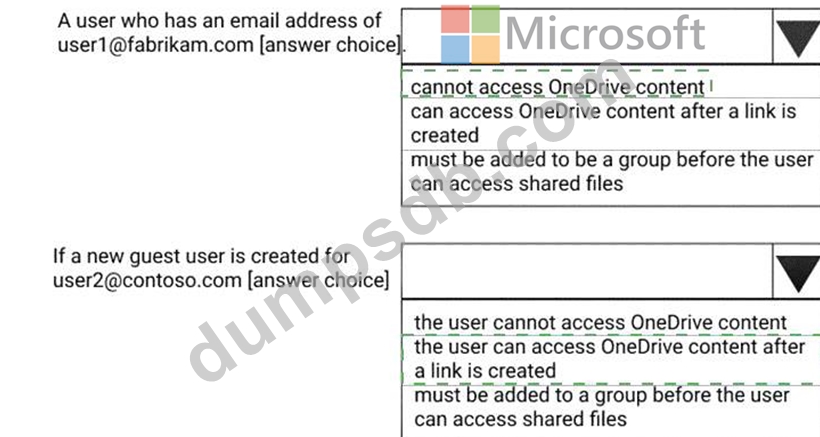
Use the drop-down menus to select the answer choice that completes each statement based on the information presented in the graphic.
NOTE: Each correct selection is worth one point.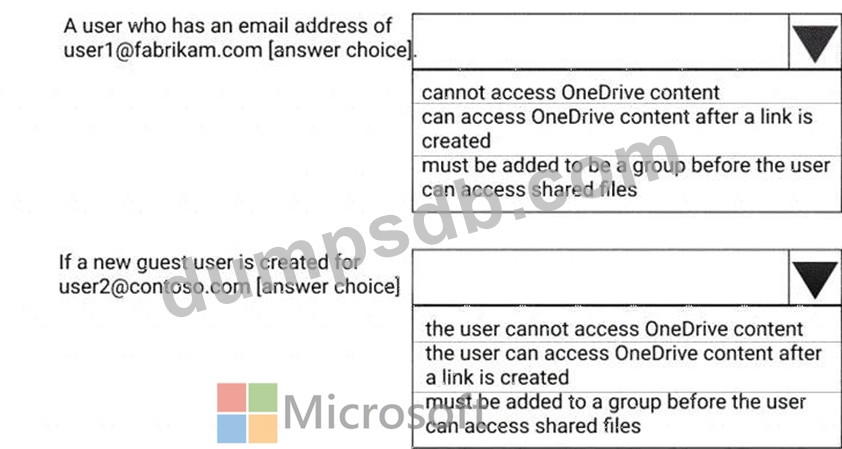
Question 44
Note: This question is part of a series of questions that present the same scenario. Each question in the series contains a unique solution that might meet the stated goals. Some questions sets might have more than one correct solution, while others might not have a correct solution.
After you answer a question in this section, you will NOT be able to return to it. As a result, these questions will not appear in the review screen.
You have a Microsoft 365 subscription.
You have a user named User1. Several users have full access to the mailbox of User1.
Some email messages sent to User1 appear to have been read and deleted before the user viewed them.
When you search the audit log in Security & Compliance to identify who signed in to the mailbox of User1, the results are blank.
You need to ensure that you can view future sign-ins to the mailbox of User1.
You run the Set-AuditConfig -Workload Exchange command.
Does that meet the goal?
Question 45
You need to implement Windows Defender ATP to meet the security requirements. What should you do?