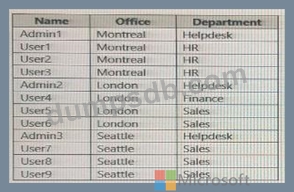
Question 6
You have a Microsoft 365 tenant.
You configure a conditional access policy as shown in the Conditional Access policy exhibit. (Click the Conditional Access policy tab.)
You view the User administrator role settings as shown in the Role setting details exhibit. (Click the Role setting details tab.)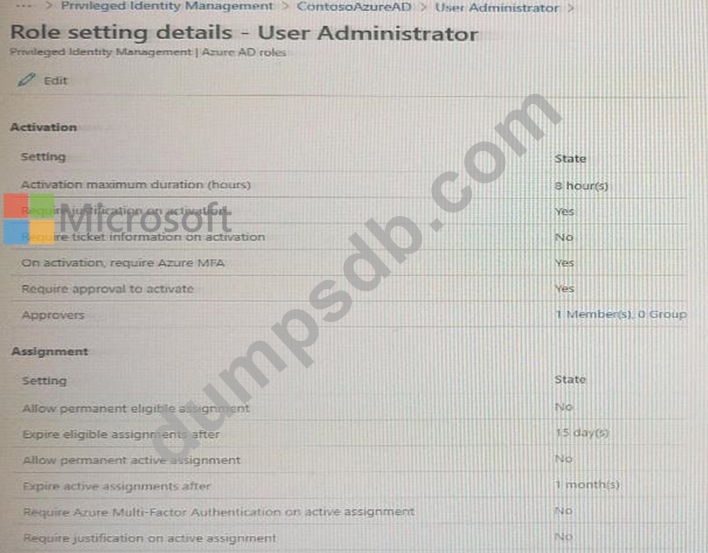
You view the User administrator role assignments as shown in the Rote assignments exhibit. (Click the Role assignments lab.)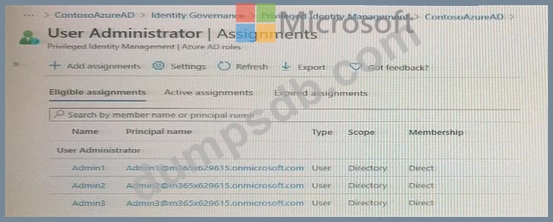
For each of the following statement, select Yes if the statement is true. Otherwise, select No.
NOTE: Each correct selection is worth one point.

Question 7
You have an Azure Active Directory (Azure AD) tenant that contains the following group:
Name: Group1
Members: User1, User2
Owner: User3
On January 15, 2021, you create an access review as shown in the exhibit. (Click the Exhibit tab.)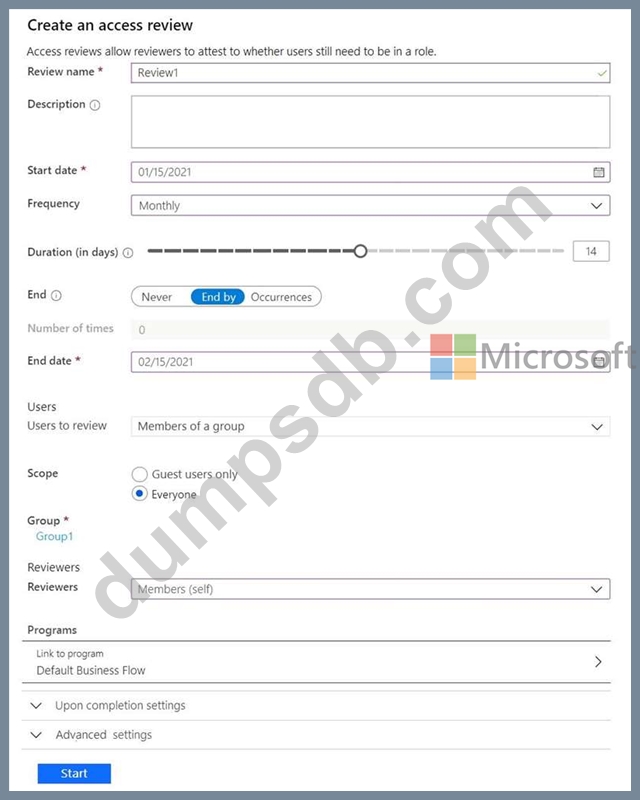
Users answer the Review1 question as shown in the following table.
For each of the following statements, select Yes if the statement is true. Otherwise, select No.
NOTE: Each correct selection is worth one point.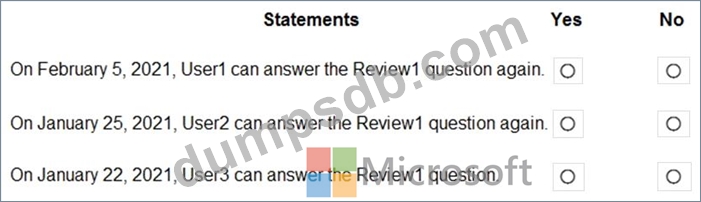

Question 8
You need to meet the technical requirements for the probability that user identifies were compromised.
What should the users do first, and what should you configure? To answer, select the appropriate options in the answer area.
NOTE: Each correct selection is worth one point.

Question 9
You have a new Microsoft 365 tenant that uses a domain name of contoso.conmicrosoft.com.
You register the name contoso.com with a domain registrar.
You need to use contoso.com as the default domain name for new Microsoft 365 users.
Which four actions should you perform in sequenced? To answer, move the appropriate actions from the list of actions to the answer area and arrange them in the correct order.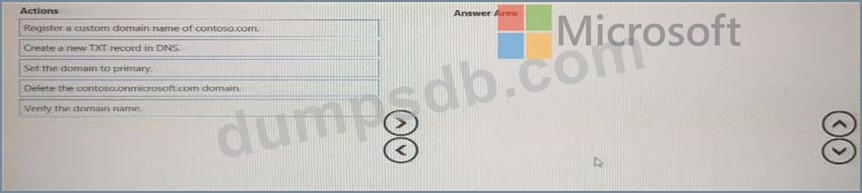

Question 10
Note: This question is part of a series of questions that present the same scenario. Each question in the series contains a unique solution that might meet the stated goals. Some question sets might have more than one correct solution, while others might not have a correct solution.
After you answer a question in this section, you will NOT be able to return to it. As a result, these questions will not appear in the review screen.
You have an Active Directory forest that syncs to an Azure Active Directory (Azure AD) tenant.
You discover that when a user account is disabled in Active Directory, the disabled user can still authenticate to Azure AD for up to 30 minutes.
You need to ensure that when a user account is disabled in Active Directory, the user account is immediately prevented from authenticating to Azure AD.
Solution: You configure Azure AD Password Protection.
Does this meet the goal?