

Question 21
You have a Microsoft 365 tenant.
All users have computers that run Windows 10. Most computers are company-owned and joined to Azure Active Directory (Azure AD). Some computers are user-owned and are only registered in Azure AD.
You need to prevent users who connect to Microsoft SharePoint Online on their user-owned computer from downloading or syncing files. Other users must NOT be restricted.
Which policy type should you create?
Question 22
Your network contains an on-premises Active Directory domain named contoso.com. The domain contains the objects shown in the following table.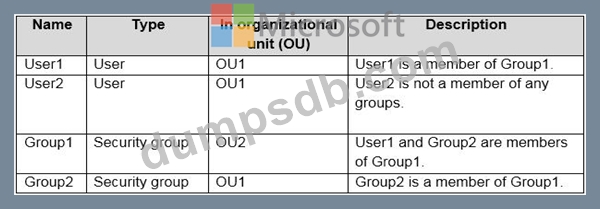
You install Azure AD Connect. You configure the Domain and OU filtering settings as shown in the Domain and OU Filtering exhibit. (Click the Domain and OU Filtering tab.)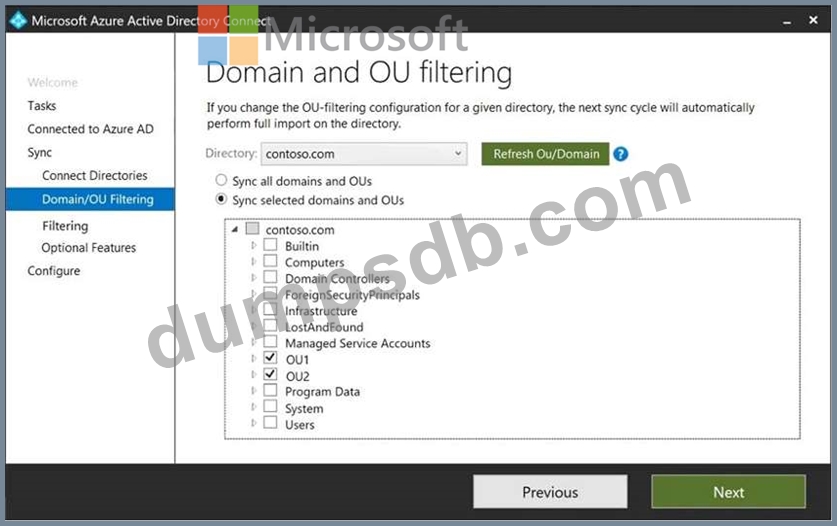
You configure the Filter users and devices settings as shown in the Filter Users and Devices exhibit. (Click the Filter Users and Devices tab.)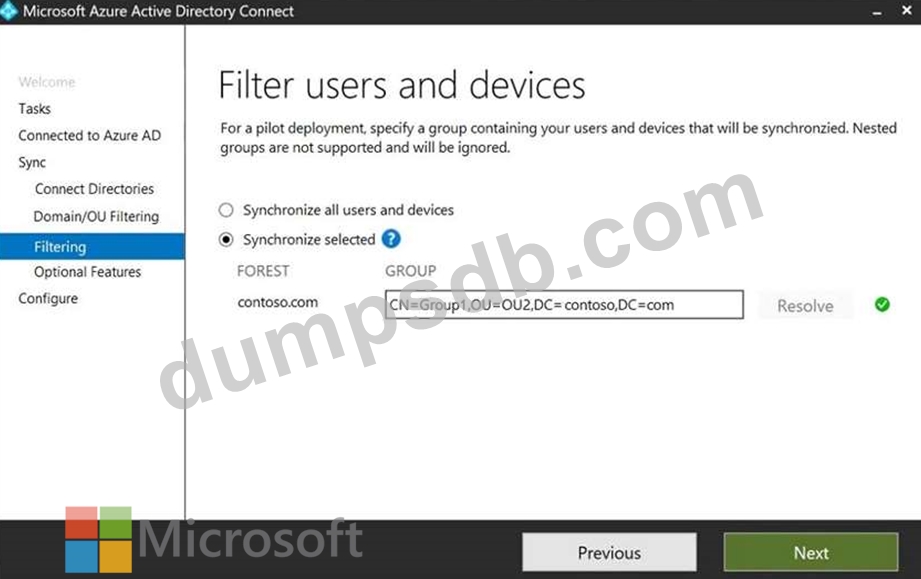
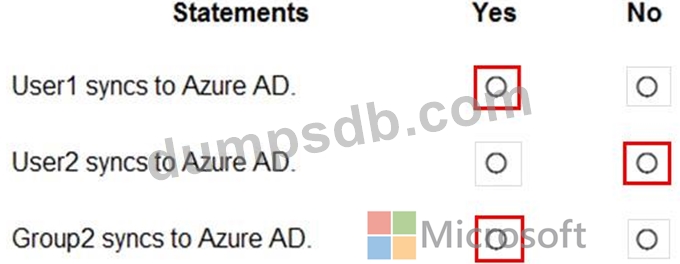
For each of the following statements, select Yes if the statement is true. Otherwise, select No.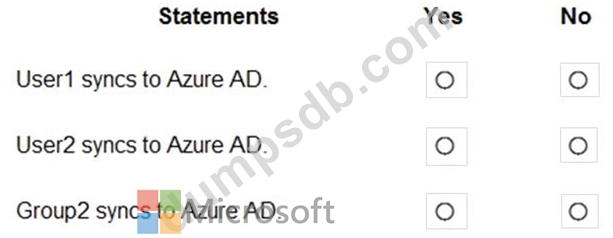
Question 23
You need to meet the planned changes for the User administrator role.
What should you do?
Question 24
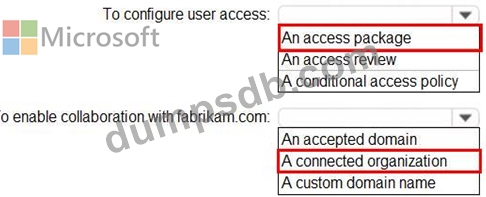
You need to implement the planned changes and technical requirements for the marketing department.
What should you do? To answer, select the appropriate options in the answer area.
NOTE: Each correct selection is worth one point.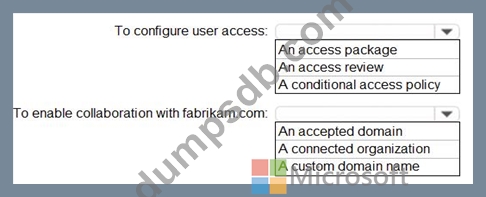
Question 25
You have an Azure Active Directory (Azure AD) tenant.
You create an enterprise application collection named HR Apps that has the following settings:
* Applications: Appl. App?, App3
* Owners: Admin 1
* Users and groups: HRUsers
AH three apps have the following Properties settings:
* Enabled for users to sign in: Yes
* User assignment required: Yes
* Visible to users: Yes
Users report that when they go to the My Apps portal, they only sue App1 and App2-You need to ensure that the users can also see App3. What should you do from App3?
What should you do from App3?