

Question 46
You have a Microsoft 365 tenant that uses the domain named fabrikam.com. The Guest invite settings for Azure Active Directory (Azure AD) are configured as shown in the exhibit. (Click the Exhibit tab.)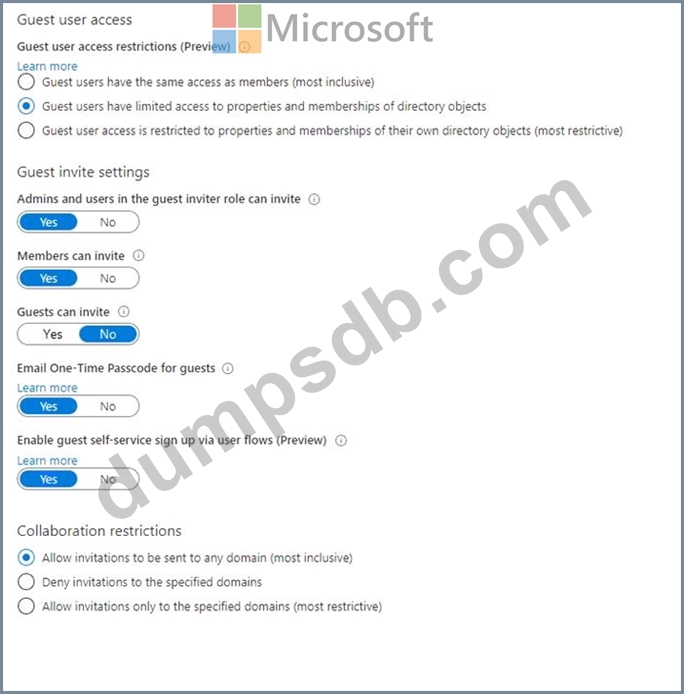
A user named [email protected] shares a Microsoft SharePoint Online document library to the users shown in the following table.
Which users will be emailed a passcode?
Question 47
You have a Microsoft 365 tenant.
All users must use the Microsoft Authenticator app for multi-factor authentication (MFA) when accessing Microsoft 365 services.
Some users report that they received an MFA prompt on their Microsoft Authenticator app without initiating a sign-in request.
You need to block the users automatically when they report an MFA request that they did not Initiate.
Solution: From the Azure portal, you configure the Account lockout settings for multi-factor authentication (MFA).
Does this meet the goal?
Question 48
You have a Microsoft 365 tenant that contains a group named Group1 as shown in the Group1 exhibit. (Click the Group1 tab.)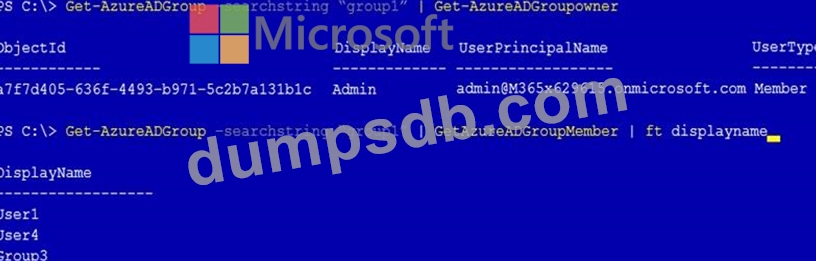
You create an enterprise application named App1 as shown in the App1 Properties exhibit. (Click the App1 Properties tab.)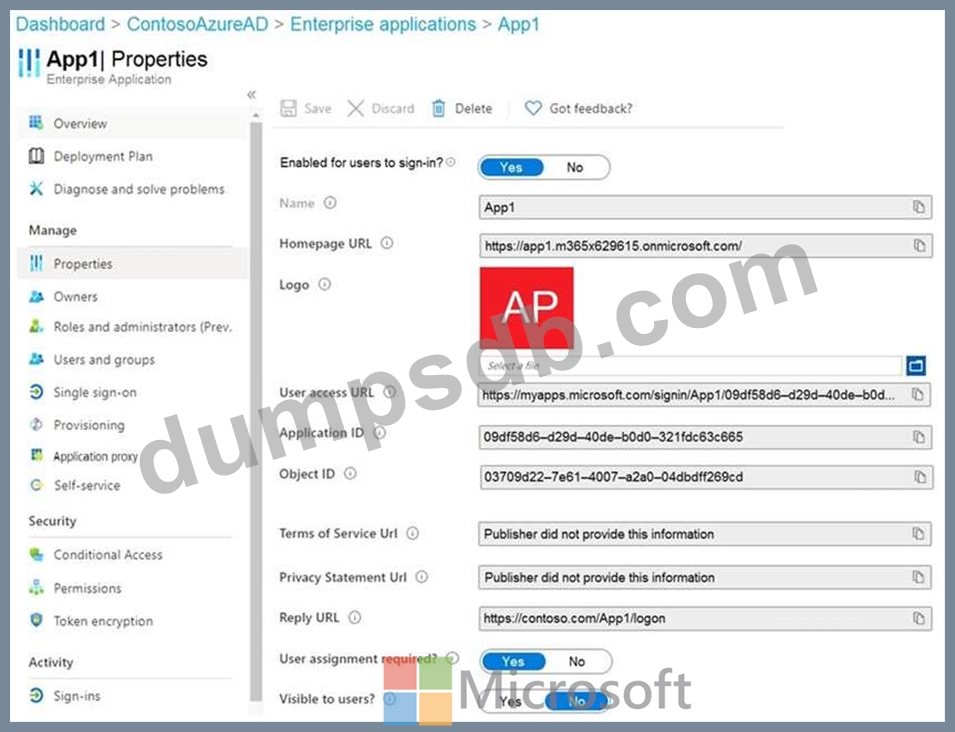
You configure self-service for App1 as shown in the App1 Self-service exhibit. (Click the App1 Self-service tab.)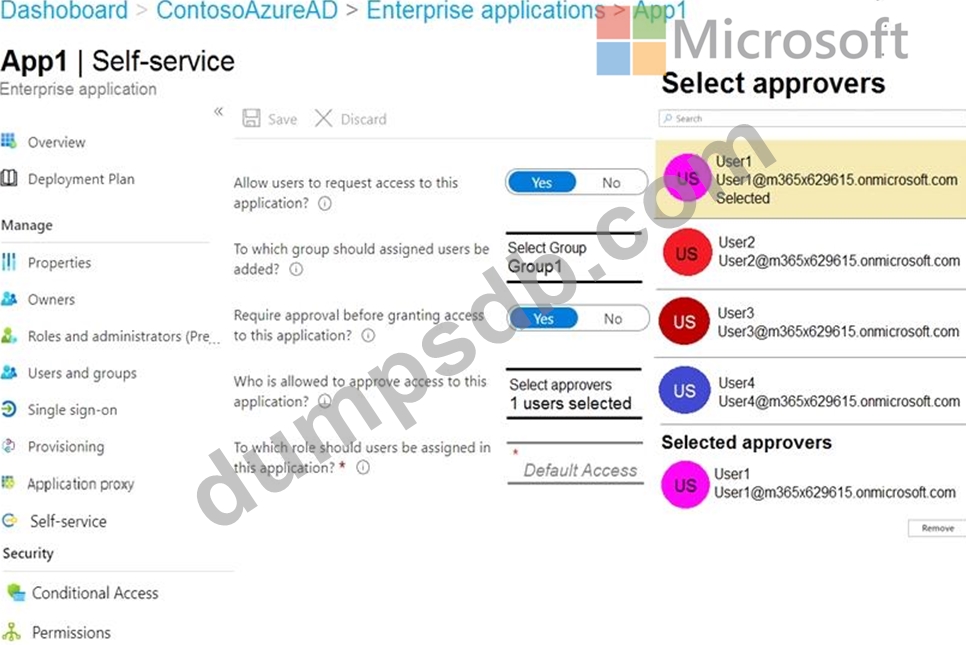
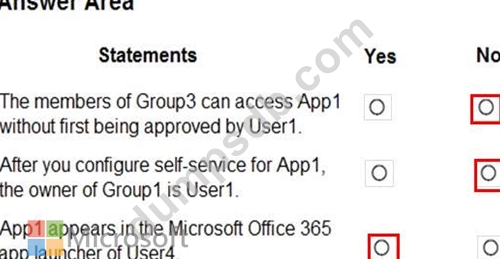
For each of the following statements, select Yes if the statement is true. Otherwise, select No.
NOTE: Each correct selection is worth one point.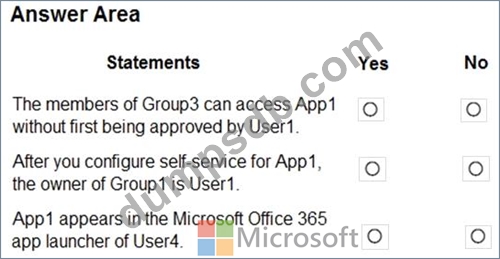
Question 49
You have an Azure Active Directory (Azure AD) tenant.
You need to review the Azure AD sign-ins log to investigate sign ins that occurred in the past.
For how long does Azure AD store events in the sign-in log?
Question 50
You have a Microsoft 365 tenant that contains a group named Group! as shown in the Group1 exhibit. (Click the Group 1 tab.)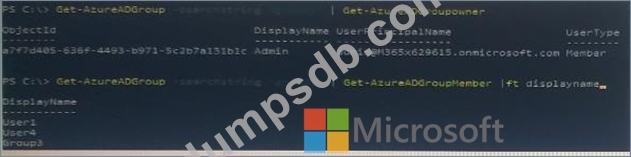
You create an enterprise application named App1 as shown in the App1 Properties exhibit. (Click the App1 Properties tab.)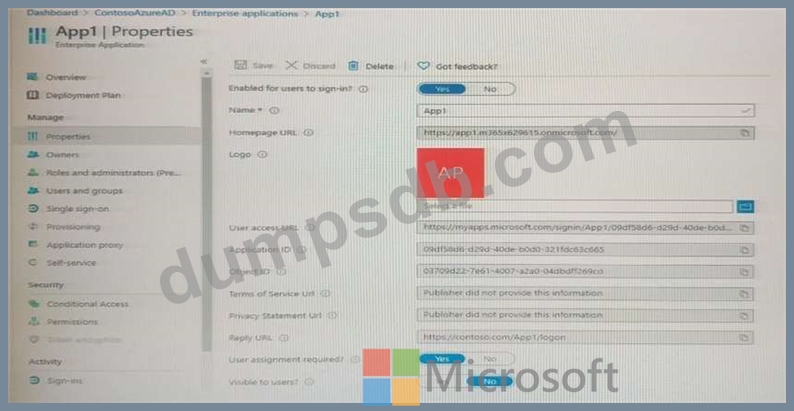
You configure self-service for App1 as shown in the App1 Self-service exhibit: (Click the App1 Self-service tab.)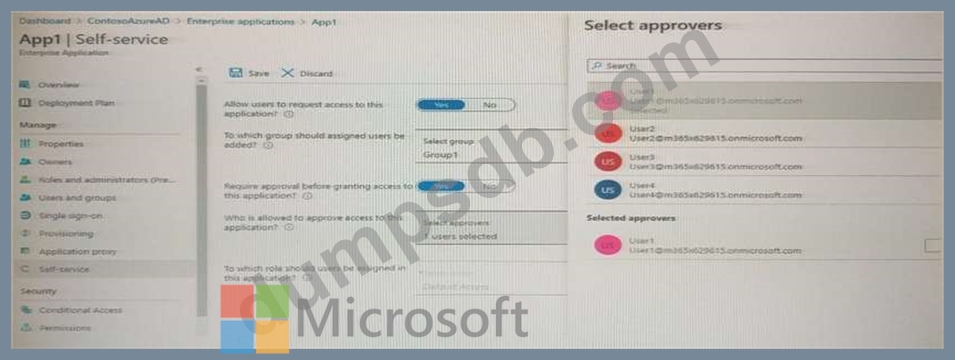
For each of the following statements, select Yes if the statement is true, Otherwise select NO.
NOTE: Each correct selection is worth one point.
