Question 51
You have an on-premises Microsoft Exchange organization that uses an SMTP address space of contoso.com.
You discover that users use their email address for self-service sign-up to Microsoft 365 services.
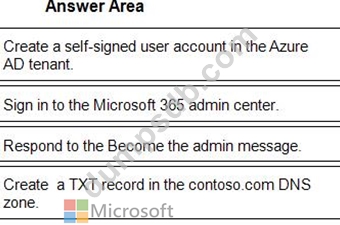
You need to gain global administrator privileges to the Azure Active Directory (Azure AD) tenant that contains the self-signed users.
Which four actions should you perform in sequence? To answer, move the appropriate actions from the list of actions to the answer area and arrange them in the correct order.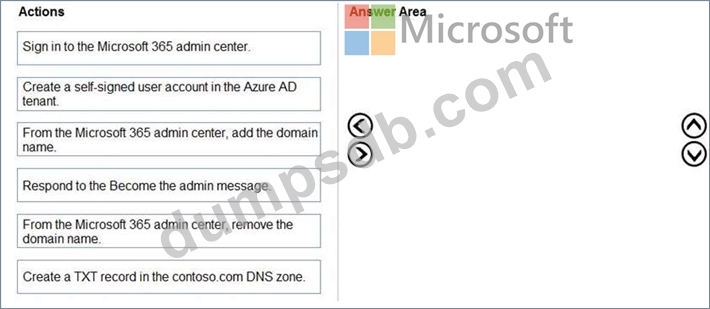
Question 52
You have a Microsoft Exchange organization that uses an SMTP' address space of contoso.com.
Several users use their contoso.com email address for self-service sign up to Azure Active Directory (Azure AD).
You gain global administrator privileges to the Azure AD tenant that contains the self-signed users.
You need to prevent the users from creating user accounts in the contoso.com Azure AD tenant for self-service sign-up to Microsoft 365 services.
Which PowerShell cmdlet should you run?
Question 53
You have a Microsoft 365 tenant.
You configure a conditional access policy as shown in the Conditional Access policy exhibit. (Click the Conditional Access policy tab.)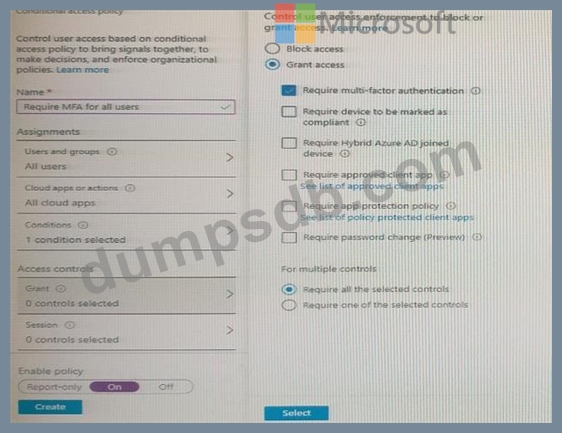
You view the User administrator role settings as shown in the Role setting details exhibit. (Click the Role setting details tab.)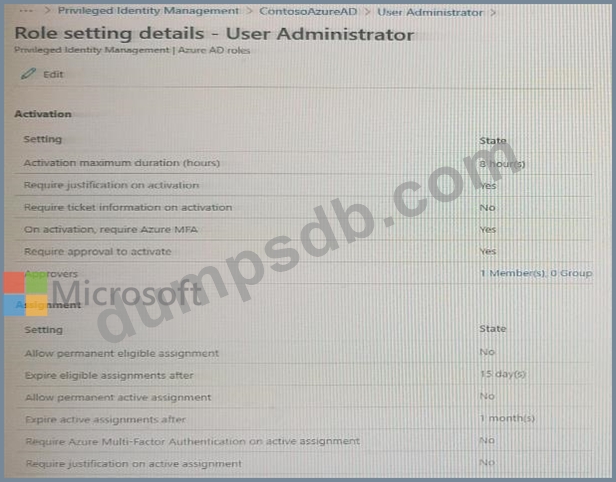
You view the User administrator role assignments as shown in the Rote assignments exhibit. (Click the Role assignments lab.)
For each of the following statement, select Yes if the statement is true. Otherwise, select No.
NOTE: Each correct selection is worth one point.

Question 54
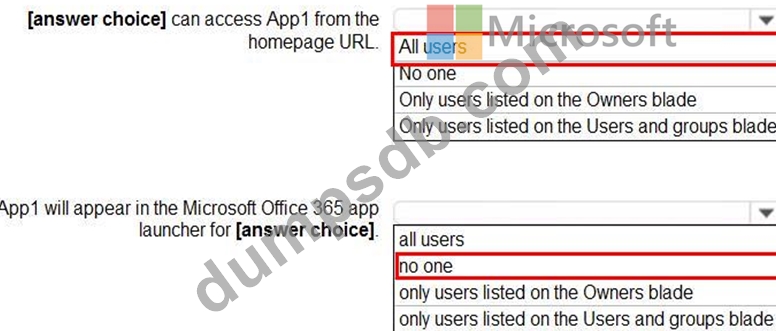
You have a custom cloud app named App1 that is registered in Azure Active Directory (Azure AD).
App1 is configured as shown in the following exhibit.
Use the drop-down menus to select the answer choice that completes each statement based on the information presented in the graphic.
NOTE: Each correct selection is worth one point.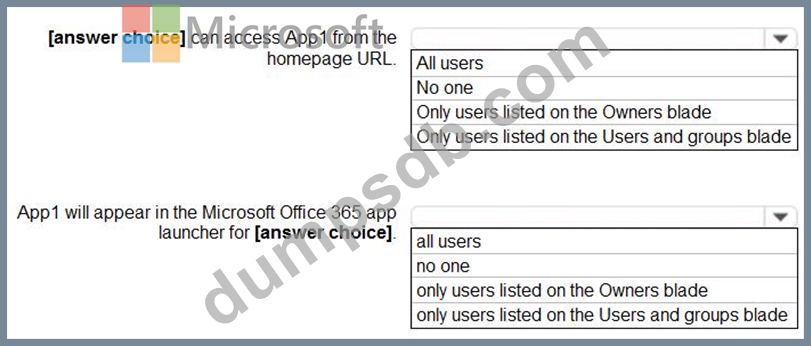
Question 55
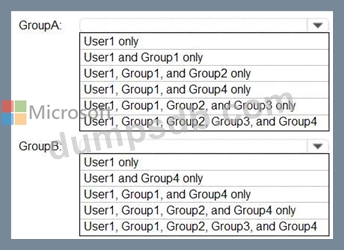
You have an Azure Active Directory (Azure AD) tenant that contains a user named User1 and the groups shown in the following table.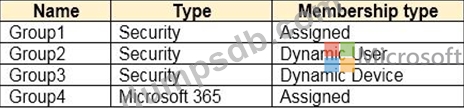
In the tenant, you create the groups shown in the following table.
Which members can you add to GroupA and GroupB? To answer, select the appropriate options in the answer area.
NOTE: Each correct selection is worth one point.